



Skip Viewer Signups With the Best Tipping Platform for Livestreamers
A simple way to accept tips during a livestream is a personalized no-account tip link, and we recommend Tipper for it. Your viewers can pay with Apple Pay or Google Pay. Below we cover setup, policy cautions, payouts, and how to choose.
TL;DR:
- Test the payment and alert separately in private mode and again with your live scene; verify the provider’s transaction record because an animation proves nothing.
- When multistreaming, use separate alert widgets or scenes for each destination, check every platform’s terms, and keep one service’s chat and sounds off another’s stream.
- For charitable campaigns, use an eligible platform fundraiser for a registered nonprofit; personal tip links support the creator and should not be presented as donations.
- Track gross earnings, fees, and deposits weekly, save payout records, and set aside tax money; tips, subscriptions, sponsorships, and sales count as creator income.
Table of Contents
- Which ways of accepting tips actually work for streamers?
- How do you set up a tip link and alerts before your next stream?
- What should you check before multistreaming with tips?
- When do tips reach your bank, and what do you owe in taxes?
- How do you pick the right tipping setup in a few minutes?
- What do platform docs and multistream guidance say about tipping?
- Why we built a no-account tip link for creators
- Start tipping in minutes with a Tipper tip link
- FAQ
- Sources
Which ways of accepting tips actually work for streamers?
Most of the top tipping apps and services fall into three categories, and each one changes what your viewer has to do before they can support you.
- Creator tip pages. You get a personal link or QR code that viewers open on a phone or desktop. Some versions let a supporter pay without creating an account, offer one-tap wallets, and let you send back a thank-you note or video. Viewer friction is lowest here, and you control the page’s look and wording.
- Native fan-funding features. These are tools built into the streaming site, such as Super Chat on YouTube or Bits on Twitch. Viewers already have an account and a payment method on file, so the click path is short, but you are tied to that one platform’s rules, revenue split, and display style. The tip shows up in the platform’s own chat or highlight area.
- Embedded payment flows. Some streamers wire a payment processor’s checkout into a panel or website. This gives you control over the checkout, but you take on more setup, and receipts, refunds, and alert connections are yours to manage.
When you compare these tipping platforms, ask what each one does to viewer friction, whether a receipt reaches the supporter, and how visible the tip is to the rest of the chat. A tip page works well because it travels with you. The same link can sit in a panel, a chat command, a pinned message, and a video description. For a deeper look at the different types of real-time supporter contribution tools, we have a separate breakdown.
How do you set up a tip link and alerts before your next stream?
You can get started with these steps. The goal is simple: a link viewers can pay through, an alert that appears on stream, and proof that both work before you go live. The payment and the on-screen alert are two separate steps, and both need testing before you go live.
- Create your tip page. Sign up, claim your personalized link, and choose from the supported payment methods.
- Write your thank-you. Choose how you respond to supporters. A short note works, and a photo or video message makes a bigger impression. Keep the wording friendly and specific to your channel.
- Copy your alert widget URL. Add an alert to your stream using a method that works for your setup. Treat it like a password and never show it on screen.
- Add it to OBS as a Browser source. In OBS, add a new Browser source to your scene, paste the widget URL, and size it to match your canvas. Choose dimensions that fit your stream canvas, so the alert can animate anywhere you position it.
- Layer it correctly. Drag the alert source above your camera and game capture in the source list so it is never hidden behind them. Place it where it won’t obscure your face cam or chat box.
- Send a test tip. Pay a small amount from your own phone, ideally with a wallet like Apple Pay. Confirm the alert appears in OBS, the sound plays at a sensible volume, and the thank-you step triggers.
- Verify the transaction. Open your provider dashboard and check that the payment is recorded. An alert on screen is a display event, not proof of payment.
- Place and label the link. Add the link to your panels, your chat commands, your video description, and an on-screen graphic or QR code. Label it plainly, for example “Tip the stream” so nobody has to guess what it does.
Pro Tip: Run the test with your stream in a private or unlisted state, then repeat it once with the real scene collection you will use live, since layer order and browser source sizing are the two things that most often break.
For presets and payout choices that suit your audience, read our guide to creator tip link strategy. If you want your link to be easy to find on your channel page, a course on YouTube channel SEO can help you place it where viewers look first.
What should you check before multistreaming with tips?
If you broadcast to more than one site at once, your tipping setup needs extra care. Platforms write their own rules about what can appear on screen, and those rules do not always agree. One guide to multistreaming notes that Twitch forbids merged activity that brings in other platforms’ chat or alerts, and that multistream setups may need separate widgets or scene canvases to stay compliant. Merging everything into a single alert feed can look convenient, but it can also create policy trouble.
There are a few technical ways to keep things clean:
- Per-platform widgets. Give each destination its own alert source so no tip event is mirrored where it should not appear.
- Separate scenes or canvases. Build one scene for each destination, each with only the elements that platform allows.
- Platform-native fundraisers. For charity drives, use the site’s own fundraising tool rather than a personal tip link.
Before you go live on several sites, run through this list:
- Test every destination on its own, with a real tip and a real alert.
- Read the partner or affiliate terms for each platform you stream to.
- Avoid hard calls to leave one platform for another. Point viewers to your tip link instead of telling them to abandon the stream they are on.
- Keep chat overlays and alert sounds from one site off the stream going to another.
Charity is a special case. If you are raising money for a cause, a personal tip page is not the right vehicle. A native fundraiser such as YouTube Giving lets eligible channels add a donate button for registered nonprofits, which keeps the money flow transparent for donors. If you work with nonprofit partners on campaigns like that, this resource guide for nonprofits may help you plan.
When do tips reach your bank, and what do you owe in taxes?
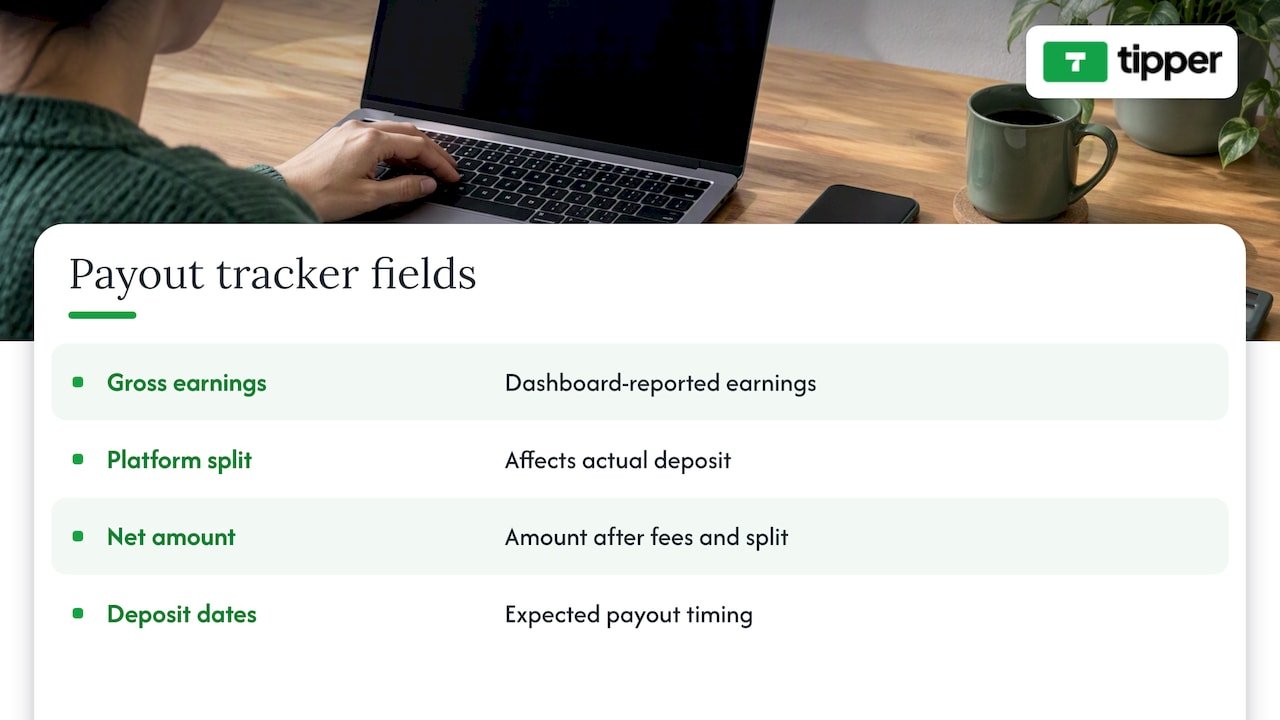
What your dashboard shows and what lands in your bank account are rarely the same number on the same day. A platform dashboard reports what you have earned, while the actual deposit depends on fees, the platform’s split, and the payout schedule. A payout tracker reconciles gross earnings, platform split, net amount, and expected deposit dates so you can see when money actually lands.
Build a simple habit around this. Once a week, compare three numbers: what the dashboard says you earned, what fees were taken, and what hit your account. If those do not line up, you want to know before tax season, not during it. Keep screenshots or exports of every payout, and note which platform each one came from, especially if you stream to several sites.
On taxes, the framing is straightforward even when the details are not.
Tips, subscriptions, sponsorships, and sales all count as creator income, and every platform payout should be tracked. If your situation is anything beyond simple, such as income from several countries, equipment write-offs, or a business entity, talk to a CPA.
Treat your tipping income like a small business from day one. Save a portion of each payout for taxes, log your fees as a separate line, and keep your records in one place. Doing it regularly can save you from having to rebuild a year’s worth of payouts from memory.
How do you pick the right tipping setup in a few minutes?
Use this checklist to compare any option, in this order. It works for a tip page, a native feature, or a custom flow, and it is a practical way to compare digital tipping solutions for your channel.
- Ease for the viewer. Can someone pay in one or two taps with Apple Pay or Google Pay, without making an account? Every extra form field costs you tips.
- Overlay integration and alert reliability. Does it give you a widget URL that works as an OBS Browser source, and does the alert fire every time you test it?
- Fees and payout flow. What fees are added, who pays them, and how and when do you receive your money? Look for a clear explanation, not a vague one. Current fee details are on our site.
- Privacy and donor experience. Can supporters send a note, and can you reply with a thank-you? Does the page respect supporter privacy?
- Support and documentation. If an alert breaks shortly before you go live, is there a help page that gets you moving again?
User-friendly tipping platforms tend to win on the first and fourth points, because they reduce friction for the supporter while still giving you a way to connect.
Pro Tip: Score each option from one to five on every line above, then weigh the first two lines double. A setup that is easy to use and reliable on screen may suit you better than one that is cheaper but clumsy.
If you are still deciding whether a link is worth having at all, our piece on why creators need tipping links lays out the case.
What do platform docs and multistream guidance say about tipping?
Three findings from platform documentation and multistream guidance affect almost every decision above.
- Native fan-funding is not charity. Official features such as Super Chat and Bits are not charitable donations. When you run a fundraiser, use the platform’s official charity tools or a recognized fundraising service, because those provide transparent handling and receipts that supporters can use for tax purposes. A personal tip link is for supporting you, and it should never be presented as a charitable gift.
- Keep alert systems segregated when multistreaming. Different platforms have different rules, so confirm each one’s policy before you merge anything. Separate widgets or scene canvases are the safest approach.
- Verify the payment, not the animation. Accepting a payment and showing an alert are separate events. If an alert looks wrong, or never appears, the provider’s own transaction record is what tells you whether the money actually arrived.
These points are worth pinning near your streaming desk. Most tipping problems are not payment failures. They come from mixing up what appears on screen with what appears in your account, or from treating a personal tip like a charity donation.
Why we built a no-account tip link for creators
We built Tipper around one frustration: a viewer feels a spark of appreciation, reaches for their phone, and then hits a sign-up wall. By the time they have made an account, the moment has passed. A no-account link keeps that moment alive. Supporters can tip without creating an account, using Apple Pay or Google Pay.
We also think the thank-you matters as much as the payment. A short note or a quick video reply turns a transaction into a relationship, and that is what brings people back next week. Our goal is for the technology to stay out of the way so the connection stays in front.
Streamers worry about take-home, so here is our stance plainly: a payment processing fee is added at checkout. We would rather you test it than take our word for it. Send yourself a tip and see how it feels from the viewer’s side.
— Tipper
Start tipping in minutes with a Tipper tip link
We designed Tipper to help viewers support your stream and make it easier to manage your earnings. You get a personalized link and QR code, Apple Pay, Google Pay, and card payments, no-account tipping for your supporters, and thank-you messages with text, photo, or video.
Here is the quick start:
- Sign up and create your tip page.
- Choose your payment methods.
- Copy your widget URL.
- Add it to OBS as a Browser source.
- Send a test tip and confirm the alert.
Your supporters can choose how to share their information, and you can manage your earnings. If you want a walkthrough of the no-signup flow first, read our creator’s guide to collecting tips with no signup. When you are ready, create your Tipper tip link and get it into your next scene before you go live.
FAQ
What is the best way to accept tips on a livestream?
A personalized tip link is a low-friction option for streamers. Viewers can pay with a wallet like Apple Pay or Google Pay. Test both the payment and the alert before you go live.
Are Super Chat and Bits the same as charity donations?
No. Fan-funding features like Super Chat and Bits are not charitable donations. For fundraisers, use the platform’s official charity tools so donors get transparent handling and receipts.
Can I use the same tip alerts on every platform when multistreaming?
Not safely. Platform rules can prohibit merged activity, so keep tipping and alert systems separate for each destination and read each platform’s terms first.
Are tips taxable?
Yes, tips count as creator income, and you should track every payout from every platform. For anything complex, ask a CPA. Our guide to accepting tips on YouTube also explains how native features and external tip pages fit together.
Sources
- How to Multistream (2026): Twitch, YouTube, Kick & TikTok at Once
- How to Set Up Donations and Alerts for Your YouTube Live Stream · StreamNeo
- Twitch Payout Tracker, Earnings & Income | Earnly
Recommended



Contactless Tipping for Hospitality: QR Codes Skip Apps and Hardware
For most hospitality and service businesses, the best contactless tipping setup is a QR code that opens a no-app browser page supporting Apple Pay, Google Pay, and card checkout. Guests already know how to scan a code, there’s no hardware to buy, and the no-install flow removes the biggest reason people skip tipping altogether. The rest of this guide covers how each method works, what it costs, how to roll it out, and what the IRS expects you to track once the tips start coming in.
TL;DR:
- Text tipping suits phone service, while NFC speeds staffed stations but needs tags and compatible devices; app based tipping excludes guests without the app.
- Ask vendors for a written example showing what staff receive from a $20 tip and whether guests, employees, or the business pay processing fees.
- Confirm payout timing against payroll needs, and reconcile platform reports with point of sale or invoice records weekly rather than monthly.
- Test the checkout internally with a $1 transaction, then track completed tips against scans and average tip size separately after the first week.
- Keep voluntary digital tips separate from mandatory service charges, and document tip pool splits to support accurate employee reporting.
Table of Contents
- Contactless tipping methods: QR codes, text-to-tip, NFC, and wallet buttons
- How to evaluate contactless tipping solutions
- Typical costs and fee models for contactless tipping
- Implementation checklist and best practices to launch contactless tipping
- Security, compliance, and tax basics for digital tips
- Recommended setups by use case: hotels, restaurants, events, and freelancers
- Trade-offs worth weighing before you commit
- Tipper: a no-account, wallet-ready way to collect tips
- FAQ
- Sources
Contactless tipping methods: QR codes, text-to-tip, NFC, and wallet buttons
Every contactless tipping method tries to solve the same problem: get a guest from “I want to tip” to “payment sent” in as few steps as possible. The methods differ mainly in how that prompt reaches the guest and what the guest needs on their phone to finish the transaction.
A QR code is the simplest version of this. A guest points their camera at a printed or displayed code, their phone opens a browser page, they pick a tip amount, and they pay with Apple Pay, Google Pay, or a card, all without installing anything. That last part matters more than it sounds. QR code tipping leads hospitality adoption precisely because it is barrier-free: no app download, no account creation, no compatibility checks. The format has become common, and QR codes are a widely used way to start digital wallet transactions.
Text-to-tip works similarly but starts with an SMS instead of a camera scan. A guest texts a keyword or short code to a number, receives a link back, and taps through to pay. It suits situations where printing a QR code isn’t practical, like a phone-based service call or a delivery confirmation text, but it adds a step compared with scanning.
NFC tap-to-tip lets a guest hold their phone near a tag or terminal to trigger the payment page instantly, skipping the scan-and-open sequence entirely. It can work well at staffed stations, like a valet stand or a Barton terminal, where the tap feels natural. The catch is hardware and compatibility: not every phone or case handles NFC cleanly, and tags cost money to deploy at scale, which is part of why QR has stayed ahead of NFC in hospitality settings despite the tap format getting more buzz.

Mobile wallet buttons and in-app tipping fit branded environments, like an event’s own app or a hotel chain’s loyalty app, where a guest is already logged in. These can reduce friction for repeat visitors but require someone to have installed the app first, which rules out one-time guests and walk-up customers.
Here’s how the main methods stack up for a typical hospitality operator:
- QR codes: no hardware needed, printable on any surface, works for any phone with a camera.
- Text-to-tip: good for phone-first interactions, but adds a texting step before payment.
- NFC tap-to-tip: fast at staffed stations, but needs tags or terminals and has device compatibility gaps.
- In-app or wallet-button tipping: low friction for existing app users, but useless for guests without the app installed.
The wallet side of this equation is growing fast enough to matter for planning. Mobile wallet use jumped 31% year-over-year through late 2025, with over 30% of consumers using a digital wallet weekly and Apple Pay used by more than half of mobile wallet users, while Google Pay, PayPal, and Cash App continue gaining share. Any tipping method you choose should support at least Apple Pay and Google Pay, because that covers the overwhelming majority of wallet-using guests without forcing a card-entry step.
How to evaluate contactless tipping solutions
Picking a tipping solution comes down to a short list of criteria that actually affect whether guests tip and whether your back office can reconcile the money afterward.
- Fee transparency: ask any vendor to show you a sample receipt so you can see exactly what’s deducted and who pays it.
- Wallet and card support: confirm Apple Pay, Google Pay, and standard card checkout all work without extra steps, since guest friction at checkout directly lowers tip conversion.
- No-account tipping: check whether the person sending a tip needs to create an account first. A required sign-up is one of the fastest ways to lose a tip mid-flow.
- Payout timing: find out how fast funds reach staff and whether the platform supports reconciliation for payroll or tip-pool accounting.
- Customization: look for branded tip pages, suggested amount presets, and the ability to add thank-you messages, since these affect both guest experience and staff morale.
- Setup complexity: weigh whether you need new hardware, POS integration, or IT support, versus a solution that works with a printed code and a phone.
- Support and reliability: verify the processor behind the platform has a track record for uptime and handles transaction volume without delays, especially during peak service hours.
Fee transparency deserves extra attention because it’s where vendors differ most and where surprises tend to show up later. A platform that shows the fee breakdown before the guest confirms payment tends to build more trust than one that buries it in a settings page, and that trust translates into higher completion rates at the point of tipping.
Payout timing is the other item worth pressure-testing before you commit. A solution that batches payouts weekly can create cash-flow friction for staff who rely on daily tips, while one that supports near-real-time payouts fits better with how tipped income is actually used. Ask vendors directly how payouts map to your existing payroll cycle, not just how fast the money technically moves.
Typical costs and fee models for contactless tipping
Most contactless tipping platforms use a processing fee shaped like a small percentage of the transaction plus a flat per-transaction amount, which is the same pattern used across card processing generally. The exact split varies by provider, but the structure itself is consistent: a percentage fee covers the cost of moving money through card networks, and the flat fee covers the transaction overhead regardless of size.
Who actually pays that fee differs by platform and matters a lot to the staff receiving tips:
- Some platforms let the tipper cover the processing fee on top of their tip, so the staff member receives the full intended amount.
- Others deduct the fee from the tip itself before payout, which lowers what staff actually receive.
- A smaller number let the merchant absorb the fee as a cost of offering the service, which keeps both the guest experience and the staff payout clean.
A platform that displays its fee structure clearly before checkout tends to see higher completion rates, since guests are less likely to abandon a tip when they understand exactly what they’re paying and where it goes, according to the adoption patterns described in recent QR tipping research.
Before signing on with any vendor, ask for a worked example: say a guest leaves a $20 tip, what does the staff member actually receive after fees, and who paid the difference? Getting a straight answer to that one question, in writing, tells you more about a provider’s pricing honesty than any feature list.
Implementation checklist and best practices to launch contactless tipping
Rolling out contactless tipping doesn’t require a big technology project. It requires a clear sequence and a willingness to test before you scale.
- Choose your primary method: default to QR-and-wallet checkout unless a specific use case, like a branded event app, points elsewhere.
- Build your tip page: set up suggested amounts, your branding, and a thank-you message option before you print anything.
- Create your QR and text assets: generate the code and, if relevant, a text-to-tip keyword tied to the same tip page.
- Print and display the prompts: place codes on receipts, menus, staff badges, room collateral, or valet tickets depending on your setting.
- Train staff: make sure every team member can explain the process in one sentence and knows the tip is voluntary.
- Run a small pilot: test with a $1 transaction internally to confirm the flow works end to end before a guest ever scans it, an approach covered in more detail in this event QR tipping setup guide.
- Review results and adjust: check conversion and average tip size after the first week, then refine placement or messaging.
Placement decides whether guests ever see the prompt in the first place. Receipts and menus work well for restaurants, door hangers and folio inserts work for hotel rooms, and staff badges with a printed code work for valet stands, delivery drivers, and event staff who move around rather than standing at a fixed register. For creators and freelancers, the same QR principle applies to invoices and social profiles, where a code or link placed next to an invoice total gives clients a frictionless way to add appreciation on top of a payment.
Messaging matters more than most operators expect. Keep the language voluntary (“Tips appreciated, never required”) rather than demanding, offer two or three suggested amounts instead of an empty field, and provide the prompt in multiple languages if your guest base is international.
Pro Tip: Track conversion rate (scans that become completed tips) and average tip size separately. A high scan rate with a low conversion rate usually means the checkout page itself is the problem, not the placement.
Security, compliance, and tax basics for digital tips
The security of a contactless tipping platform depends far more on the processor behind it than on whether the transaction starts with a QR scan or an NFC tap. Look for a processor that is PCI-compliant, uses tokenized payment flows so card data is never stored in plain form, and runs active fraud monitoring on transactions. Industry analysis of QR tipping adoption confirms this directly: the technology format matters far less to security than the infrastructure processing the payment. For a deeper look at the specific risks that come with QR-based flows and how to guard against them, see this breakdown of QR code tipping security threats.
On the tax side, the distinction that matters most is between a voluntary tip and a mandatory service charge. The IRS treats these differently: employees must report tip income, and businesses are expected to support that reporting through recordkeeping systems, while mandatory service charges are treated as wages and carry different payroll tax obligations. Getting this distinction wrong when setting up your tipping program can create payroll complications down the line.
A tip is a payment a customer makes to an employee voluntarily, free of compulsion, in an amount the customer chooses. A mandatory service charge is not a tip for federal tax purposes and is treated as wages.
Internal Revenue Service, Topic no. 761
Reconciliation steps worth building into your process:
- Keep a running log of digital tips separate from mandatory service charges so payroll categorizes them correctly.
- Reconcile platform payout reports against your point-of-sale or invoicing system weekly rather than monthly.
- Make sure any tip pool splits are documented consistently so individual staff reporting matches the pool total.
If your setup involves tip pooling, multi-location payroll, or a mix of voluntary tips and service charges, it’s worth a short conversation with a payroll or tax advisor before you scale the program, since the reporting rules can get specific to your business structure.
Recommended setups by use case: hotels, restaurants, events, and freelancers
The right configuration depends heavily on where and how your guests interact with staff.
- Hotels: place a QR code on the checkout folio and on door hangers in guest rooms, then centralize payout reconciliation so tips from housekeeping, valet, and room service all flow into one reporting view instead of scattered individual accounts.
- Restaurants: put a table-top QR code alongside the printed receipt or terminal screen, with suggested amounts that mirror the percentages guests already expect from a traditional tip line.
- Events and pop-ups: use portable signage at entry points and staff badges with a printed code, and start with a small test budget to confirm the flow works before the event scales to full attendance, following the approach in this event QR tipping guide.
- Freelancers and creators: add a personalized link or QR code directly to invoices and social profiles, which turns one-time client appreciation into a recurring habit, as shown in these contactless tip collection examples.
A useful technical primer on how contactless payments function at a basic level, including the tap-to-pay standards behind NFC, is available from CARDZ3N’s contactless payment explainer, which is a good reference if you’re explaining the technology to staff or stakeholders unfamiliar with it.
Across every one of these settings, the common thread is removing steps between the guest noticing the prompt and completing the payment. A hotel guest checking out doesn’t want to download an app, a restaurant guest at the table doesn’t want to type in a card number, and an event attendee walking past a booth doesn’t want to search for a QR code buried in a program. Wherever the use case, visibility and simplicity decide whether the tip happens at all.
Trade-offs worth weighing before you commit
Simplicity wins at scale, and that’s the biggest lesson from watching how contactless tipping actually plays out across hospitality. Every added step, whether it’s an app download, an account signup, or a hardware requirement, cuts into the number of guests who follow through on a tip they already intended to leave. QR plus wallet checkout wins not because it’s the most sophisticated option but because it removes friction without asking anything of the guest they don’t already know how to do.
The harder trade-off is balancing that guest-facing simplicity against your own back-office needs. A dead-simple tip page is worthless if the payout reports don’t reconcile with payroll, or if staff can’t tell which tips came from which shift. Don’t treat reconciliation as an afterthought you’ll figure out later. Build it into your evaluation from day one.
My practical advice: don’t guess at what works. Run a small pilot, test two versions of your prompt wording or placement, and look at actual conversion numbers before rolling out across every location. A week of real data beats a quarter of assumptions.
— Tipper
Tipper: a no-account, wallet-ready way to collect tips
Everything in this guide points toward one kind of setup: a link or QR code that lets a guest pay instantly, without creating an account, using Apple Pay, Google Pay, or a card. That’s the core of what we built with Tipper.
With Tipper, supporters can send a tip through a personalized link or QR code without needing to create an account, which matches the no-account checkout criteria operators should prioritize. Tip pages are customizable, and senders can leave a thank-you message, which adds a personal touch that a bare payment confirmation never does.
- No account needed for the person sending a tip, which removes the biggest drop-off point in digital tipping.
- Apple Pay and Google Pay support out of the box, covering the wallets most guests already use.
- Customizable tip pages and thank-you messages that build a real connection with supporters.
Rollout involves creating your page, generating your QR code or link, and sharing it on receipts, invoices, or social profiles. If you’re ready to see how it fits your setup, visit Tipper and create your page today.
FAQ
What is the best app for tipping?
The best option for most service and hospitality businesses is a QR-and-wallet-based tipping page rather than a standalone app, since it works for any guest regardless of what’s installed on their phone. Look for support for Apple Pay, Google Pay, and card checkout with no account required on the sender’s side.
Is 10% tip disrespectful?
Tip norms vary by service type and region, and there’s no single rule that makes a specific percentage disrespectful. Suggested amount presets on a tipping page can help guide guests toward a comfortable range without guesswork on either side.
Which app is the best for contactless payments?
Contactless payment support is less about a single “best app” and more about which wallets and card types a tipping platform accepts at checkout. Prioritize a solution supporting Apple Pay and Google Pay, since mobile wallet usage jumped 31% year-over-year with Apple Pay used by more than half of mobile wallet users.
How do I tip without money?
Digital tipping lets you send a tip without cash by scanning a QR code or opening a link, then paying through Apple Pay, Google Pay, or a card. With a platform like Tipper, the sender doesn’t need an account, so the transaction can be completed without creating one.
Do businesses need to report contactless tips for taxes?
Yes, employees are required to report tip income, and the IRS distinguishes voluntary tips from mandatory service charges for tax purposes, with service charges treated as wages. Businesses can support compliance by providing electronic reporting systems and keeping clear records of tips collected through digital platforms.
Sources
- QR Code Tipping Continues to Lead Hospitality Adoption Despite NFC Hype
- PYMNTS | Mobile Wallet Use Jumps 31% as Apple Pay Faces Competition
- Topic no. 761, Tips – withholding and reporting | Internal Revenue Service
Recommended

Privacy First Tipping for Creators: Instant Tips, No Public Feed
The best privacy-focused tipping approach is a tip link or QR code that skips public feeds, never forces a supporter to create an account, and settles instantly through Apple Pay or Google Pay. We built our tipping platform around exactly that model: participant-only privacy by default, instant checkout, and letting creators keep all their earnings.
TL;DR:
- Consumer Reports found major P2P apps collect more data than transactions require, while FTC scrutiny of Venmo focused on default public activity and confusing settings.
- Check the privacy notice for a stated data retention window, a deletion process, and a clear answer on whether transaction data is sold or monetized.
- Send a test tip before sharing the link, then check whether it appears in any public activity log and whether you can delete the record.
- Confirm the payout timeline before sharing your link, because platforms should disclose when tips clear and how funds reach your bank account.
- Tipper says creators keep all earnings, while a processing fee applies at checkout rather than coming out of their payout.
Table of Contents
- What Privacy-Focused Tipping Platforms Are and How They Differ From Social P2P Apps
- Privacy Checklist Creators Can Use to Evaluate Any Tipping Option
- Step-by-Step: Set Up and Test a Privacy-First Tipping Link or QR
- How Tipper Meets the Privacy-First Checklist
- Privacy as a Trust-Builder, Not a Tradeoff
- Create Your Privacy-First Tipping Link With Tipper
- FAQ
- Sources
What Privacy-Focused Tipping Platforms Are and How They Differ From Social P2P Apps
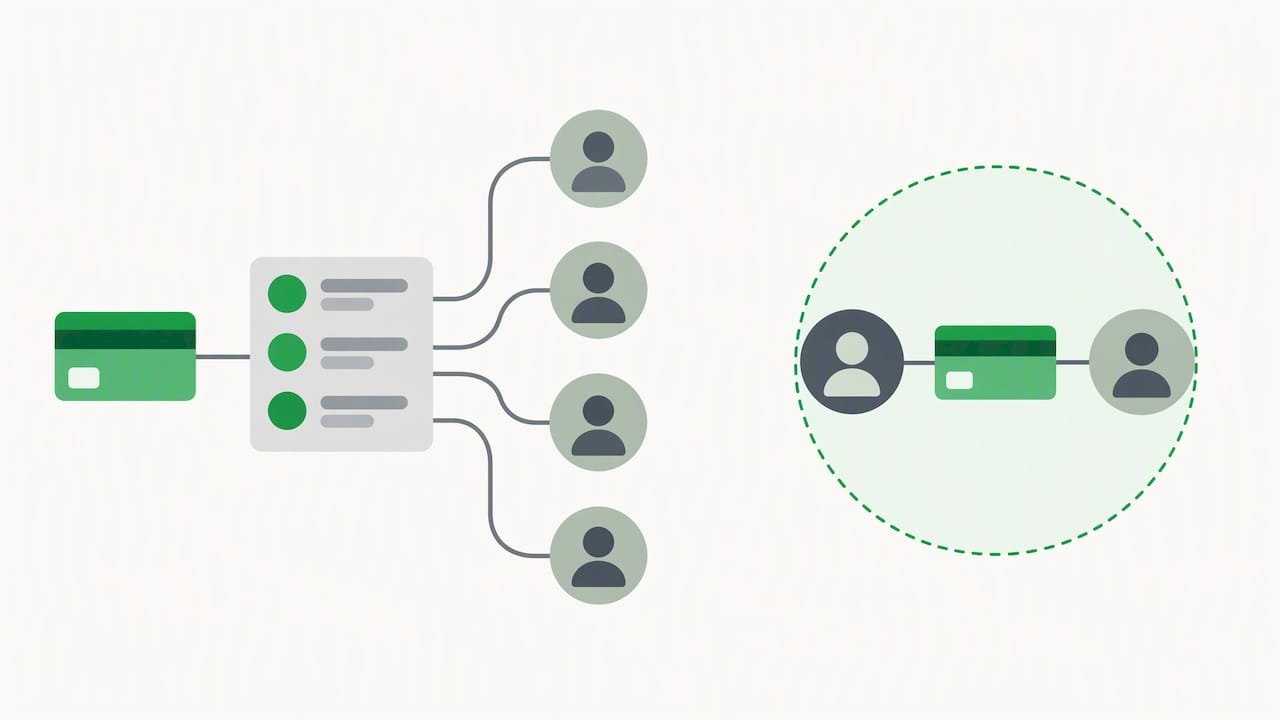
A privacy-focused tipping platform lets a supporter send money to a creator without publishing that transaction anywhere, without requiring the supporter to open an account, and without collecting more personal data than the payment itself needs. The transaction exists between two people: nobody else sees it, and the platform itself keeps as little of that data as possible.
That stands in contrast to mainstream peer-to-peer payment apps, several of which were built around social feeds. Consumer Reports found that major P2P apps collect more personal data than a transaction requires, stay vague about third-party data sharing, and in some cases publish activity to a feed by default. The Federal Trade Commission’s complaint against Venmo documented exactly this problem: a default public feed and confusing privacy settings exposed users’ transaction details without clear consent.
Regulators have taken notice at the policy level too. The CFPB’s request for information on payment data practices found that payment platforms often collect far more data fields than a transaction needs, raising concerns about secondary uses like behavioral profiling and data resale.
A tipping platform built for privacy differs from a social P2P app in three concrete ways:
- It defaults to participant-only visibility instead of a public or semi-public feed.
- It does not require the sender to register, verify identity, or build a profile just to send a tip.
- It states plainly whether it monetizes transaction data, rather than staying silent on the point.
Privacy Checklist Creators Can Use to Evaluate Any Tipping Option
Before you commit to a platform, run it against a short checklist. Privacy claims are easy to make and hard to verify, so look for specific policy language rather than marketing copy.
- Confirm participant-only defaults. The platform should show transactions only to the sender and recipient, with no public feed turned on by default.
- Check how much data gets collected. A privacy-first platform should state clearly that it does not sell or monetize transaction-derived behavioral data.
- Read the data retention policy. Look for a stated retention window and a real deletion process, not just a vague privacy notice.
- Verify payout transparency. You should be able to see exactly when a tip clears and how it reaches your bank account.
- Test payment-method support. Apple Pay, Google Pay, and card checkout should work without the sender creating an account first.
- Understand the fee model. Know upfront who keeps the tip and whether a processing fee applies at checkout.
- Look for basic security measures. Encryption in transit and at rest, plus a privacy notice written in plain language, are the minimum bar.
Consumer Reports suggests testing a transaction yourself before recommending a platform to your audience: send a small tip, confirm it does not appear anywhere public, and check whether you can delete the record afterward. That single test catches most of the privacy gaps that marketing pages leave out.
Pro Tip: Before you share a tipping link publicly, send yourself a test tip and confirm nothing shows up on a public feed or activity log.
Fee transparency matters just as much as privacy. A platform that advertises “zero fees” may be recovering that cost by monetizing your supporters’ transaction data instead, a pattern regulators have flagged in their own inquiries into payment data practices. Read the fine print before you assume free means free. Our comparison of digital tipping platforms walks through how different fee structures actually work in practice.
Step-by-Step: Set Up and Test a Privacy-First Tipping Link or QR
Setting up a private tipping link takes a few minutes, but testing it properly is what actually protects your supporters.
- Create your tip page or QR code and set the privacy defaults to participant-only, with no public feed enabled.
- Turn on Apple Pay and Google Pay so a supporter can check out instantly from a phone, without opening an app or making an account.
- Send yourself a test tip as if you were a supporter, and confirm the transaction creates no public record anywhere.
- Confirm your payout flow: check how long it takes for the tip to reach your bank account and whether that timing is disclosed upfront.
- Place your link or QR code somewhere that preserves supporter privacy rather than broadcasting the transaction.
Good placement options include:
- Your social media bio, where a click leads directly to a private checkout.
- A private or subscriber-only post rather than a public feed item.
- A closed newsletter or email list, where only your actual audience sees the link.
- An in-person QR code with simple signage that does not draw attention to the amount given.
Before you share the link widely, run through a short testing checklist: confirm the privacy setting is participant-only, confirm Apple Pay and Google Pay both complete a checkout on mobile, and confirm the payout timeline matches what the platform states. Our guide to collecting tips without requiring a signup covers the setup flow in more detail, and our privacy-first payment collection setup guide walks through the privacy defaults step by step.
How Tipper Meets the Privacy-First Checklist
Every item on the checklist above maps directly to how we built Tipper.
- We never require a sender to create an account: a supporter taps your link, pays, and the transaction ends there.
- We support instant checkout through popular digital wallets and standard card payments.
- We let creators keep all of what they earn, which is central to how we built the platform.
- We keep the experience participant-focused: no public feed, no social activity stream, just the tip itself.
- We let supporters leave a thank-you note, photo, or video, giving creators a personal connection without exposing the transaction to anyone else.
Setting up a Tipper link follows the same flow described in the checklist above: create your link or QR code, confirm the privacy defaults stay participant-only, and send a test tip to verify checkout and payout before sharing it with your audience. Our piece on keeping 100% of tips with no-fee donation platforms goes deeper into how that earnings model works in practice.
Pro Tip: Run your first real tip through as a small test transaction from your own second device so you can see exactly what a supporter sees.
Privacy as a Trust-Builder, Not a Tradeoff
A lot of creators treat privacy settings as friction between them and a bigger payout. That gets the relationship backwards. A supporter who knows their tip stays private, with no public record and no account required, tips more freely and more often. Tipping is a form of community care as much as it is revenue, and the creators who protect that moment tend to build the most durable support. You don’t have to sacrifice discoverability to get there: a private checkout and a public bio link work together, not against each other.
— Tipper
Create Your Privacy-First Tipping Link With Tipper
Ready to put this into practice? We make it simple to launch a tipping link that keeps every transaction between you and your supporter, with no account required on their end.
- Create your link or QR code directly on the Tipper landing page and send yourself a test tip before sharing it.
- Accept instant payments through popular digital wallets and card payments, with no sign-up required from your supporters.
- Keep all of what you earn, as we state plainly in describing how we built this platform.
Set up your Apple Pay tipping flow today and start collecting private tips in minutes.
FAQ
What makes a tipping platform privacy-focused?
A privacy-focused tipping platform defaults to showing a transaction only to the sender and recipient, collects minimal data beyond what completing the payment requires, and states clearly whether it sells or monetizes transaction data. Look for participant-only visibility and a plain-language privacy notice rather than marketing language alone.
How is anonymous tipping different from transparent tipping?
Anonymous tipping keeps the transaction private between supporter and creator with no public record, while transparent or social tipping publishes activity to a feed that others can see. Platforms like Venmo have faced FTC scrutiny for defaulting to the transparent model without making that clear to users.
Do supporters need an account to send a private tip?
No. A privacy-first tipping link, including the kind we build at Tipper, lets a supporter pay through Apple Pay, Google Pay, or a card without creating an account first. Requiring an account just to send money is one of the signals that a platform was not designed around privacy.
Who keeps the money from a tip on Tipper?
Creators keep 100% of what they earn through Tipper, which is the earnings model we state directly on our landing page. A payment processing fee applies at checkout rather than being deducted from the creator’s payout.
Are privacy-focused tipping platforms compliant with data protection laws like GDPR?
Compliance depends on the specific platform’s data practices, including how long it retains data and whether it shares data with third parties, so creators should check a platform’s own privacy notice rather than assume compliance. Transparent crowdfunding and payment platforms increasingly publish disclosure checklists that reflect similar regulatory expectations around data handling and consent.
Sources
- CFPB request for information regarding the collection, use, and monetization of consumer payment and other personal financial data
- Apple Cash, Cash App, Venmo, Zelle P2P payment apps compared – Consumer Reports
Recommended

Micro Donation Platforms for Creators: Save More of Each $1 Tip
The best approach for collecting small tips is a frictionless tipping link that lets supporters pay in one tap, with no account required and no fixed fee eating a $1 tip. Create a link, share it, and send yourself a test tip to see the full flow before you promote it.
TL;DR:
- A $0.29 fixed card fee consumes most of a $1 tip but a smaller share of a $5 tip; compare fees against your typical amount.
- Use local bank transfers where available, but keep card and wallet checkout for broader reach; Apple Pay and Google Pay let supporters pay without accounts.
- Codes at natural pauses, such as video endings, can raise tipping frequency by up to 22%; use one link or QR code per touchpoint.
- Check payout cadence and minimum balance before signing up, because weekly batches or holds can delay access to tips needed for regular expenses.
- Send yourself a test tip before sharing your link, and review IRS tax guidance as your tips approach applicable thresholds.
Table of Contents
- Why fee structure matters for micro-tips
- Payment methods that preserve micro-tip value
- How to choose a micro-donation platform: quick checklist
- Set up a tipping link quickly with Tipper
- Practical ways to increase micro-tip conversions
- How payout timing affects your cash flow
- Comparing the top approaches to micro-tipping
- Integrating tipping into your existing creator tools
- Privacy and security features that build trust
- Strategies for encouraging repeat micro-donations
- Customer support and dispute resolution processes
- Author perspective: start simple and grow tipping responsibly
- Try Tipper: frictionless tipping that preserves micro-tip value
- FAQ
- Sources
Why fee structure matters for micro-tips
Two fee models dominate digital payments: fixed fees and percentage fees. A fixed fee charges the same flat amount no matter the tip size, often around $0.29 per transaction on many card processors. A percentage fee takes a share of the tip itself, usually a few percent.
The math turns ugly fast on small tips. A $0.29 fixed fee can wipe out most of a $1 tip before any percentage fee even applies, leaving the creator with pennies. A $5 tip fares much better under the same fixed fee, since $0.29 is a smaller slice of a larger amount.
A $0.29 fixed fee consumes most of a $1 tip but only a fraction of a $5 tip, which is why fixed per-transaction fees are especially damaging for creators whose audience tips small and often.
This is why the fee structure matters more than the headline rate:
- Fixed fees punish small tips disproportionately, since the same dollar amount is a bigger bite out of a smaller total.
- Percentage-only or processing-only fee models scale with the tip, so a $1 tip and a $5 tip both lose a similar share.
- Platforms that charge no separate platform fee, only standard payment processing, preserve the most value for both the creator and the supporter’s intent.
Before signing up anywhere, run your own average tip size through the fee math. If most of your supporters send $1 to $3, a fixed-fee model will cost you more than a model built around transaction-level processing fees.
Payment methods that preserve micro-tip value
The payment rail behind a tip matters as much as the fee structure. Instant bank-to-bank transfers can be cheaper per transaction than card processing in regions where that infrastructure exists, sometimes costing just a few cents on a small transfer. Card processors are more universal but typically carry a fixed fee component that hurts micro-tips more.
Apple Pay and Google Pay solve a different problem: friction. A supporter who already has a card saved in their phone’s wallet can complete a tip in seconds, with no typing and no account creation. That one-tap experience is often the difference between a supporter who tips and one who closes the tab.
For in-person tipping, QR codes and NFC chips each have trade-offs:
- QR codes work with any smartphone camera and need no special hardware, making them the most accessible option for events or storefronts.
- NFC taps are faster for supporters who already use tap-to-pay, but they require compatible hardware on the creator’s side.
- Combining both at live events covers supporters regardless of which method their phone supports.
Pro Tip: If your audience spans multiple countries, offer a hybrid setup: local bank-to-bank rails where available, plus global card and wallet checkout so no supporter is turned away.
How to choose a micro-donation platform: quick checklist
Picking a platform does not need to be complicated, but a few details decide whether you keep most of your tips or lose them to fees and delays.
- Calculate expected fees against your actual average tip size, not a hypothetical $20 donation.
- Check whether supporters need to create an account to tip, since every extra step reduces conversion.
- Confirm payout timing: same-day, weekly, or on request.
- Verify which payment methods are supported, especially Apple Pay, Google Pay, and card checkout.
- Look for a customizable tip page so your link matches your brand.
- Ask how the platform handles tax reporting if your tips reach IRS filing thresholds.
To estimate your net income, take your average tip size, subtract the processing fee percentage, and multiply by your expected monthly tip count. A creator averaging $2 tips with a processing-only fee structure keeps far more per transaction than one on a platform charging a flat $0.29 per tip.
When you talk to a platform directly, ask about payout cadence, whether fees are shown before checkout, and whether the platform issues any tax forms automatically.
Set up a tipping link quickly with Tipper
Getting a tipping link live takes a handful of steps, and most creators can finish setup in one sitting.
- Create an account and connect a payout method.
- Complete identity verification so payouts and any required tax reporting can process correctly.
- Build your tip page with your name, photo, and a short note to supporters.
- Set suggested tip amounts that match what your audience typically gives.
- Generate your personalized link and QR code to share across platforms or in person.
- Send yourself a test tip to confirm the full flow works end to end.
Fees are shown at the transaction level, so there are no hidden charges buried in fine print.
Pro Tip: Test your own link before sharing it publicly. A smooth test tip is the fastest way to confirm your payout method and page are both set up correctly.
On payouts, timing varies by platform and payout method, so confirm your cadence during setup rather than after your first tip arrives. On taxes, the IRS Form 1099-K instructions now include a box for cash tips and a box for Treasury Tipped Occupation Codes, which is worth knowing if your tipping income approaches reporting thresholds.
Practical ways to increase micro-tip conversions
Most of the gain in micro-tipping comes from reducing friction and reinforcing appreciation, not from aggressive asks.
- Place your tip link or QR code at natural pause points, such as the end of a video or after a service, rather than scattering it everywhere.
- Stick to one link or one QR code per touchpoint so supporters are never confused about where to tip.
- Set suggested amounts slightly above your current average tip to anchor supporters toward giving a bit more without pressure.
- Frame your copy around appreciation (“If this helped, a tip is always welcome”) rather than a direct ask, which tends to feel less transactional.
- At in-person events, offer both QR and NFC so supporters can use whichever method their phone supports.
Codes placed at natural pausing points can raise tipping frequency by up to 22%, which makes placement one of the highest-leverage changes available to any creator.
How payout timing affects your cash flow
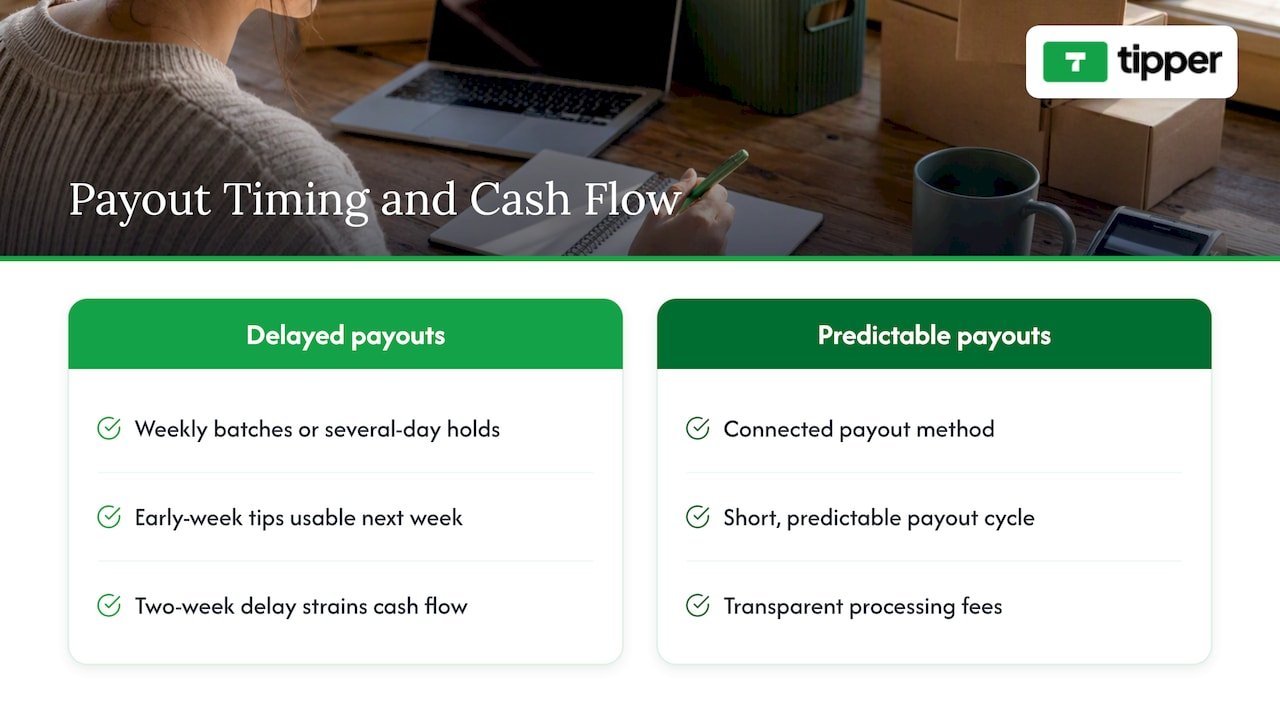
Payout timing is easy to overlook until it becomes a problem. Some platforms batch payouts weekly or hold funds for several days before releasing them, which can strain a creator who relies on tips as part of regular income. Others route funds to a connected payout method on a faster, more predictable schedule.
The difference matters most for creators and small businesses who treat tips as working income rather than occasional bonus money. A delayed payout schedule means tips earned early in the week might not actually be usable until the following week, which complicates budgeting around rent, supplies, or payroll.
Before committing to a platform, ask directly how payouts are scheduled and whether there is a minimum balance required before a payout triggers. Platforms that route funds to a connected payout method on a consistent, short cycle avoid the cash-flow friction that comes from delayed payouts, and that predictability is often as valuable as the fee structure itself.
If you are comparing multiple platforms, treat payout cadence as a core decision factor, not an afterthought you check after signing up. A platform with slightly lower fees but a two-week payout delay may be worse for your actual cash position than one with transparent processing fees and faster, predictable payouts.
Comparing the top approaches to micro-tipping
Micro-donation tools generally fall into a few categories, each with different trade-offs for small tips specifically.
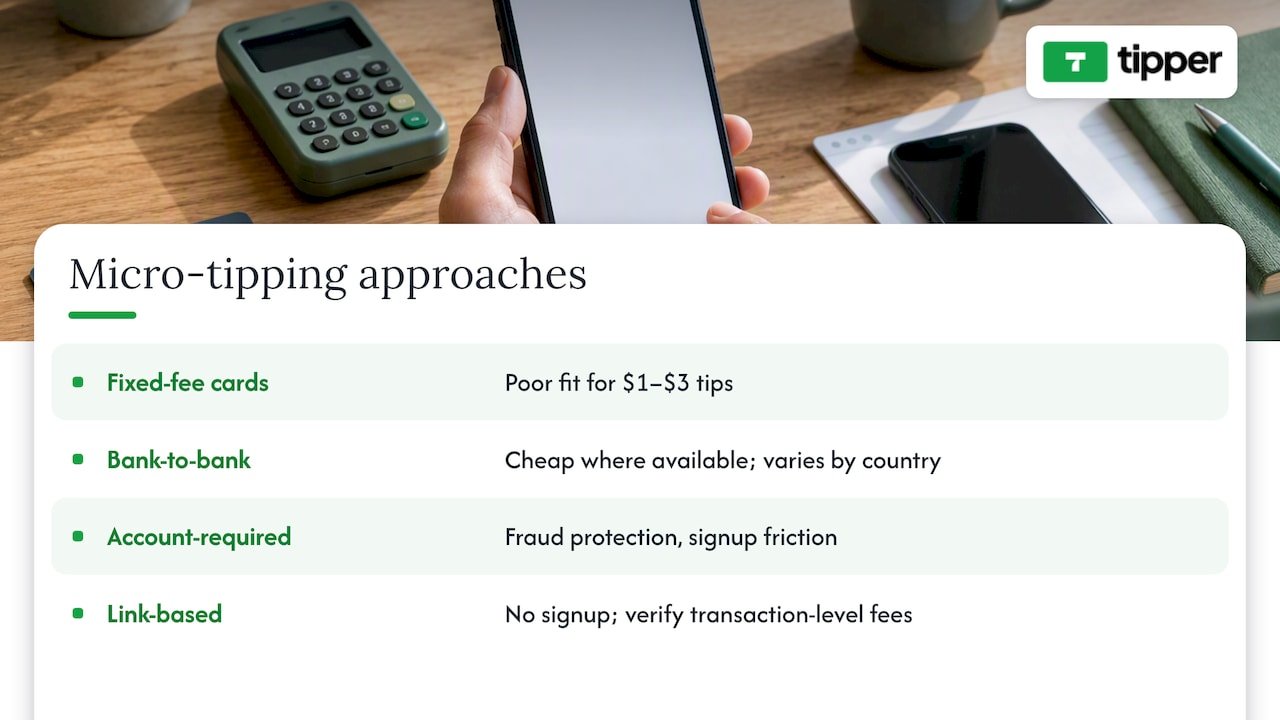
Fixed-fee card processors are widely available and easy to integrate, but their flat per-transaction fee structure makes them a poor fit for $1 to $3 tips, since the fee consumes a disproportionate share of each payment. They tend to work better for larger, less frequent donations.
Instant bank-to-bank tools can be very cheap per transaction in regions where that infrastructure is mature, but availability varies by country and by the sender’s bank, so they rarely work as a sole option for a global audience.
Account-required tipping platforms ask supporters to sign up before sending money, which adds a reliable layer of fraud protection but also adds friction that measurably reduces how many people complete a tip.
No-account, link-based platforms like the one we operate remove that signup step entirely, letting supporters pay with Apple Pay, Google Pay, or a card in one tap. The trade-off is that creators need to choose a platform with transparent, transaction-level fees up front, since the ease of use can mask fee structures that are not obvious until a payout arrives smaller than expected.
Integrating tipping into your existing creator tools
A tipping link works best when it fits naturally into tools you already use rather than existing as a separate destination supporters have to remember.
Most creators place their tipping link in a few key spots: a social media bio, a link-in-bio page, video descriptions, email signatures, and QR codes on printed materials or at physical locations. Because a tipping link is just a URL, it can sit alongside other links without requiring any special integration or plugin.
For creators running newsletters, podcasts, or livestreams, the same link can be mentioned verbally or shown on screen at the moment supporters are most engaged, which tends to outperform a link buried in a static bio. The practical goal is consistency: use the same link everywhere so supporters only ever need to recognize one destination, rather than juggling multiple payment tools across different platforms.
Privacy and security features that build trust
Trust is the quiet variable that determines whether a supporter actually completes a tip. Supporters want to know their payment information is handled securely, and creators want to know their payout details stay private.
No-account checkout flows, where a supporter pays through Apple Pay, Google Pay, or a card without creating a profile, limit how much personal data changes hands in the first place. Fewer data fields collected means less exposure if anything ever goes wrong.
On the creator side, privacy matters just as much. A tipping page should let creators share a link publicly without exposing their banking details or full legal name. Transparent, transaction-level fee display also plays a security-adjacent role: when supporters can see exactly what a platform charges before paying, there is less room for confusion that leads to disputed charges later.
Strategies for encouraging repeat micro-donations
A single tip is useful, but a supporter who tips repeatedly is worth far more over time. The strategies that work best are quiet rather than aggressive.
Sending a genuine thank-you after a tip, whether as a short text note, a photo, or a quick video message, reinforces that the tip was seen and appreciated rather than disappearing into an account balance. That personal acknowledgment is often what turns a one-time tipper into a repeat supporter.
Consistency also matters: supporters who know exactly where to find your tipping link, whether in a bio, a video description, or at a live event, are more likely to use it again without having to search for it. Keeping the same link and the same suggested amounts across appearances builds familiarity rather than asking supporters to relearn where and how to tip each time.
Finally, treat tipping as a two-way relationship rather than a transaction. A brief update shared with supporters about how tips are used, without over-explaining or asking directly, tends to encourage continued giving far more than a repeated request ever does.
Customer support and dispute resolution processes
Even with a frictionless setup, questions come up: a supporter wonders if their tip went through, or a creator needs to confirm a payout landed correctly. How a platform handles these moments matters.
Look for a platform that makes it easy to find support contact information directly from the tipping page or account dashboard, rather than burying it behind multiple menus. Clear, transaction-level records matter here too: when both the supporter and the creator can see exactly what was charged and when, resolving a question is faster and less frustrating for everyone involved.
For disputes specifically, ask how a platform handles a tip sent to the wrong recipient or a duplicate charge. A platform with transparent fee and transaction records tends to resolve these issues faster, since there is no ambiguity about what was charged or when it happened. Choosing a platform with responsive support available through a clear channel is worth checking before you rely on it for regular income.
Author perspective: start simple and grow tipping responsibly
My honest advice is to resist the urge to offer five payment methods on day one. Start with one link and one primary payment method, then watch your average tip size and conversion rate for a few weeks before adding anything else. Most creators overbuild their tipping setup before they have the data to justify it.
Keep an eye on your tip volume as it approaches IRS reporting thresholds, and review the Form 1099-K instructions early rather than scrambling at tax time.
— Tipper
Try Tipper: frictionless tipping that preserves micro-tip value
We built Tipper so supporters can send a tip with Apple Pay, Google Pay, or a card in one tap, with no account required on their end.
| What you get with Tipper | Detail |
|---|---|
| Sender account required | None |
| Creator share of each tip | beyond processing |
| Supported wallets | Apple Pay, Google Pay, card |
| Setup time | Minutes |
Create your personalized tipping link and send yourself a test tip to see the full experience before you share it with supporters. For creators building out a broader monetization stack, this creator tools guide covers additional workflows worth exploring alongside tipping.
FAQ
Do I need a platform fee on top of payment processing?
Other platforms vary, so check whether a fixed fee or percentage fee applies before you sign up.
Does the sender need an account to tip me?
No, a well-designed tipping link lets supporters pay with Apple Pay, Google Pay, or a card without creating an account. Removing that step is one of the biggest factors in whether a supporter completes a tip.
How do tips affect my taxes?
Tip income can be reportable depending on the amount and how it is processed, and the IRS Form 1099-K instructions now include separate boxes for cash tips and Treasury Tipped Occupation Codes. Review the current instructions or talk to a tax professional if your tipping income is substantial.
Should I use a QR code or NFC for in-person tips?
QR codes work with any smartphone camera and need no special hardware, making them the more accessible default. NFC is faster for supporters already using tap-to-pay, so offering both covers the widest range of devices at live events.
How do I know my tipping link actually works?
Generate your link, then send yourself a small test tip through the same flow a supporter would use. This confirms your payout method, page setup, and checkout experience all work before you share the link publicly.
Recommended

7 Steps to Set Up Instant Tip Links for Podcasters
The fastest, highest-conversion way for most podcasters to accept tips is an instant tip link that supports Apple Pay and Google Pay, placed where listeners already look: show notes, episode pages, and a short in-episode call-out. Tipping works best alongside a recurring membership, and any tip income you collect counts as taxable income that must be reported to the IRS.
TL;DR:
- Put the link near the top of show notes and on episode pages, then repeat a brief spoken request at the same point each week.
- Tip links serve listeners supporting a single episode, while memberships inside a hosting app offer recurring perks such as bonus episodes or an ad free feed.
- Digital tips count as gross income; podcasters who work for themselves report them on Schedule C of Form 1040 and owe tax as independent workers.
- Export reports monthly, save payout statements, track each tip by episode, platform, or event, and reconcile amounts missing from tax forms.
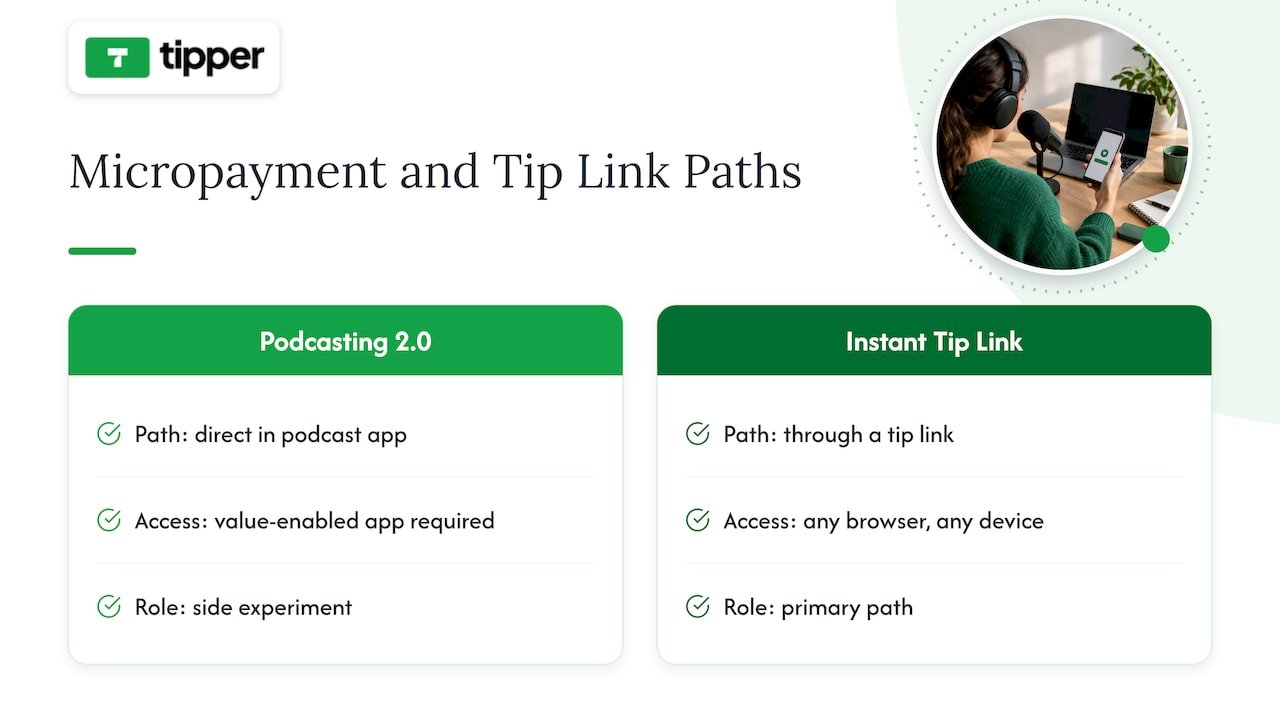
- Podcasting 2.0 value tags support streaming micropayments but require a compatible app and remain niche, so treat them as a side experiment.
Table of Contents
- Comparing the main tipping methods podcasters use
- Setting up your tip link, QR code, and episode workflow
- How to ask for tips without sounding awkward
- What you owe: tax rules and recordkeeping for tip income
- Podcasting 2.0 micropayments versus instant tip links
- Why tipping belongs in your production workflow, not just your show notes
- Tipper: built for the instant tip link podcasters need
- FAQ
- Sources
Comparing the main tipping methods podcasters use
Each tipping method captures a different kind of listener, and most shows end up running more than one at once.
- Instant tip links catch casual listeners who want to show appreciation for one episode without committing to anything ongoing.
- Tip jars work similarly but usually sit on a static page rather than moving with each episode, so they convert less often because the ask is less timely.
- Hosting-integrated memberships or subscriptions capture the listener who wants recurring perks like bonus episodes or an ad-free feed, and they reduce friction because payment happens inside the app the listener already uses.
- Micropayments through Podcasting 2.0 are an emerging option that reward listening behavior directly through the podcast app, though adoption is still small.
The Podcasting Authority’s analysis of listener support models finds that one-time tipping mechanisms capture listeners who want to support a single episode, while memberships capture the recurring supporter, and the two work best layered together rather than chosen one over the other. A show that only offers a membership loses the listener who just wants to say thanks once. A show that only offers a tip link misses the chance to turn a repeat tipper into predictable monthly revenue. Running both, with the tip link as the low-commitment entry point, tends to capture the widest range of listener intent. For a deeper look at how support platforms fit into a podcast’s broader revenue mix, layering tends to outperform relying on a single method.
Setting up your tip link, QR code, and episode workflow
Getting tipping live takes one focused session if you follow a short checklist.
- Create a tip link or tip page that accepts Apple Pay, Google Pay, and card payments so listeners on any device can pay in a few taps.
- Add the link to the top of your show notes, not buried at the bottom, since most listeners never scroll that far.
- Embed the same link on your episode’s web page and in your podcast host’s episode description field.
- Generate a QR code version of the link for live events, meetups, or printed materials.
- Add a one-line in-episode call-out near the middle of the show, when attention is highest.
- Build the link into your episode template so every future episode includes it automatically, and add it to your standard social post format.
- Run a test tip through the full flow, from click to payout, and save the confirmation as your first record.
Automating placement matters more than most podcasters expect. A Reddit thread on podcast calls-to-action notes that creators who build support links into their existing workflow, rather than treating them as a separate task, see better results because the link shows up consistently instead of depending on memory. Our guide on real-time tip mechanics walks through what happens technically between a tap and a payout, which is worth understanding before you promote the link widely.
Pro Tip: Put your tip link in the first two lines of your show notes, not the last two: that’s the part listeners actually read.
How to ask for tips without sounding awkward
The ask matters as much as the link itself. A short, specific request outperforms a vague one almost every time.
- Mid-episode ask (15 to 20 words): “If this episode helped you, there’s a tip link in the show notes. Every bit helps us keep making these.”
- Episode close (20 to 25 words): “Thanks for listening. If you want to support the show directly, tap the tip link below. We read every message.”
- Keep the ask short and repeat it in roughly the same spot each episode so regular listeners know exactly when it’s coming.
- Mention a recent supporter by first name or handle (with permission) to show that tipping is normal and already happening.
- Avoid guilt-based language. A simple, low-pressure request converts better than one that frames tipping as an obligation.
Placement consistency builds habit. Listeners who hear the same cue every week start to expect it, which removes the friction of deciding whether this episode is “worth” tipping.
What you owe: tax rules and recordkeeping for tip income
Every dollar you receive as a tip, whether it arrives in cash, through a digital platform, or via a third-party app, counts as taxable income. The IRS’s tip recordkeeping guidance confirms that tips are gross income, and self-employed podcasters report that income on Schedule C of Form 1040, paying self-employment tax on it in addition to regular income tax.
Keeping clean records all year is simpler than reconstructing them in April. Export your payment platform’s reports monthly, save merchant statements as they arrive, and reconcile any tip income that doesn’t show up on a 1099 form against your own transaction history. The IRS guidance on Form 1099-K specifically notes that gross payment amounts from 1099-K forms, plus any tip income not captured on a form at all, both belong in your reported total.
- Export a tip income report from your payment platform at the end of each month.
- Save every merchant or payout statement as it’s issued rather than searching for it later.
- Set aside a percentage of tip income for self-employment tax as it comes in, rather than waiting until it’s due.
- Keep a simple spreadsheet noting the source of each tip (episode, platform, event) in case you need to reconcile totals later.
Our guide to tracking creator tip income for taxes covers this in more detail if you want a repeatable monthly process.
Podcasting 2.0 micropayments versus instant tip links
Podcasting 2.0’s value tags and Lightning micropayments let listeners send small amounts directly through a compatible podcast app as they listen, without routing through a traditional payment processor. According to PodcastIndex’s reporting on podcast value, this protocol-level approach offers privacy-forward attribution and streaming micropayments, but it remains a niche option because it depends on listeners using a value-enabled app.
Instant tip links work in any browser on any device, which is why they still convert better for most shows today. The practical move is to keep a mainstream tip link as your primary path and treat value tags as an experiment on the side, not a replacement, while adoption grows.
Why tipping belongs in your production workflow, not just your show notes
Tipping works best when you treat it as ongoing cultivation rather than a one-time setup task; knowing how to choose the right royalty-free music platform for your projects can similarly enhance your production quality, improving listener experience and potentially increasing tips. Build the link into your episode template so it never depends on memory, then track which placement, wording, or episode type actually produces tips. Keep the ask short and thank people specifically: a little iteration, measured over a few months, beats guessing once and moving on.
— Tipper
Tipper: built for the instant tip link podcasters need
The platform is built around an approach that converts well for podcasters: an instant tip link that works without the sender creating an account, supporting Apple Pay, Google Pay, and card payments so listeners can tip quickly on whatever device they’re already using.
- It lets you create a personalized tip link or QR code in minutes, ready to drop into show notes or episode pages.
- It supports Apple Pay, Google Pay, and card payments so listeners never hit a signup wall.
- It lets you send personalized thank-you notes, photos, or videos back to supporters, which strengthens the connection the episode already built.
- Creators keep their earnings, with a small processing fee added only at checkout.
Place your Tipper link exactly where this guide recommends: top of show notes, episode page, and a short mid-episode mention. Set up your tip link on Tipper and start collecting support from your next episode.
FAQ
What is the best way for podcasters to collect tips?
An instant tip link that supports Apple Pay and Google Pay converts best because listeners can pay in a few taps without creating an account. Pairing that link with a recurring membership option captures both one-time and committed supporters.
Do podcasters have to pay taxes on tips they receive?
Yes. All tip income, including digital tips, counts as taxable income, and self-employed podcasters report it on Schedule C of Form 1040.
Where should I put my tip link for the best results?
Place it at the top of your show notes, on your episode web page, and mention it briefly mid-episode when listener attention is highest. Consistent placement across episodes builds listener habit and improves conversion over time.
Are Podcasting 2.0 micropayments better than a tip link?
Not yet for most shows. They offer privacy-focused, app-based micropayments, but adoption is still small, so a mainstream instant tip link remains the more reliable primary option while value tags stay in the experimental category.
Can I use Tipper alongside a membership or subscription?
Yes. Many podcasters layer an instant tip link with a membership to capture both the casual one-time supporter and the recurring listener, and a Tipper link can sit alongside either without requiring the sender to hold an account.
Sources
- Tip recordkeeping and reporting | Internal Revenue Service
- Podcast listener support models | Podcasting Authority
- Opening Up the Value of Podcasting | PodcastIndex blog
Recommended

Apple Pay Donations for Creators: Keep 100% Without Coding
The fastest, highest-converting way to accept tips is a mobile-first tip link or hosted tip page that triggers the Apple Pay sheet the moment someone taps it. We built Tipper around exactly that flow: personalized links with no sender account required, so you keep 100% of what supporters send. Expect instant tip acceptance, not a project that requires domain verification or custom development work.
TL;DR:
- Hosted pages can handle domain verification; custom checkouts require setup, and desktop tests may miss failures that appear in Safari on an actual iPhone.
- Processing fees combine a percentage and fixed charge, but platform disclosure varies; report every tip as income, even if no Form 1099-K arrives.
- Apple Pay replaces card numbers with device tokens and dynamic security codes, while merchant tokens can keep recurring payments active after card or device changes.
- Preset amounts, a default tip, and an early Apple Pay button reduce friction; track page visits against completed payments to find where supporters drop off.
Table of Contents
- What Apple Pay tipping flows actually look like
- How Apple Pay works behind the scenes, and what to check
- Fees and tax reporting basics for creators accepting tips
- Setting up Apple Pay tipping: a practical checklist
- Best practices that maximize Apple Pay tip conversion
- How Tipper removes the friction from Apple Pay tipping
- What creators should prioritize when picking a tipping flow
- Start accepting Apple Pay tips today
- FAQ
- Sources
What Apple Pay tipping flows actually look like
Supporters do not want to type card numbers on a phone, so the flow you choose matters more than almost any other decision you make. A payment link or hosted tip page is the simplest version: someone taps your link, lands on a mobile-optimized page, and the Apple Pay sheet appears almost immediately if their device supports it.
QR codes extend that same page into physical spaces: a sticker on a merch table, a slide at the end of a talk, a table tent at a pop-up event. The supporter scans, lands on the identical hosted page, and pays the same way.
In-app or embedded checkout flows give you more control over branding and placement, but they typically require domain verification and SDK or JavaScript integration work before Apple Pay shows up at all.
- Payment links and hosted tip pages: fastest to launch, no code required
- QR codes: best for in-person events, merch tables, and venues
- Embedded or in-app checkout: more design control, more setup overhead
Mobile-first design and placing the Apple Pay button early in the flow both push conversion higher, because every extra tap or scroll is a chance for someone to abandon the payment before it starts.
How Apple Pay works behind the scenes, and what to check
Apple Pay’s security model is part of why it converts so well: supporters trust it instinctively, even on a page they have never visited before. When a supporter pays, their device generates a device-specific token (a DPAN) along with a dynamic security code, so the platform processing the payment never sees the actual card number, according to Apple’s security documentation.
Merchant tokens, known as MPANs, matter for a different reason: they help preserve payment continuity when a supporter replaces a card or switches devices, which reduces the chance a recurring supporter’s payment silently fails.
Web-based Apple Pay also requires domain verification, a step Apple’s own merchant integration guide documents in detail. Hosted platforms can absorb that requirement on your behalf, which is one reason a hosted tip page launches faster than a custom build.
- Device tokenization replaces your card number with a one-time, device-specific token
- Merchant tokens keep payments working across device and card changes
- Domain verification is required for Apple Pay on the web, with or without a hosted provider
According to Stripe’s documentation on Apple Pay, Payment Links and hosted Checkout pages generally support Apple Pay with minimal configuration, while deeper integrations like Elements require you to register your own domain.
Pro Tip: Test your tip page in Safari on an actual iPhone before sharing it publicly. Desktop browser tests miss the mobile-only failures that block the Apple Pay sheet from appearing.
Fees and tax reporting basics for creators accepting tips
Processing fees on Apple Pay tips work the same way they do for any card payment: a percentage of the transaction plus a small fixed fee, according to Stripe’s in-depth guide to Apple Pay. There is no extra Apple Pay surcharge layered on top of standard card processing.
What varies a lot between platforms is disclosure. Some platforms bundle the platform fee and processing fee into one number, while others break each one out so you can estimate your net payout before a tip even arrives. The second approach is worth prioritizing, since it lets you calculate take-home pay accurately instead of guessing.
- Processing fees are typically a percentage plus a small fixed fee per transaction
- Look for a clear breakdown between platform fees and processor fees
- Reconcile payouts against gross tips regularly so nothing is a surprise at tax time
Tips and appreciation payments count as income, and reporting obligations have changed. The IRS guidance for gig economy workers confirms that taxpayers must report all income they receive, including tips, even when they never receive a Form 1099-K for it. Reporting thresholds for Form 1099-K have shifted in recent years, so a creator who processes a meaningful volume of tips through a given platform in a calendar year may receive that form directly from the processor. The responsibility to report income does not wait for the form to arrive.
Setting up Apple Pay tipping: a practical checklist
Getting a tip page live does not require a developer, provided you choose the right starting point.
- Decide between a hosted tip page, which is live in minutes, and a custom integration on your own site, which takes longer but offers more design control.
- Confirm who handles domain verification: a hosted provider typically manages this for you, while a self-built page puts it on your plate.
- Build your tip page with preset amounts and the Apple Pay button placed early, before any secondary form fields.
- Add a personalized thank-you message, text, photo, or short video, so supporters get something back immediately.
- Set your payout destination and confirm your tax contact details are current before you share the link publicly.
Our guide to Apple Pay tipping setup walks through each of these steps in more detail if you want a longer reference.
Pro Tip: Share your tip link in the first comment or caption of a post, not buried at the end of a thread. The sooner supporters see it, the higher your conversion.
Best practices that maximize Apple Pay tip conversion
Small design choices make a disproportionate difference once Apple Pay is live. The goal is removing every point of friction between someone deciding to tip and the moment they actually pay.
- Keep the tip option visible and one-tap on mobile, and verify it in Safari specifically, since that is where most Apple Pay failures surface
- Use clear calls to action and preset amounts, with a sensible default tip pre-selected for impulse support
- Send a personalized thank-you, text, photo, or short video, right after payment to build a relationship instead of a transaction
- Track how many people reach your tip page versus how many actually complete payment, then adjust placement or copy based on where drop-off happens
Our complete 2026 guide to Apple Pay creator tips covers additional UX patterns worth testing, and the same frictionless principles apply whether you are running a solo channel or a small business collecting tips alongside sales.
For in-person events, a well-placed QR code works the same way a tip link does online. If you are weighing contactless hardware for a table or counter setup, this overview of contactless and NFC payment processing covers how those systems handle the tap-to-pay side of the experience.
How Tipper removes the friction from Apple Pay tipping
We built Tipper so creators can accept Apple Pay tips without asking supporters to create an account first: someone taps your personalized link or scans your QR code, and the Apple Pay sheet appears right there. No app download, no signup form standing between appreciation and payment.
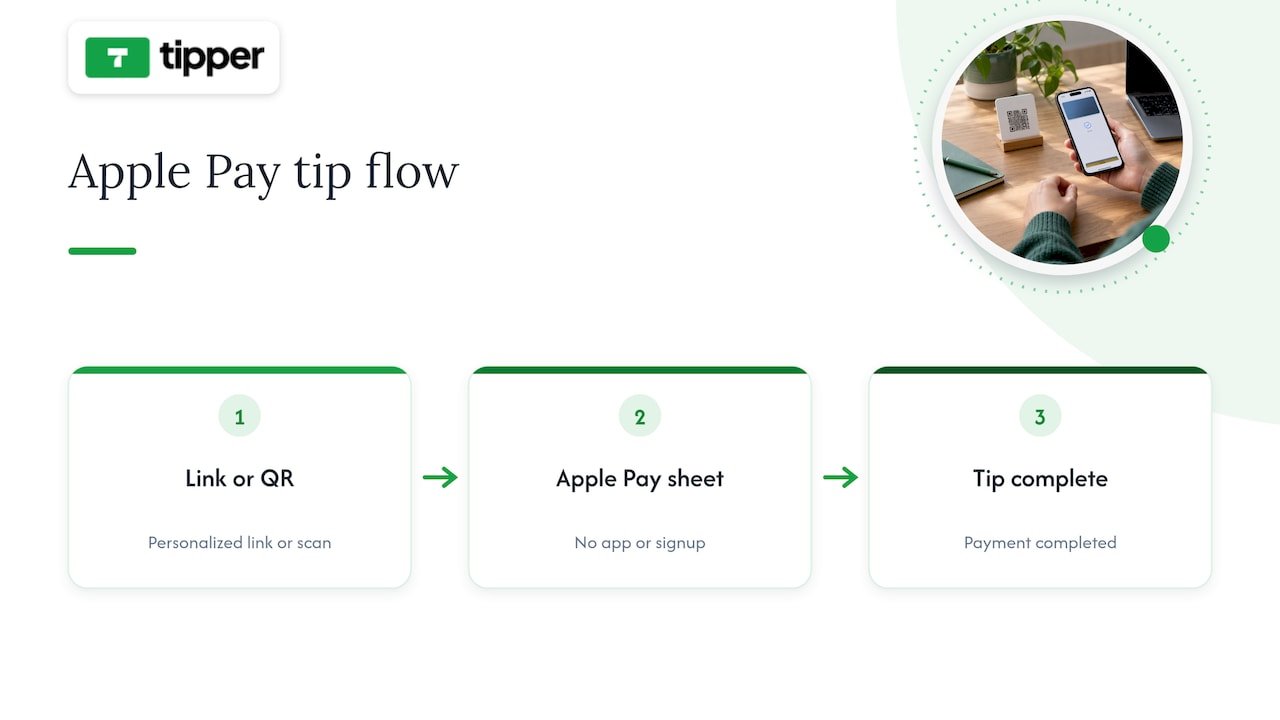
Creators keep 100% of their earnings on Tipper, with a processing fee applied only at the point of payment, detailed on our tip link page. Because Apple Pay configuration is managed on the provider’s end, you skip domain verification and SDK work entirely.
Every tip page also supports a personalized thank-you response, a note, a photo, or a short video, so the interaction feels like an exchange rather than a transaction. That combination of speed for the supporter and warmth for the creator is the whole point of the design.
What creators should prioritize when picking a tipping flow
If I had to boil this down to one rule, it would be: remove every step between intent and payment. A frictionless, mobile-first flow with clearly disclosed fees will outperform a feature-rich platform that makes someone think twice before tapping pay.
Hosted tip links win on speed because they sidestep the domain verification and integration work that slows down a custom build. Test your flow on your own phone before trusting it with your audience, and ask a few supporters for honest feedback on where they hesitated.
— Tipper
Start accepting Apple Pay tips today
If you want supporters tipping within seconds instead of navigating a signup flow, a personalized tip link gets you there without touching a line of code.
Create your personalized tip page at Tipper and start sharing a link that turns appreciation into instant, one-tap support.
FAQ
What is the fastest way to accept Apple Pay tips?
A hosted tip link or tip page is the fastest option, since it triggers the Apple Pay sheet without requiring you to build or verify anything yourself. Platforms like Tipper generate this kind of link in minutes, with no sender account needed from supporters.
Do I need a website to accept Apple Pay donations?
No, a hosted tip page or QR code works without a personal website, since the page itself handles Apple Pay eligibility and domain verification on your behalf. You only need your own site if you want a fully custom, embedded checkout experience.
How much do payment processing fees cost on Apple Pay tips?
Processing fees typically combine a percentage of the transaction with a small fixed fee, the same structure used for any card payment, according to Stripe’s Apple Pay guide. Look for a platform that discloses this breakdown clearly so you can estimate your net payout before funds arrive.
Do I have to report tips I receive through Apple Pay?
Yes, all tips and appreciation payments count as income and must be reported, regardless of whether you receive a Form 1099-K, per IRS guidance for gig economy workers. You may receive a 1099-K directly from a payment processor once your transaction volume crosses the applicable threshold for the year.
Is Apple Pay safe for collecting tips from strangers?
Yes, Apple Pay uses device-specific tokens and dynamic security codes instead of sharing your supporter’s actual card number with the platform, as described in Apple’s security overview. That tokenization is part of why supporters trust it on a tip page they are visiting for the first time.
Sources
- Apple Pay Merchant Integration Guide — Apple Developer
- Apple Pay | Stripe Documentation
- Apple Pay: an in-depth guide — Stripe
- Filing tips and updates for gig economy workers — IRS
Recommended

Tipping for Freelancers: Set Up Links, QR Codes, and Invoices in 6 Steps
The fastest way to collect one-off tips as a freelancer is a dedicated tipping link or QR code, paired with a tip line added directly to your invoices. We built our platform around exactly this setup, supporting popular payment methods so supporters can send a tip in seconds without creating an account. Tax and reporting rules still apply to that income, so it pays to get the basics right from the start.
TL;DR:
- Put one tipping link on invoices, email signatures, and social profiles, then turn it into a QR code for in person handoffs.
- Supporters can pay by Apple Pay, Google Pay, or card without creating an account, but processing fees apply and payouts follow the processor’s standard schedule.
- Report all tip income as taxable; a deduction applies for tax years 2025 through 2028, and multiple platforms may report tips on different forms.
- Place the request after completed work, offer preset amounts plus a custom option, and send a personal thank you promptly to encourage repeat support.
Table of Contents
- Quick methods to accept tips: link, QR, invoice add-on, embedded button
- Set up a fast tipping workflow with Tipper (link, QR, invoice)
- Fees, payouts, and supported payment types
- Tax and reporting essentials for tip income
- How to increase tip conversion: placement, wording, amounts, and thank-you
- The psychological upside of getting tipped as a freelancer
- How to tell clients tipping is welcome without sounding awkward
- Tipping versus traditional freelance payment models
- A note from the Tipper team
- Tipper: get started
- FAQ
- Sources
Quick methods to accept tips: link, QR, invoice add-on, embedded button
Each tipping method fits a different moment in your work, and matching the method to the moment matters more than picking a single favorite.
- Tipping link: a shareable URL you drop into an email signature, social bio, or text message, best for remote clients and online audiences who tip after seeing your work.
- QR code: a scannable version of the same link, ideal for in-person handoffs, event booths, or a printed card left with a finished project.
- Invoice add-on: a tip line built into the payment request itself, best when a client is already reviewing an invoice and deciding how much to pay.
- Embedded button: a tipping widget placed on a portfolio site or landing page, useful for creators who want passive, always-on access to tips.
The biggest difference between these methods is not the technology but the friction involved. A link or QR code lets a supporter pay instantly without signing up for anything, while some traditional donation platforms still require the sender to register, log in, or create a profile before completing a payment. For freelancers, account-free sending tends to convert better because it removes the one step most likely to cause someone to abandon the tip. Setup complexity is low across all four options: a link takes minutes to generate, a QR code is just that link rendered as an image, and an invoice add-on usually means pasting the same link into a line item or note field.
Set up a fast tipping workflow with Tipper (link, QR, invoice)
Getting a tipping system running takes less time than drafting a single client email. Here is a practical sequence:
- Create your personalized Tipper page and set a default suggested amount that matches the size of your typical project.
- Generate your tipping link and QR code from that page.
- Add the link to your invoice template as a line item or note, following a tip option on your service invoice.
- Paste the same link into your email signature and social media bios so it travels with every message you send.
- Print or display the QR code at in-person handoffs, pop-up events, or client meetings.
- Record a short thank-you note, photo, or video to send automatically or manually once a tip comes in.
Supporters never need an account to send a payment: they tap the link, choose a convenient payment method, and the tip lands in your account. You can set custom tip amounts for different clients or projects, and the thank-you message feature lets you close the loop with something more personal than a generic receipt. For a deeper walkthrough, our guide on building an instant tipping link covers the setup screen by screen, and our freelancer tipping workflow guide has templates for different project types.
Pro Tip: Keep one link for everything, your invoices, your bio, and your in-person QR code, so supporters only ever need to remember one destination.
Fees, payouts, and supported payment types
A payment processing fee is still applied at checkout, since moving money through Apple Pay, Google Pay, or a card network always involves a processing cost, and that distinction between platform cut and processing fee is worth understanding before you set expectations with supporters.
- Apple Pay and Google Pay: fastest for the sender, typically settling on the same processing timeline as a standard card transaction.
- Card payments: the most universal option, usable by anyone regardless of phone or wallet setup.
- Payout timing: expect funds to follow your payment processor’s standard settlement schedule rather than an instant transfer.
If you want a deeper look at how processing fees affect what you actually receive on tips, this breakdown of tip processing costs walks through the mechanics and a few tactics for minimizing the impact. For reconciliation, treat tips the same way you treat invoice payments: log each one with the date and client name so your records match your bank deposits at tax time.
Tax and reporting essentials for tip income
Tip income is taxable income, and the IRS has recently updated both the deduction rules and the reporting forms that apply to freelancers and gig workers. The agency’s filing tips and updates for gig economy workers page confirms a new tip deduction is available for tax years 2025 through 2028, while also making clear that tips must still be included in your total reported income on the appropriate form, whether that is a W-2, 1099-MISC, 1099-NEC, 1099-K, or Form 4137.
A new deduction for tips is available for several upcoming tax years, and tip income must still be reported on applicable tax forms.
The IRS also updated Form 1099-K instructions to add a dedicated box for cash tips and a Treasury Tipped Occupation Code field, which makes it easier for third-party platforms to report tip totals separately from other payments. Third-party settlement organizations report your tips on a 1099-K once your payments cross their reporting threshold, so freelancers using multiple tipping and payment tools may see tip income show up across more than one form.
Good record-keeping is the simplest way to stay ahead of all this. Track every tip as you receive it, set aside a portion for estimated taxes if tipping becomes a steady part of your income, and use the IRS’s own guidance on managing taxes for gig work for tools like Free File or authorized e-file providers. When your situation involves multiple income streams or you are unsure which form applies, a tax professional can confirm the right approach for your specific filing status.
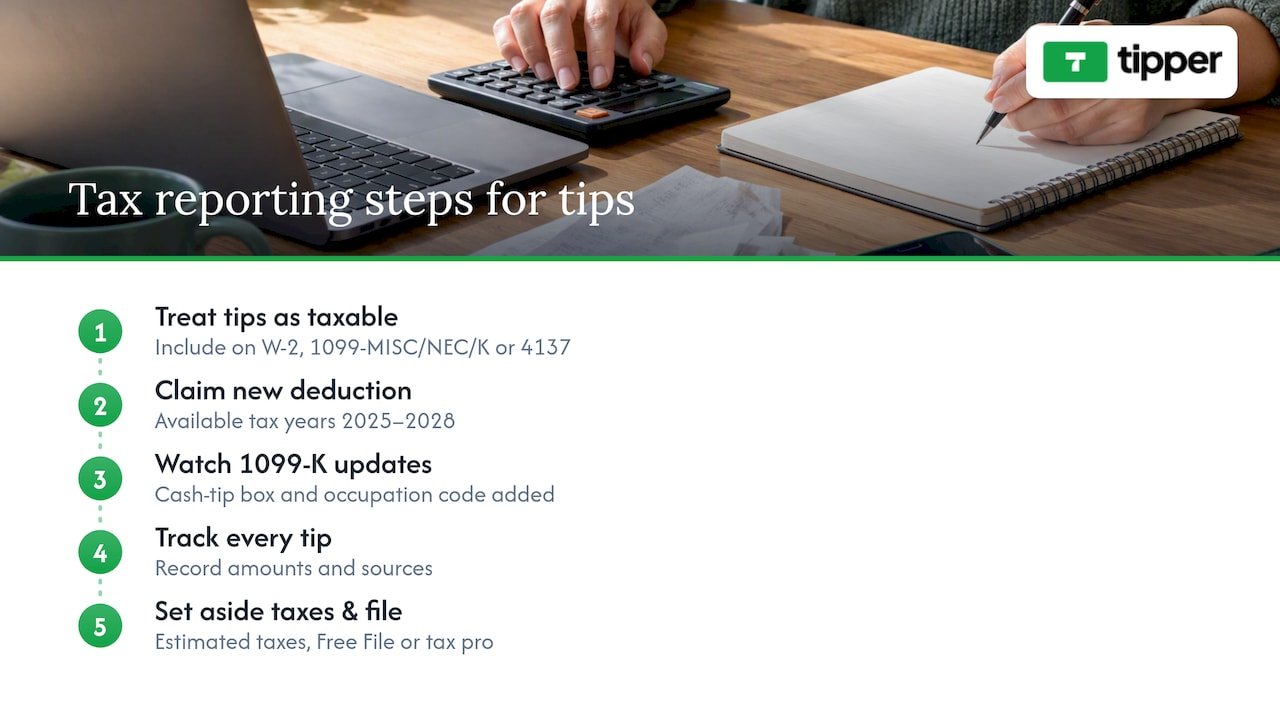
How to increase tip conversion: placement, wording, amounts, and thank-you
Where and how you ask for a tip changes how often people actually send one.
- Place your tip link where the client’s attention already is: at the bottom of an invoice, in the email that delivers finished work, or on a QR card handed over in person.
- Offer preset tip amounts alongside a custom field rather than a single blank box, since a menu of options tends to convert better than an open-ended ask.
- Use direct, warm wording instead of a generic request, something like “If you loved this, a tip helps keep projects like this coming” rather than just “Tip here.”
- Send a short thank-you, a text note, a quick photo, or a 5 to 10 second video, as soon as a tip arrives, since that personal touch encourages repeat support.
- Test one variable at a time: swap the wording on your invoice line, try a different preset amount set, or move the link from the footer to the top of your delivery email.
Pro Tip: A quick video thank-you costs you almost nothing to record but does more to build goodwill than any amount of polished copy.
Placement matters because a tip request buried in a long document gets skipped, while one sitting next to the moment of delivery, when the client is happiest with your work, gets noticed.
The psychological upside of getting tipped as a freelancer
A tip changes the emotional tone of a transaction. Where an invoice payment just closes out an obligation, a tip is voluntary, which makes it read as direct recognition of the work itself rather than a contractual formality. That shift matters for freelancers who often work alone, without a manager or coworker offering feedback in real time.
Receiving even a small tip after a project can reinforce that a client valued the extra effort you put in, which tends to boost motivation on the next project more than a flat fee alone would. It also changes the relationship dynamic: a client who tips is signaling they see you as more than a vendor, which often leads to more open communication and repeat work down the line. For freelancers managing the isolation that can come with solo work, a thank-you note attached to a tip, the kind Tipper supports through text, photo, or short video, adds a layer of human connection that a bank transfer alone never provides.
None of this replaces fair base pricing. But treating tips as a signal of appreciation, not just extra income, helps explain why many freelancers report that tipped projects feel different, even when the dollar amount is modest.
How to tell clients tipping is welcome without sounding awkward
Most clients do not tip freelancers simply because the option never occurs to them, not because they are unwilling. The fix is making the option visible and easy, without turning every invoice into a pitch.
The simplest approach is to treat your tip link like a normal part of your delivery process rather than a special request. A line on your invoice that reads “Tips are always appreciated but never expected” removes the pressure while still opening the door. The same wording works in a project wrap-up email, right where you share the final files or deliverables.
Timing also shapes how a request lands. Mentioning tipping before the work is done can feel presumptuous, but raising it after the client has seen the finished result, when satisfaction is highest, feels natural. A quick note like “If this saved you time or hit the mark, a tip helps support more work like this” explains the value without overselling it.
Consistency helps too. Clients who see the same tip link across your invoices, emails, and social profiles start to recognize it as a normal part of how you work, rather than a one-time ask. Over multiple projects, that familiarity tends to do more for conversion than any single clever sentence ever could.
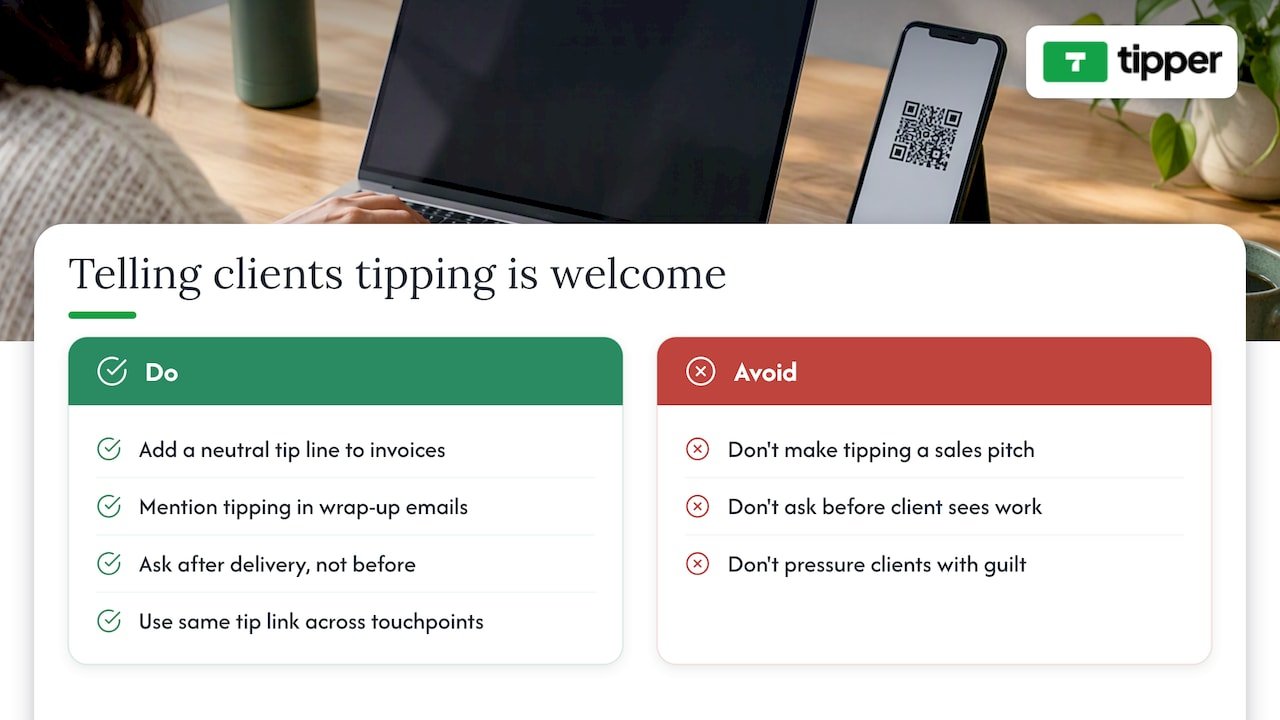
Tipping versus traditional freelance payment models
A flat project fee or hourly rate sets the floor for what you earn, but it rarely captures how much a client actually valued the outcome. Tipping sits on top of that baseline, functioning less like a payment method and more like an additional revenue stream that scales with client satisfaction rather than hours logged.
Traditional models, fixed bids, hourly billing, retainers, are predictable but rigid: the number is set before the work is judged. Tips flip that order, arriving after the client has seen the result, which means they reflect perceived value rather than estimated effort. This makes tipping a useful complement for freelancers in creative or service-based fields, where the gap between “adequate” and “exceptional” work is often invisible in a standard invoice.
Compared to other supplemental income ideas, like raising your base rate or adding paid add-on services, a tipping link costs nothing to set up and does not require renegotiating your pricing structure with every client. It also does not compete with other revenue streams; a tip link on an invoice sits comfortably alongside a retainer agreement or an hourly bill, adding upside without changing the underlying contract. For freelancers looking to diversify income without restructuring how they price their core work, tipping offers a low-friction starting point.
A note from the Tipper team
We built our platform because we kept hearing the same thing from freelancers: clients wanted to show appreciation but had no simple way to do it. One creator told us a short thank-you video turned a one-time tipper into someone who tips on every project since. That kind of personal exchange, paired with the privacy of not forcing supporters to create an account, is what we think makes tipping feel less like a transaction and more like a connection.
— Tipper
Tipper: get started
Setting up a tipping system should not take longer than sending the invoice itself.
Getting started takes three steps:
- Create your personalized tip page in a few minutes.
- Generate your link and QR code and add them to your invoices, email signature, and social bios.
- Start collecting tips and send a personal thank-you, note, photo, or video, for every one you receive.
Set up your Tipper page and start turning client appreciation into actual income.
This article is general information, not a substitute for advice from a qualified financial advisor. Consult a qualified financial professional about your own circumstances before acting on anything here.
FAQ
How much should freelancers suggest as a tip amount?
There is no fixed industry standard, but offering a few preset amounts alongside a custom field tends to perform better than a single blank box, since it gives supporters a quick reference point. Matching your presets to the typical size of your projects, smaller suggestions for quick tasks, larger ones for bigger deliverables, keeps the ask realistic.
Do freelancers have to report tip income on taxes?
Yes, tip income counts as taxable income and must be reported on the applicable form, whether that is a W-2, 1099-NEC, 1099-K, or Form 4137, according to the IRS’s gig economy filing guidance. A deduction for tips is available for tax years 2025 through 2028, but the income itself still needs to be included in your total earnings.
Do supporters need an account to send a tip?
No, the point of a dedicated tipping link or QR code is that supporters can pay instantly using Apple Pay, Google Pay, or a card without signing up for anything. Removing that step is one of the main reasons link and QR-based tipping tends to convert better than platforms requiring an account.
What is the easiest way to add tipping to an existing invoice?
The simplest approach is pasting your tipping link into a line item or note field on your current invoice template, which takes only a few minutes to set up. Our guide on adding a tip option to a service invoice walks through the exact placement that tends to get noticed.
Are payment processing fees charged on every tip?
Yes, moving money through Apple Pay, Google Pay, or a card network involves a processing cost, which is separate from any platform cut on the tip itself.
Recommended

Creators: Set Up Facebook Tipping in 5 Minutes, Account Free
Facebook tipping, in the sense that matters for creators, means adding a personalized tip link to your profile or Page so supporters can send instant, account-free tips through Apple Pay, Google Pay, or a card. You can set one up and test a tip quickly. Before you promote it, know two things: the IRS treats voluntary post-access payments differently from required ones, and the FTC has disclosure rules if tips show up alongside paid endorsements.
TL;DR:
- Under IRS guidance, voluntary payments after content access can qualify as tips, but required access payments count as compensation; reconcile gross receipts against fees monthly.
- For tip requests alongside paid endorsements, disclose near the caption’s top, on screen, or early in video; comments and expanded captions do not qualify.
- Before sharing, test checkout on iOS, Android, and desktop; digital wallets are not available to everyone, while card payment covers other visitors.
- Put the link in the Page action button or profile Links section, then use UTM tags to compare which posts or Stories drive taps.
Table of Contents
- How tipping links behave on Facebook and where to place them
- Payment methods and the account-free sender experience
- Tax and recordkeeping under current IRS guidance (2026)
- FTC disclosure rules when tips appear with endorsements
- Step-by-step: create a tip link, add it to Facebook, test one tip, and track results
- Best practices to increase tips while protecting privacy and trust
- Author perspective: why instant tip links matter now
- Tipper: how it supports Facebook tipping and how to get started
- FAQ
- Sources
How tipping links behave on Facebook and where to place them
A tipping link works the same way wherever you put it: tap, choose an amount, pay, done. The placement decision is really about visibility and tracking, not functionality.
On a personal profile, the natural spot is the About section under Links. On a business Page, you have more real estate: the action button at the top of the Page and a dedicated Links section in About. A single action button works well when tipping is your one call to action; a link-in-bio style landing page makes more sense when you’re also pointing people to merchandise, a newsletter, or a scheduling link.
What a visitor sees after tapping is simple:
- A page with preset tip amounts and a custom option
- A choice between Apple Pay, Google Pay, or card entry
- An optional field to leave a note, and in some setups a short video message back to them
Add UTM parameters and a short branded link so you can see which placement, post, or Story actually drives taps, as outlined in this guide to Facebook link-in-bio setups.
Payment methods and the account-free sender experience
“Account-free” refers to the sender, not you. Supporters never create a login or profile to tip you. They open your link, and the payment runs through whatever method they already have on their device or card.
Apple Pay and Google Pay handle most mobile traffic with a single tap, since the payment detail is already stored on the device. Card checkout covers everyone else, including desktop visitors and anyone on a device without a digital wallet configured. Because the experience differs slightly by platform, test your link on iOS, Android, and desktop before you share it widely. A tip that fails silently on one device type costs you money you never see.
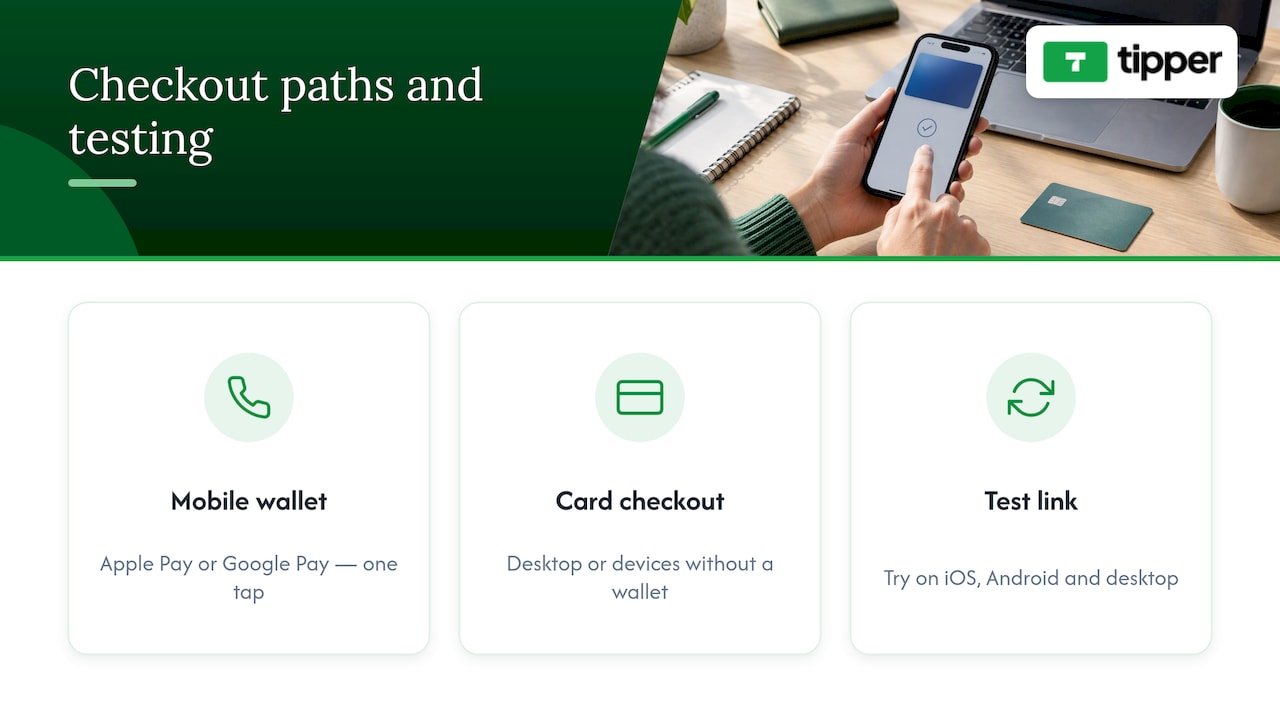
Processors issue receipts automatically, and payouts to you typically follow a set cadence set by the platform you use. Processing fees are usually a small percentage added at checkout rather than deducted from your payout, but the exact structure varies by provider, so check the specifics on your payment processing setup before you publish a link.
Tax and recordkeeping under current IRS guidance (2026)
The 2026-18 Internal Revenue Bulletin clarifies a distinction that matters for anyone collecting tips through a link: a voluntary payment made after a supporter already has access to your content can qualify as a tip, while a payment required to get access is compensation, not a tip. Calling a paywall charge a “tip” doesn’t change its tax treatment.
That distinction has a practical consequence for reporting. Payment processors often report gross amounts on Form 1099-K without subtracting fees, according to the IRS’s guidance on Form 1099-K, so you need your own records to reconcile what you actually kept.
Keep a simple ledger with these columns:
- Date and platform or post the tip came from
- Gross tip amount
- Processor or platform fee
- Net payout received
- Refunds or chargebacks
- Purpose or campaign tag
Reconciling this monthly, rather than scrambling in January, avoids surprises when a 1099-K shows a bigger number than what hit your bank account. If you’re self-employed, a tool like Mali Money’s breakdown of self-employment tax can help you figure out how much to set aside from tip income. None of this replaces advice specific to your situation, so loop in a tax professional for your actual filing.
FTC disclosure rules when tips appear with endorsements
If a tip request shows up in the same post as a paid partnership or any material connection to a brand, the FTC’s endorsement guidance requires a clear and conspicuous disclosure placed with that content, not buried in comments or tucked into your About section.
On Facebook, that means putting the disclosure where a viewer can’t miss it: in the caption itself near the top, in the on-screen text of a Story, or spoken out loud early in a livestream or video. A disclosure that requires tapping “see more” doesn’t meet the bar.
Examples that work:
- A post caption starting with “Paid partnership with [Brand]” before any tip mention
- On-screen text reading “Ad” or “Sponsored” visible for the full Story duration
- A spoken disclosure in the first 15 seconds of a live tipping stream
When you’re unsure whether a relationship counts as material, disclose anyway and save a screenshot of what you posted and when.
Step-by-step: create a tip link, add it to Facebook, test one tip, and track results
- Create and customize your tip page with preset amounts and a thank-you message or short video for supporters. Setup for this generally takes about five minutes.
- Add the link to your Page’s action button or your profile’s Links section, then check that it displays correctly on both mobile and desktop.
- Send yourself a small test tip on an iOS device and again on Android, confirming the payment completes and the receipt arrives.
- Record the test tip in your ledger, then add UTM parameters and a short branded link so future clicks are trackable.
Quick checklist before you share the link publicly:
- Preset amounts make sense for your audience
- Thank-you message or video is recorded and attached
- Link tested on both major mobile platforms
- Ledger entry created for the test transaction
Pro Tip: Share your tip link in a Story first, since Stories get a concentrated burst of views that make it easy to spot broken links fast.
For a full walkthrough, see this guide to getting paid in minutes with a personalized tip link.
Best practices to increase tips while protecting privacy and trust
Wording matters more than most creators expect. Phrases like “if you’d like to” or “totally optional, but appreciated” signal voluntariness, which matters both for conversion and for the IRS distinction covered earlier. Avoid language that implies tipping unlocks something, since that reframes it as a required payment.
- Keep your action button as the primary, always-visible tip destination
- Mention the link in Stories and regular posts occasionally, not every post
- Reassure senders that no account or signup is needed before they tap
- Show brief confirmation text after a successful tip so senders know it worked
Small tests move the needle here. Try two different preset amount sets or two CTA phrasings for a few weeks and compare clicks using your UTMs, an approach covered in more depth in this tip link strategy guide.
Pro Tip: If you post video content to promote your link, a tool like Kudoflix’s slideshow editor can turn a batch of photos into a quick promo clip without a download.
Author perspective: why instant tip links matter now
Instant tip links give creators something algorithmic reach never guarantees: immediate, direct feedback that a piece of content landed. That micro-revenue signal is worth more than its dollar amount suggests. Removing the account requirement for senders is the real unlock here, since every extra step between “I want to tip you” and “I tipped you” loses people. Tipping shouldn’t be your whole monetization plan, as outlined in this overview of why creators need tipping links, but as one piece alongside sponsorships, products, or memberships, it’s one of the lowest-friction pieces to add.
— Tipper
Tipper: how it supports Facebook tipping and how to get started
We built Tipper around the gap this guide keeps pointing at: supporters shouldn’t need an account to show appreciation, and creators shouldn’t lose a cut of every tip to platform overhead.
- Create a personalized tip link accepting Apple Pay, Google Pay, and card payments
- Let supporters tip without creating an account on our end
- Attach a thank-you note, photo, or video back to each supporter
- Keep 100% of every tip you receive
Once your link is live, add it to your Facebook action button, send yourself a test tip, and check your payout terms before sharing it with your audience. Get started at Tipper.
FAQ
Do I need a Facebook account to receive tips?
You need a Facebook presence to share your link there, but the tip itself runs through your tipping platform, not through Facebook. Supporters sending you a tip never need a Facebook or platform account of their own.
Are tips I receive through a link taxable income?
Generally yes. Under IRS guidance from 2026, voluntary payments made after someone already has access to your content can qualify as tips, and tip income is reportable even without a 1099-K, according to the IRS’s Form 1099-K guidance.
Do I need to disclose tipping if I also do sponsored posts?
If a tip request appears in the same post or video as a paid partnership, the FTC requires a clear, visible disclosure placed with that content, not hidden in comments. When in doubt, disclose and document it.
How much does it cost to set up a tip link with Tipper?
A small payment processing fee applies at checkout, with current details available on our pricing page.
Can supporters tip me without using Apple Pay or Google Pay?
Yes. Card checkout is available for supporters on desktop or devices without a digital wallet set up, so you’re not limited to mobile wallet users.
Sources
Recommended

Throne Alternatives: 13 Privacy First Platforms for Creator Gifting
If you want privacy-first, no-account tips, try Tipper, since it lets fans pay instantly without signing up. If you want packaged gifting, YouPay or Amazon Wishlist handle physical items well. If you want one page for tips, merch, and content, Beacons or Ko-fi cover multiple revenue streams at once.
TL;DR:
- Tipper offers a quick, privacy-focused tipping option with no account required and support for Apple Pay, Google Pay, and cards, keeping 100% of earnings minus processing fees.
- Platforms like Ko-fi and Beacons combine multiple revenue streams, such as tips, memberships, and merch, but may involve higher fees or complex setup.
- Wishlist-based services like WishTender and Amazon Wishlist cater to physical gift fulfillment, with the latter using familiar retail checkout processes, while others focus on curated or private lists.
- The speed to first payout varies: tip links deliver support instantly, while wishlist or subscription platforms may take longer due to setup or identity verification steps.
- Platform fees often include hidden costs such as transaction fees, currency conversions, or delayed payout verification, so creators should verify payout conditions before choosing a tool.
Table of Contents
- Comparing the top Throne alternatives for creators
- How to choose the right platform for your goals
- What Tipper offers creators who want privacy and simplicity
- Fees, commission models, and payout options compared
- Security beyond privacy: fraud protection and payment safety
- Customer support quality across these platforms
- From signup to first payout: what the timeline looks like
- Total cost of ownership: fees you might not see upfront
- Why creators are rethinking their Throne setup
- Building a revenue mix instead of chasing one best tool
- Getting started with Tipper as your tipping link
- FAQ
- Sources
Comparing the top Throne alternatives for creators
Throne built its name on anonymous wishlist gifting, but App Store reviews show a mixed picture: fans like the anonymity, while creators report interface bugs and unexpected identity checks when they try to cash out. That gap is why aggregator sites list numerous substitutes. Product Hunt’s alternatives page and SaaSHub’s comparison list both group the market into several practical categories: wishlist and gift-registry apps, tipping-first platforms that skip sender accounts, and multipurpose link pages that bundle several monetization tools.
Here is what each option actually offers:
- Tipper runs on a personalized tipping link or QR code. Fans pay through Apple Pay, Google Pay, or a card with no account required, and creators keep 100% of what they earn, with a processing fee applied.
- YouPay is a mobile wishlist app built for gift-registry style sharing, with listings on the App Store marketing it directly as a Throne alternative.
- Ko-fi pairs one-off tips with optional monthly memberships on a single page, suited to creators who want both income types without juggling two tools.
- WishTender focuses on curated wishlists for creators who want to receive specific physical gifts rather than cash.
- Exclu leans toward recurring revenue, positioning itself as a low-commission option for creators who want subscriptions alongside other income.
- Snipfeed combines a link-in-bio page with tipping, content gating, and product links in one dashboard.
- Amazon Wishlist uses Amazon’s own catalog and checkout, so fans buy and ship gifts through an interface most already know.
- MyWishBoard advertises itself around private, curated wishlists rather than public gift walls.
- Giftly skips physical shipping entirely in favor of digital gift cards.
- Whisk centers on lifestyle wishlists, recipes, and home goods, and occasionally turns up in creator gifting roundups.
- Beacons stacks tipping, merch sales, and paid content into one link page.
- Loyalfans is subscription-first, with gifting features layered on top of paywalled content.
- Throne remains the anonymous wishlist platform most of this list is reacting to, known for gift-balance credits that fans load and creators redeem.
| Platform | Core model | Best for | Fees/payout | Privacy note |
|---|---|---|---|---|
| Tipper | Tipping link, no account needed | Low-friction, privacy-first tips | Processing fee only; creators keep 100% | Senders need no account; Apple Pay/Google Pay supported |
| YouPay | Mobile wishlist app | Gift-registry style wishlisting | Published on app listing | Fan identity tied to gift purchase |
| Ko-fi | Tips plus memberships | Combined one-off and recurring support | Platform fee varies by tier | Fan accounts optional for tipping |
| WishTender | Wishlist and gift fulfillment | Curated physical gifts | Shipping and platform fees apply | Gift sender visible to fulfillment process |
| Exclu | Subscriptions, diversified revenue | Recurring income creators | Positioned as low commission | Subscriber accounts required |
| Snipfeed | Link page with monetization widgets | Integrated tips and content links | Platform fee on transactions | Fan data tied to linked checkout |
| Amazon Wishlist | E-commerce wishlist | Shipped physical gifts | Standard Amazon checkout fees | Shipping address shared with Amazon |
| MyWishBoard | Private wishlist platform | Curated, private lists | Platform fee on gifts | Built around private list visibility |
| Giftly | Digital gift cards | Gift cards over physical items | Card purchase fee | No shipping data needed |
| Whisk | Lifestyle/recipe wishlist | Home goods and recipe-based lists | Retailer-dependent | Tied to linked retailer accounts |
| Beacons | Link page with tips, merch, content | One page for multiple revenue types | Tiered platform fees | Fan data varies by integrated tool |
| Loyalfans | Subscriptions with gifting | Paywalled content plus gifts | Subscription commission applies | Subscriber identity required |
| Throne | Anonymous wishlist, gift balance | Fan-funded wishlist gifting | Gift-balance system; KYC at cashout | Anonymous gifting, but payout KYC reported |
How to choose the right platform for your goals
Match the platform to how you actually get paid, not just what looks popular. Walk through these questions before committing:
- Do you want one-off tips, recurring subscriptions, or physical gifts, since that decision alone eliminates half the list?
- How much sender friction can your audience tolerate: an account-free tip link, or a wishlist checkout through a retailer?
- What does the platform actually take in fees, and is that disclosed before you sign up or buried in a help article?
- How fast and flexible is the payout, and does it route through a payment method your bank actually supports?
- Does cashing out trigger identity verification you did not expect, the way some Throne users report?
Watch for opaque fee structures, surprise KYC requirements at withdrawal, and vague language about where your payout actually lands.
Pro Tip: Create a test transaction with a small amount before promoting any new platform to your audience, so you see the fee deduction and payout timeline firsthand.
What Tipper offers creators who want privacy and simplicity
We built Tipper around removing friction for the person sending support, not just the creator receiving it:
- Fans tip through a personalized link or QR code with no account to create.
- Apple Pay, Google Pay, and card payments all work at checkout.
- Creators keep all earnings minus a processing fee.
- Thank-you messages can go back as text, photo, or video.
Tipping and wishlisting solve different problems: tips convert faster since there is no shipping or catalog browsing involved, while wishlists work better when a fan wants to give something tangible. Many creators run both.
Fees, commission models, and payout options compared
Fee structures vary more than most creators expect, and the structure itself tells you who the platform is built for. Tipper charges only a payment processing fee at the transaction level, with no subscription or platform cut, which keeps the model simple for creators doing irregular, one-off tips.
Subscription-first platforms like Loyalfans and Exclu apply a commission on recurring revenue instead, which makes sense if your income comes from steady paywalled content rather than spontaneous gifts. Ko-fi and Beacons sit in between, layering a platform fee on top of whichever monetization tool a fan uses that day, tipping, shop sales, or membership.
Wishlist-based platforms like WishTender, Amazon Wishlist, and YouPay handle fees differently since the transaction usually runs through the retailer or the platform’s own checkout rather than a direct payout to the creator. Giftly’s gift-card model and Whisk’s retailer-linked lists follow a similar pattern: the platform is a middleman for a purchase, not a direct payout.
Throne’s gift-balance system adds a layer worth flagging: fans load a balance, creators redeem it, and that redemption step is where KYC requirements often appear, sometimes without much warning ahead of time. Before picking any platform, confirm whether payout happens instantly, on a schedule, or only after you clear an identity check you did not know was coming.
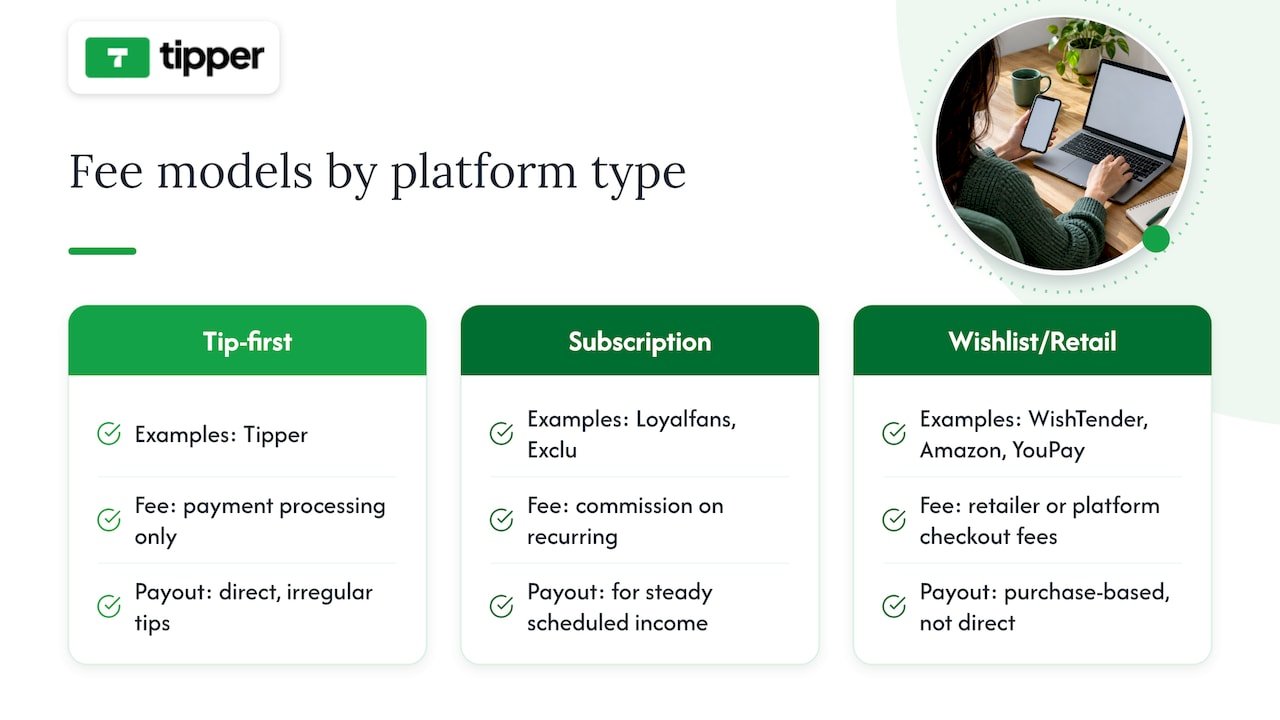
Security beyond privacy: fraud protection and payment safety
Privacy covers what data a platform shares. Security covers whether your money actually arrives safely, and the two are not the same thing. Payment processors used by tipping platforms, including card networks and services like Apple Pay and Google Pay, carry their own fraud detection layers independent of the creator platform itself.
Wishlist and gift-card platforms route through established retail checkout systems, so purchase-level fraud protection tends to mirror whatever the underlying retailer or card network already provides. The weaker point tends to show up at payout, not at the point of sale: a platform that is vague about how it verifies a creator’s identity before releasing funds is a platform where fraud and fund-freezing risk overlap.
Several App Store reviews note that KYC steps appear after a creator has already built up a balance, rather than during account setup, which leaves earned funds in limbo longer than expected. A platform that asks for identity verification upfront, before you start collecting money, is generally the safer bet since you know your payout path works before you depend on it.
Customer support quality across these platforms
Support responsiveness is hard to benchmark precisely across 13 platforms, since most do not publish response-time data, but patterns show up in user reviews. Reviewers evaluating Throne frequently raise interface confusion and payout questions as recurring friction points, which suggests support demand clusters around cashout and verification issues rather than everyday browsing.
Platforms with a single, simple transaction model, a tip link with no account step, tend to generate fewer support tickets in the first place because there is less to misconfigure. Multipurpose link pages like Beacons and Snipfeed, by combining tips, merch, and content gating on one dashboard, carry more setup surface area, and more setup surface area usually means more support questions during onboarding.
Before relying on any platform for real income, check whether support is reachable through a live channel or only through a ticket queue, and look at how recently the platform’s help documentation was updated.
From signup to first payout: what the timeline looks like
Account-free tipping links are the fastest path to a first payout, because there is no catalog to build and no wishlist items to curate. Set up a page, share the link or QR code, and the first tip can arrive within minutes of posting it.
Wishlist platforms add a setup step: you need to populate the list with items, which takes longer before a fan can act. Amazon Wishlist benefits from an interface most fans already know, which can shorten the learning curve even if the list-building step itself takes time.
Subscription and membership platforms like Loyalfans and Exclu have the longest runway to first payout, since recurring revenue depends on building an initial subscriber base rather than a single transaction. Throne’s gift-balance model sits in the middle: a wishlist is quick to set up, but the redemption and identity-check step at the back end can delay when funds actually land in your account, a pattern echoed in user reviews describing cashout as the slowest part of the experience.
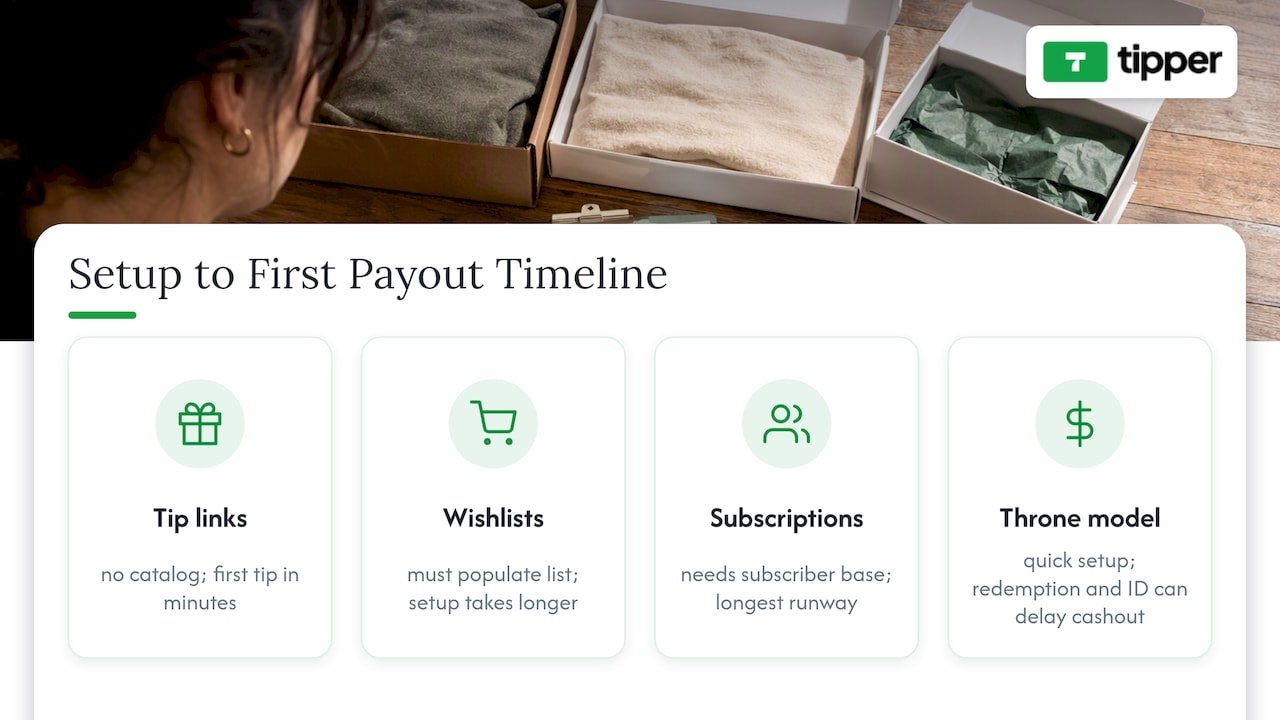
Total cost of ownership: fees you might not see upfront
The sticker fee is rarely the full cost. Payment processing fees, platform commissions, and currency conversion charges can stack in ways that are not obvious from a pricing page alone. Tipper’s cost structure is limited to a processing fee at the point of tipping, with no subscription charge to maintain an account.
Subscription-based platforms carry an ongoing cost structure by design: a monthly membership fee from a fan generates recurring commission for the platform, which compounds differently than a one-time tip. Wishlist platforms route costs through the purchase itself, so a creator rarely sees a separate bill, but the fan may pay shipping or retailer markup that is invisible to the creator.
The least visible cost is time spent on compliance steps added late, such as the KYC requirements some Throne users encounter only when trying to withdraw an existing balance. A delay at cashout is a real cost even when no additional dollar amount appears on an invoice. Before adopting any platform, ask what happens at the exact moment you try to move money out, since that is where hidden friction tends to live.
Why creators are rethinking their Throne setup
Community discussions on Reddit and Twitch surface a recurring theme: creators leaving Throne usually cite data-sharing concerns or payout reliability rather than dissatisfaction with the wishlist concept itself. The shift tends to be gradual, a creator adds a tipping link alongside an existing wishlist rather than replacing one tool outright.
That pattern lines up with how Tipper’s own guidance on tipping links frames the decision: tipping and wishlisting solve different problems, so running both in parallel often beats picking a single winner. A fan who wants to send $5 right now has a different need than a fan who wants to buy a specific item later, and forcing both into one workflow adds friction neither fan wanted. For a breakdown of how different support tools fit different fan behaviors, see this overview of real-time supporter contribution tools.
Building a revenue mix instead of chasing one best tool
Tipping works best for spontaneous, one-off support. Subscriptions make more sense once you have a predictable content schedule worth paying for monthly. Privacy and discoverability pull in opposite directions, so most creators land somewhere in between rather than maximizing either one.
— Tipper
Getting started with Tipper as your tipping link
We built Tipper so you can start collecting support today, not after a lengthy setup process. Create your page, copy your personalized link or QR code, and share it anywhere your audience already is, in a bio, a stream overlay, or a caption.
- Set up a tipping page with no account required for the fans sending support.
- Accept Apple Pay, Google Pay, or card payments at checkout.
- Keep all earnings minus the payment processing fee.
- Adjust your payout settings once your page is live.
If you want the full setup walkthrough, this creator’s guide to collecting tips without requiring signup covers it step by step. Start your page at Tipper.
FAQ
Is Throne better than Amazon Wishlist?
Throne focuses on anonymous gift-balance funding, while Amazon Wishlist uses a familiar retail checkout fans already trust. Neither is strictly better: Throne suits creators who want flexible fan-funded gifting, and Amazon Wishlist suits creators comfortable with shipped physical items through an existing catalog.
Is the Throne app legit?
Throne is a real, operating platform, and App Store reviews confirm active use by creators and fans. Reviewers do flag interface bugs and unexpected identity checks at cashout, so legitimacy does not mean a friction-free experience.
Does Throne give out your name?
Throne markets itself around anonymous gifting, meaning a fan’s name is not automatically shared with the creator at the point of a gift. Creators should still confirm current data-sharing settings directly on the platform, since app behavior can change between updates.
What is the point of a wishlist-and-gifting website like Throne?
These platforms let fans fund specific items or send money without a creator needing to manage shipping or negotiate a direct payment method. The core appeal is combining fan generosity with a structured list format, something a plain tip jar does not offer on its own.
Is tipping or a wishlist better for new creators?
Tipping through a link like Tipper tends to convert faster since there is no catalog to browse and no account for the fan to create. A wishlist works better once you have specific items in mind and an audience willing to wait for shipping.
Recommended

Set Up Creator Donation Platforms in Hours: Tax Ready No Account Tips
The fastest way to collect tips as a creator is a tipping link or QR code platform that supports one-click Apple Pay, Google Pay, and card payments without forcing your supporter to create an account. We built Tipper around exactly that gap: supporters tip in seconds with no sign-up, and you keep 100% of what they send.
TL;DR:
- Most tipping platforms support Apple Pay, Google Pay, and card payments without requiring supporters to create accounts, ensuring quick and frictionless support.
- Fixed per-transaction fees can significantly reduce small tips’ value, making fee structures more critical if your audience mainly sends small, frequent tips.
- Payment method support varies by country and configuration, so testing the checkout process is essential before sharing your link widely.
- Payout speed and method, as well as the platform’s support responsiveness, are key factors for reliable income management and troubleshooting.
- One-time tips are generally more effective for impulse support moments, while recurring tips suit creators with steady content schedules and ongoing supporter relationships.
Table of Contents
- How tipping-link platforms work and what features to expect
- What to compare when choosing a tipping platform
- How fees and taxes affect your take-home from tips
- Quick start: set up and test a tipping link in hours
- Does platform popularity actually matter for your reach?
- How well does a tipping link fit into your existing toolkit?
- What to expect from customer support when something breaks
- Recurring tips versus one-time tips: which should you offer?
- Why tipping links complement subscriptions, not replace them
- Tipper: get started with instant tipping links
- FAQ
- Sources
How tipping-link platforms work and what features to expect
A tipping link works in three steps: your supporter opens your link or scans your QR code, picks or types an amount, and pays with Apple Pay, Google Pay, or a card. No app download, no account creation on their end, and no redirect maze. That simplicity is the entire point of this product category: it removes every piece of friction between “I want to support this person” and the money actually moving.
Underneath that simple flow, most tipping platforms in this category offer a similar feature set:
- Preset tip amounts alongside a custom entry field
- A personalized page with your name, photo, and bio
- A generated QR code for in-person or on-screen use
- Donor notes or thank-you message options
- Configurable payout frequency
- Transaction exports for bookkeeping
The trade-off worth understanding early is simplicity versus customization. A stripped-down tipping link converts better because there is less to think about, but it also offers fewer branding controls than a full website. The other trade-off is cost structure: fixed per-transaction fees barely register on a $50 tip but eat a meaningful share of a $2 tip, which matters if your audience tends to send small, frequent amounts rather than occasional large ones.
What to compare when choosing a tipping platform
Picking a platform is less about brand recognition and more about matching a short list of mechanics to how your audience actually behaves. Work through these in order:
- Payment-method support: confirm the platform enables Apple Pay, Google Pay, and the card networks your supporters already use, since Stripe’s own guidance notes that available payment methods depend on country, currency, and account configuration, so test before you assume.
- Fee structure: look past the headline rate to per-transaction fixed fees and processor surcharges, since those compound differently depending on your typical tip size.
- Payout speed and method: check whether payouts run on a fixed schedule or on demand, what minimum threshold applies, and whether ACH or instant payout is available.
- Sender friction: test whether your supporter needs an account, how the mobile checkout feels, and whether the QR code opens cleanly on both iOS and Android.
- Privacy and messaging: confirm you can send and receive thank-you notes or short videos, and that transaction records export cleanly for tax season.
Pro Tip: Send yourself a real test tip from your own phone before sharing a link publicly. It’s the fastest way to catch a broken payment method or a confusing checkout step.
Checkout design itself changes outcomes. PayPal’s own business materials point out that offering familiar payment options at checkout tends to raise conversion, and that managed checkout versus a more customizable integration carries different fee and fraud-handling trade-offs. For creators living on impulse micro-tips, that distinction is worth understanding before you commit to a platform.
How fees and taxes affect your take-home from tips
Every tipping platform layers costs in roughly the same way: a platform fee (if any), a payment-processing fee, and sometimes a small fixed charge per transaction. That fixed charge is the one that quietly hurts: a flat fee of a few cents takes a much bigger bite out of a $1 tip than a $20 one, so if your community tends to send small amounts often, the fee structure matters more than the headline percentage.
On the tax side, the IRS is direct: payments received for goods, services, or property count as income and must be reported even if you never receive a Form 1099-K. That guidance specifically calls out gig workers, freelancers, and other independent contractors, and points sole proprietors toward Schedule C. Calling a payment a “tip” does not make it automatically tax-free; what matters is what the payment represents.
Practical habits that keep you covered:
- Keep a running ledger of gross tips, processing fees, and refunds, since 1099-K reporting generally reflects gross amounts before fees are deducted
- Route tip income through a dedicated business bank account
- Export CSVs regularly rather than reconstructing a year’s history in April
- Talk to a tax professional about your specific reporting thresholds
Our own guide to creator tax reporting walks through recordkeeping in more detail, and freelancers juggling several income streams may also find value in a dedicated expense tracking system built for tax-ready bookkeeping.
Quick start: set up and test a tipping link in hours
You can go from zero to a working tip link before the end of your afternoon. Here is the order that avoids rework:
- Sign up and verify payout details so your bank account or card is connected before you need the money to move.
- Set up tip amounts and page branding, including your photo, a short bio, and a couple of preset amounts that match what your community typically sends.
- Enable Apple Pay, Google Pay, and card payments, then generate your link and QR code.
- Run test payments from both a mobile browser and a desktop browser to confirm the checkout feels smooth on each.
- Confirm payout arrival and pull a transaction export so you know what your bookkeeping will look like going forward.
Pro Tip: Open your tip link in a private or incognito browser window and have a friend send a real small test tip. That catches issues your own logged-in session will never show you.
Before sharing your link anywhere public, double-check the receipt your supporter gets and the payout timing your platform promises, since those two details shape trust more than almost anything else. Our walkthrough on accepting tips without invoicing covers the operational side of this in more depth if you want a second pass before launch.
Does platform popularity actually matter for your reach?
A bigger user base on a tipping platform does not directly put more money in your pocket, because tipping links rely on your own audience, not platform discovery. Unlike a marketplace where strangers browse and find you, a tipping link only works once you share it, in your bio, your video description, your livestream chat, or a printed QR code at a live event.
Where popularity does help is trust and familiarity. A supporter is more likely to complete a payment quickly on a checkout flow that looks and feels like something they have used before, which is part of why one-click Apple Pay and Google Pay matter so much: your supporter is reacting to a payment experience they already trust, not evaluating an unfamiliar brand. Platform scale can also mean more reliable uptime and faster feature iteration, but it is not a substitute for actually sharing your link where your audience already spends time.
The practical takeaway is to judge a platform less by how many other creators use it and more by how fast and familiar the actual checkout feels to the people you already have.
How well does a tipping link fit into your existing toolkit?
A tipping link earns its place in your workflow when it slots cleanly next to the tools you already use rather than asking you to rebuild anything. Most creators place their tip link in a social media bio, a YouTube description, a livestream overlay, or a printed QR code at an in-person event, and the link itself doesn’t require any technical integration to use that way.
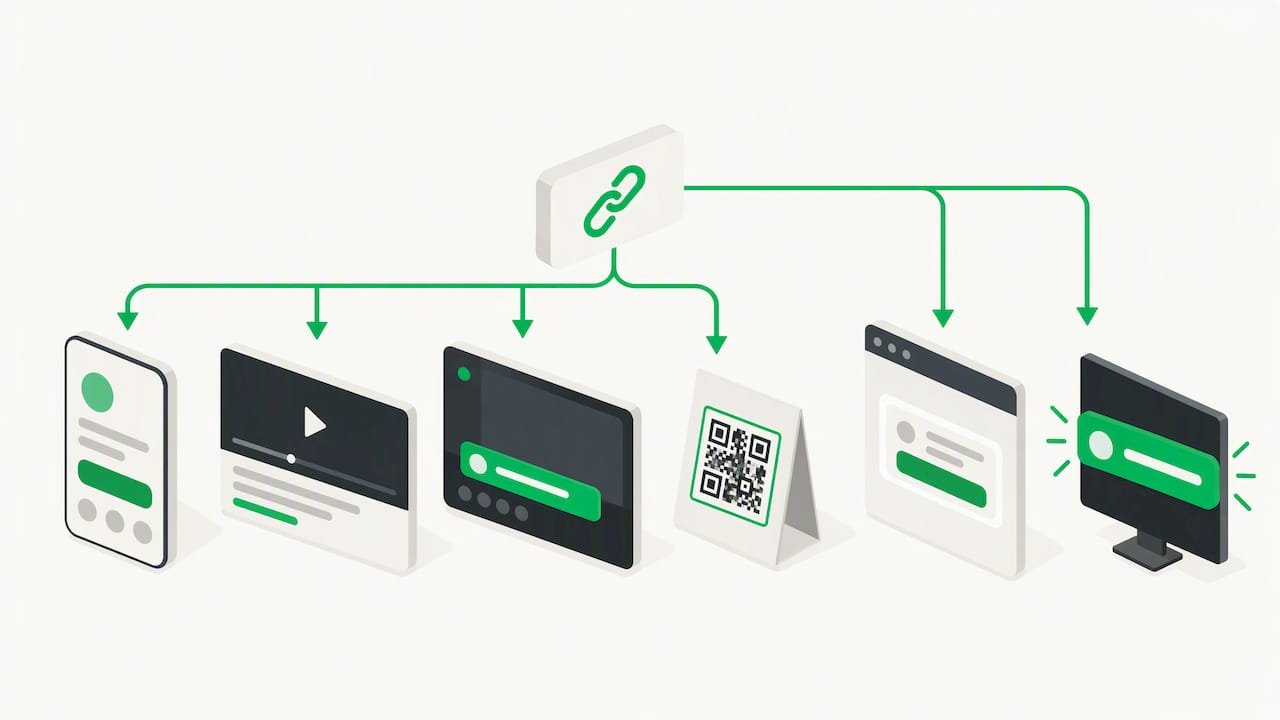
Beyond the basic link, some creators layer their tip page into a broader stack: a newsletter sign-up, a Linktree-style hub, or a stream overlay during a live broadcast. The important distinction is between a tipping link (a standalone page you share), a tipping widget (embedded directly into a site or stream), and a live-stream microtip tool (built for real-time, on-screen alerts). Our breakdown of real-time supporter contribution tools walks through how these differ if you are trying to decide which fits your format.
What to expect from customer support when something breaks
Payment issues are rarely dramatic, but they are urgent: a supporter’s card gets declined, a payout doesn’t land when expected, or a QR code stops scanning right before a live event. The practical test of any platform’s support isn’t the marketing page, it’s how fast you can reach a real answer when one of those moments hits.
Before you lean on a platform for income, check two things: whether support responds through a channel you’d actually use (email, chat, or a help center with real troubleshooting steps), and whether common issues, declined payments, delayed payouts, or QR code problems, have clear documentation you can self-serve. A platform that only offers a contact form with no stated response window leaves you guessing exactly when you can least afford to.
Recurring tips versus one-time tips: which should you offer?
One-time tips match the moment: a great stream, a helpful post, a single piece of work someone wants to reward right now. Recurring tips match a relationship: a supporter who wants to back you on an ongoing basis without re-deciding every month. Most creators are better served by offering one-time tipping as the default and treating recurring support as a separate, optional layer rather than the main event.
The reason is friction. A one-time tip asks for a single decision and a single payment, which is why it converts so well for impulse appreciation moments, right after a livestream clip, in response to a post, or at an in-person event. A recurring commitment asks someone to trust you with a standing authorization, which is a bigger ask and a smaller pool of people will say yes to it. If your content comes in bursts, livestream reactions, seasonal content, one-off collaborations, a one-time tipping link captures far more of the moments that actually prompt someone to pay. Recurring support tends to work better for creators with a steady publishing cadence where fans want predictable, ongoing access or recognition.
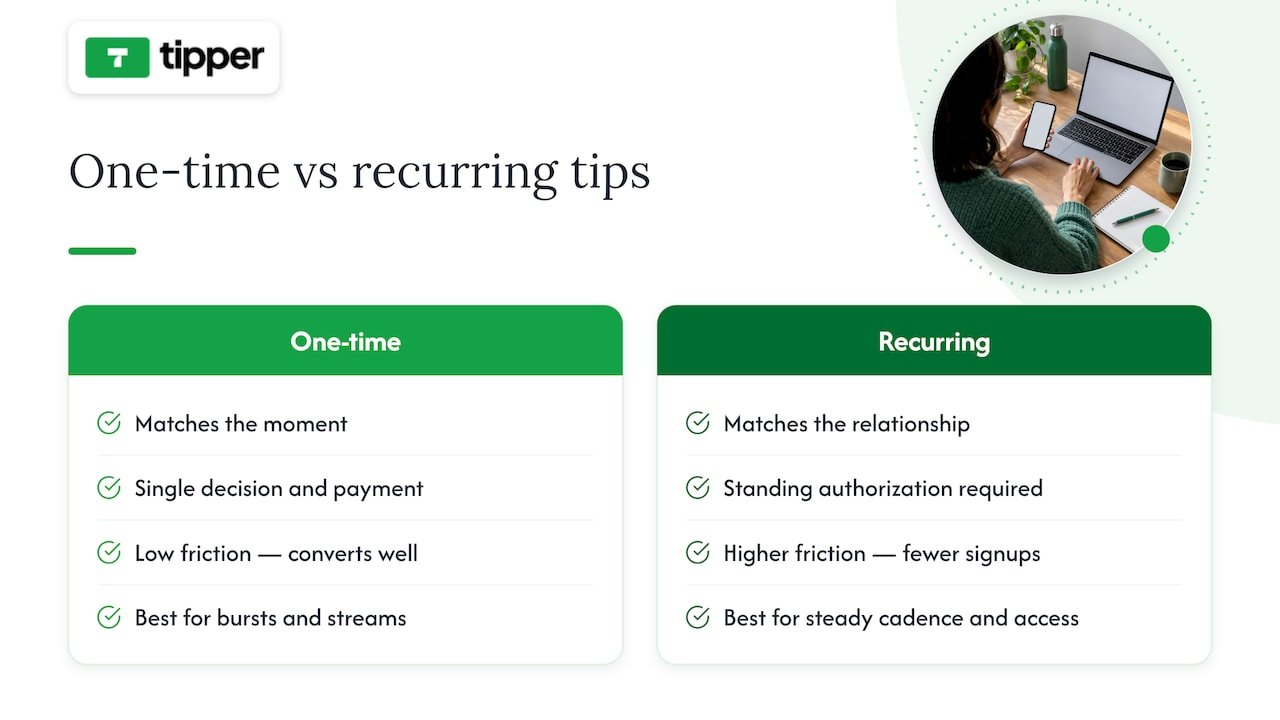
Why tipping links complement subscriptions, not replace them
Tipping and subscriptions solve different problems, and treating them as competitors misses the point. Tipping shines in impulse moments: a supporter watching a livestream, meeting you at an event, or reading a post that hit them in a particular way. There is no commitment, no recurring charge to remember, just a quick thank-you in the moment it happens.
That low commitment is also tipping’s advantage over subscriptions when it comes to churn. A subscriber who cancels feels like a loss. A one-time tipper who doesn’t tip again next month was never locked into anything, so there’s no churn to manage, just an open door for the next moment they feel like showing up.
Where subscriptions and merchandise still win is predictable, larger recurring revenue; building a monthly budget around tips alone is unrealistic for most creators. The two aren’t in competition. Tipping captures the casual supporter and the spontaneous moment; subscriptions capture the committed fan who wants an ongoing relationship. Our piece on why creators need tipping links goes deeper into how the two fit together.
— Tipper
Tipper: get started with instant tipping links
If you have read this far, you already know what matters: no account required for your supporter, real payment methods they already trust, and a payout structure that doesn’t quietly erode small tips. That is the exact design behind Tipper.
Getting started takes a few minutes:
- Sign up and verify your payout details
- Customize your page with preset amounts and branding
- Copy your link or generate your QR code
- Share it anywhere your audience already shows up
Full fee details live on our pricing and product page, and our longer platform comparison guide is there if you want to see how the mechanics stack up before you commit. Set up your link today and see your first tip land.
FAQ
What is the best platform for collecting creator tips?
The best fit for most creators is a tipping-link platform that supports one-click Apple Pay, Google Pay, and card payments with no account required for the sender. Tipper is built around that exact model, and creators keep 100% of what they receive.
Do I have to pay taxes on tips I receive as a creator?
Generally, yes. The IRS treats payments received for goods, services, or property as income that must be reported even if you never receive a Form 1099-K, and that guidance applies to freelancers and independent contractors.
What payment methods should a tipping link support?
At minimum, a tipping link should support Apple Pay, Google Pay, and major card networks, since available payment methods vary by country and account configuration and testing your own checkout is the only way to confirm it works for your audience.
How do fees affect small tips differently than large ones?
Fixed per-transaction fees take a much larger percentage out of a small tip than a large one, since the flat portion of the cost doesn’t scale with the amount sent. That is why checking the full fee breakdown, not just the headline rate, matters more for creators who receive frequent small tips.
Should I offer recurring tips or one-time tips?
One-time tips generally convert better for impulse appreciation moments like livestreams or single posts, while recurring tips suit creators with a steady publishing schedule and an audience that wants ongoing involvement. Most creators are better served offering one-time tipping as the default and adding recurring support as an optional extra.
Sources
- What to do with Form 1099-K | Internal Revenue Service
- Migrate to the Payment Element with the Payment Intents API | Stripe
- PayPal Business Pricing | Transaction & Processing Fees | PayPal US
Recommended

Keep 100% of Tips with Tipper: No Fee Donation Platforms for Creators
Truly fee-free tipping is realistic for creators, but only on the platform side: a payment processor almost always takes a small cut no matter which service you use. Tipper is built around this distinction, letting creators keep 100% of their tip earnings while supporters pay with Apple Pay, Google Pay, or a card, no account required. The details that matter most, payout timing, taxes, and disclosure rules, are covered below.
TL;DR:
- Processing fees from payment processors are nearly unavoidable, so truly free tips only waive platform fees, not transaction costs.
- Payouts typically take one to two business days, with instant options available at extra cost; consider your need for quick access.
- Tips are taxable income regardless of receiving a tax form, and keeping a detailed record simplifies tax reporting and deductions.
- No-account tipping supports fast, impulse donations but may limit features like recurring payments or saved payment methods.
- Most platforms set transaction and withdrawal limits to prevent fraud, which rarely impact small, regular supporters but matter for large one-time tips.
Table of Contents
- How no-account tipping links and QR codes work
- Fees and payout timing: what you actually pay and when you get paid
- Taxes and recordkeeping for tip income
- Set up a tipping link or QR code in minutes
- Why Tipper meets the no-fee tipping brief
- Privacy and supporter friction: no signup vs required accounts
- Comparing popular no-fee tipping platforms
- Security and fraud protection on tipping platforms
- Integrating tip links with your website and social profiles
- Limits and caps on tip amounts
- Support and customer service for tipping platforms
- Legal considerations for tipping platform compliance
- A creator’s perspective: trade-offs and when no-fee is the right call
- Start collecting tips with Tipper
- FAQ
- Sources
How no-account tipping links and QR codes work
A tipping link or QR code is designed to remove every obstacle between a supporter wanting to say thanks and that thanks actually landing in your account. The flow is simple, by design:
- A supporter taps your link or scans your QR code, no login or app download required.
- They pick a payment method: Apple Pay, Google Pay, or a debit or credit card.
- They can add a short note, photo, or sometimes a video with the tip.
- The payment processes and the platform routes the funds toward payout.
The phrase “no fee” gets used loosely across the industry, and it matters which fee a platform is actually waiving. Some platforms waive their own service fee but still pass along the payment processor’s cut, since card networks and processors always charge something to move money. Others build a markup into the transaction instead of showing a line-item fee. Reading the fine print on payment processing for tips shows how the gross amount a supporter pays differs from the net amount that lands in your account, and that gap is where processing costs usually live.
Fees and payout timing: what you actually pay and when you get paid
Even on a platform that charges creators nothing to use it, a payment processor is still doing the work of moving money from a card network to a bank account, and that service is rarely free. The processor’s fee is typically a small percentage of the transaction plus a flat amount, deducted before the money reaches you.
Payout speed is the other variable creators tend to underestimate. Standard payouts through most payment processors take about 1 to 2 business days to settle, according to Stripe’s payout documentation. Faster options exist: instant payout features can move funds in minutes rather than days, but they usually carry an added fee on top of standard processing costs. A platform advertising “instant tips” is often describing how quickly the supporter’s payment is captured, not how quickly you can spend it.
Before settling on any platform, confirm these items in its terms:
- What percentage (and flat amount, if any) the payment processor charges per transaction.
- Whether standard payouts take 1 to 2 business days, and what the accelerated option costs.
- Whether the platform has a minimum payout threshold or a maximum per-transaction tip amount.
- Whether fees are deducted automatically or billed separately.
- Whether refunds or chargebacks pull money back out of your account after payout.
Running these questions against any platform you’re considering, including comparisons on digital tipping platforms, gives you a clearer picture than a homepage claim of “zero fees” ever will.
Taxes and recordkeeping for tip income
Tip income is taxable whether or not you receive a tax form for it. The IRS confirms that gig workers and creators owe tax on tip income even without a 1099-K, and separate IRS guidance on tip recordkeeping recommends tracking every tip as you receive it rather than reconstructing totals at tax time.
A few practical facts shape how you should plan:
- The 1099-K threshold for third-party settlement organizations is $20,000 in gross payments and 200 transactions in a calendar year, per IRS Publication 1099; below that, you likely won’t receive a form, but the income is still reportable.
- A new federal tip deduction runs from 2025 through 2028 and lets eligible tipped workers deduct up to $25,000 in qualified tips per return, but eligibility is tied to having the income reported on an information return like a 1099-K or 1099-NEC, per the IRS’s gig economy filing guidance.
- If your platform never crosses the reporting threshold, you may not get a 1099-K, which can make it harder to document eligibility for that deduction even though the tips themselves remain taxable.
- Keep a running log, ideally a spreadsheet or dedicated app, noting the date, amount, platform, and any fee deducted for each tip received.
A separate bank account for tip income makes quarterly tax estimates and year-end filing far less stressful, and tracking creator tips for taxes walks through a simple system for doing it.
Pro Tip: Save payout confirmation emails and fee receipts in one folder as they arrive instead of trying to reconstruct them in April.
Set up a tipping link or QR code in minutes
Getting a tipping link live takes less setup than most creators expect, and the order of operations matters for avoiding rework later.
- Create your account and connect a payout method (bank account or supported digital wallet).
- Enable Apple Pay and Google Pay so supporters can tip without typing card details.
- Set two or three preset tip amounts that match what your audience typically gives.
- Generate your personalized link and matching QR code.
- Add the link to your bio, and place the QR code where supporters will actually see it: a livestream overlay, event signage, or a printed card at a market stall.
Copy matters as much as placement. “Tip me” works, but “Send a quick thank-you, no account needed” tells a hesitant supporter exactly why the friction they expect won’t be there. If any of your content is sponsored or includes paid promotion alongside your tipping link, disclosure language needs to sit where it’s genuinely hard to miss, not buried in a caption’s final line, per FTC guidance for influencers.
Before sharing your link widely, review what payment permissions you’re granting the platform and whether supporter payment details are ever stored or shared. A tip link strategy guide covers preset amount testing and placement in more depth.
Pro Tip: Test your own link on your phone before posting it publicly, paying with Apple Pay or Google Pay end to end, so you catch friction before a supporter does.
Why Tipper meets the no-fee tipping brief
The features that matter for a genuinely low-friction tip link map directly onto the checklist above:
- No account required for senders: supporters tip in seconds without creating a login.
- Apple Pay and Google Pay support: removes the need to type card numbers on a phone.
- Creators keep 100% of their earnings: no platform-side service fee is deducted from your tip.
- Customizable tip pages: presets and branding match your own audience and content.
- Thank-you notes, photos, or videos: a personal reply to a supporter closes the loop.
- Privacy-first design: supporters aren’t asked to hand over more information than a payment requires.
Setting up takes roughly as long as the five steps above: connect a payout method, enable your preferred wallets, set presets, and generate a link or QR code. From there, Tipper handles routing the payment while you focus on the thank-you message.
Privacy and supporter friction: no signup vs required accounts
Every account creation screen is a point where a supporter can simply give up and close the tab. Platforms that require supporters to register before tipping are optimizing for their own data collection, not for the supporter’s experience, and the cost shows up as abandoned tips you never see.
No-signup tipping flips that trade-off. A supporter clicks, pays with a wallet they already have set up on their phone, and leaves. The entire interaction can take under thirty seconds, which matters most for impulse tips: someone enjoying a livestream moment or walking past an in-person tip jar QR code isn’t going to fill out a registration form first.
The privacy angle cuts the other way too. Supporters are often more willing to tip when they know they aren’t creating a permanent account tied to their email or payment history, and creators benefit from not having to manage or secure a database of supporter accounts they didn’t ask for. The trade-off is real: platforms that require accounts can offer features like saved payment methods or recurring tip subscriptions that a one-time, no-signup flow doesn’t support as naturally. Which friction a creator should accept depends on whether their audience tips once in a while or supports them every week.
Comparing popular no-fee tipping platforms
Platforms marketed around “no fee” tipping generally fall into a few patterns worth recognizing before you commit to one.
Some waive their own platform fee entirely and let the payment processor’s standard cost pass through unchanged, which keeps pricing transparent but means the creator still sees a small deduction on every tip. Others bundle a markup into the displayed tip amount so the sticker price looks fee-free, which can confuse supporters who expect the full amount to arrive with the creator. A third group charges creators a flat monthly fee instead of a per-transaction cut, which can cost more for low-volume creators and less for high-volume ones.
The practical differences that matter most are whether supporters need an account to send a tip, whether Apple Pay and Google Pay are supported out of the box, how fast payouts settle, and whether the platform supports thank-you messages or media replies. A platform that scores well on no-signup tipping and wallet support but settles payouts slowly may suit a creator who tips rarely needs instant cash, while a business juggling daily transactions will weigh payout speed more heavily. Reviewing a digital tipping platform comparison against your own tipping frequency and audience habits is more useful than chasing the lowest advertised fee alone.
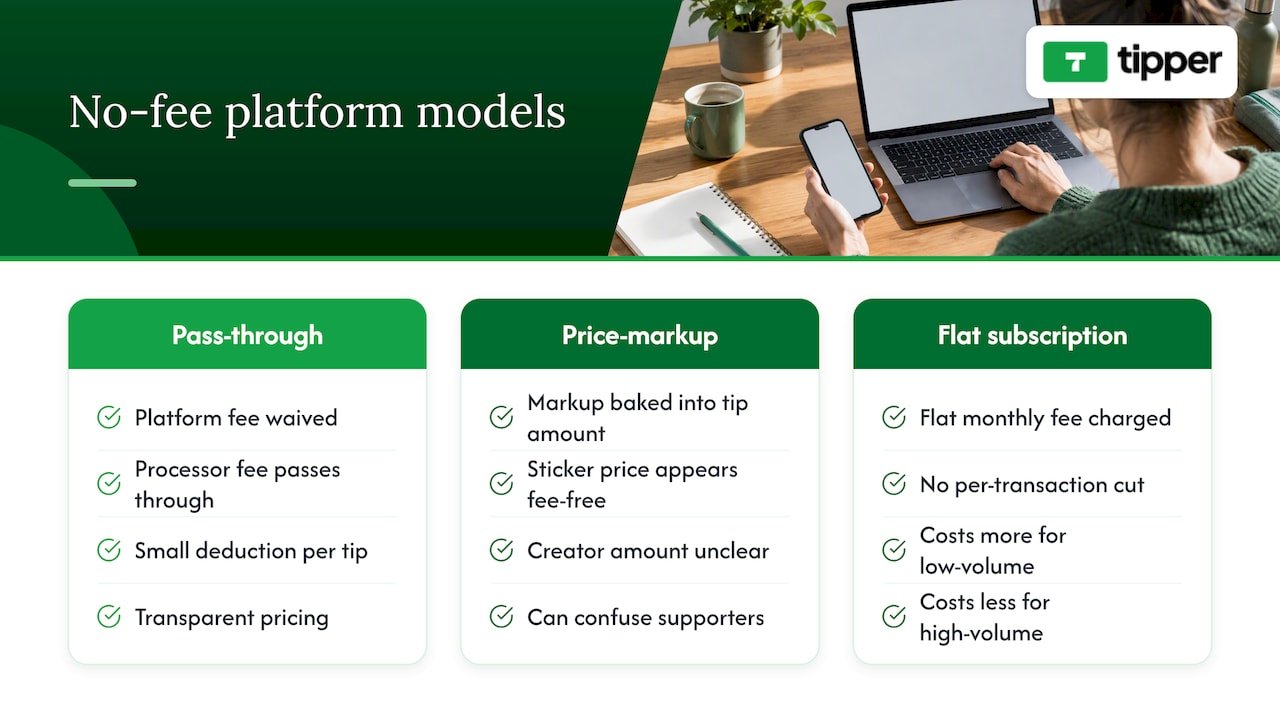
Security and fraud protection on tipping platforms
Tipping platforms handle real money moving between strangers, so the security questions worth asking are concrete. Does the platform use a PCI-compliant payment processor rather than storing card numbers itself? Is every transaction encrypted in transit? Does the platform monitor for suspicious patterns, like repeated failed charges or unusually large tips from new payment methods?
For creators, the bigger practical risk is usually chargebacks and refund fraud rather than account takeover, since no-signup flows mean there’s no supporter account to compromise in the first place. A supporter disputing a legitimate tip with their card issuer can pull funds back out of your payout after the fact, so it’s worth understanding how quickly a platform notifies you of disputes and what documentation it keeps on its end.
Two-factor authentication on your own creator account, strong unique passwords, and reviewing payout notifications regularly for anything unfamiliar cover most of the risk on your side. The platform’s job is securing the payment rail itself; yours is noticing when something about your account activity looks wrong.
Integrating tip links with your website and social profiles
A tipping link earns the most when it shows up everywhere a supporter already is, rather than living on a page they have to go looking for. Most platforms generate a standard URL that works as a bio link on Instagram, TikTok, X, or YouTube, and the same link typically embeds as a button on a personal website or Linktree-style page.
QR codes extend that reach offline: printed on a table tent at a craft fair, displayed as a livestream overlay during a stream, or included on a business card. Some creators embed a tip button directly into blog posts or newsletter footers, turning any piece of content into a potential tipping moment without asking the reader to leave the page.
The setup for most of these integrations is copy-and-paste rather than custom development, since the link or embed code doesn’t change based on where it’s placed. A personalized tip link works identically whether it’s shared in a text message or embedded on a storefront website, which is part of why creators tend to post it in more places than they initially plan.
Limits and caps on tip amounts
Most tipping platforms set a maximum per-transaction amount, often in the low thousands of dollars, as a fraud-prevention measure rather than a policy against generosity. Minimum tip amounts, when they exist, are usually small, often under a dollar, to keep the barrier to entry low.
Some platforms also apply daily or monthly caps on how much a single sender can tip, or how much a creator can receive, before additional verification is required. These limits rarely affect typical supporter behavior, since most tips are modest, but they matter for a creator running a high-profile fundraiser or receiving an unusually large one-time gift. Checking a platform’s stated transaction limits before promoting a major campaign avoids a failed payment at the worst possible moment.
Support and customer service for tipping platforms
When a payout doesn’t arrive on schedule or a supporter’s payment fails, the quality of a platform’s support becomes the thing that actually matters, not the fee structure on the homepage. Response time and the channels available, email, in-app chat, or a help center, vary widely across tipping platforms and are worth testing before you rely on a service for real income.
A platform with clear documentation on common issues, like why a payout is delayed or how a disputed charge is handled, tends to resolve problems faster than one that requires a support ticket for every question. Checking whether help resources are self-serve or require waiting on a response is a reasonable thing to test with a small test tip before promoting a link widely.
Legal considerations for tipping platform compliance
Tipping platforms that move money on behalf of creators generally operate as payment facilitators or work with regulated payment processors, which means the processor underneath the platform carries its own compliance obligations around fraud monitoring and anti-money-laundering rules. As a creator, you’re not typically required to hold any special license to receive tips, but you are responsible for reporting the income accurately.
If any of your tipping activity overlaps with sponsored content or a material relationship with a brand, FTC endorsement rules apply regardless of which payment platform you use, and disclosures need to be clear and conspicuous rather than buried in fine print, per the FTC’s influencer disclosure guidance. A practical checklist for affiliate and influencer disclosures can help you audit your own posts against current FTC expectations.
A creator’s perspective: trade-offs and when no-fee is the right call
Low-friction, privacy-first tipping earns its keep during small, frequent moments: a live stream chat, an in-person market table, a reader who wants to say thanks without committing to anything bigger. That’s where asking for an account kills the impulse entirely.
Accelerated payouts or recurring subscription features can justify a small fee once your volume grows past occasional tips. Either way, if any tip ties to sponsored content, disclose the relationship clearly, not as an afterthought.
— Tipper
Start collecting tips with Tipper
We built Tipper around the parts of tipping that cause creators the most friction: asking supporters to make an account, wondering how much of a tip actually lands in your pocket, and never knowing when the money will show up.
Getting started takes a few minutes:
- Create your free account and connect a payout method.
- Enable Apple Pay and Google Pay so supporters can pay in one tap.
- Set your preset tip amounts and personalize your tip page.
- Share your link or QR code on your profiles, stream overlay, or signage.
Sign up at Tipper and generate your first tipping link today.
FAQ
Do no-fee tipping platforms really charge nothing?
A platform can waive its own service fee, but the payment processor moving the money almost always charges something, usually a small percentage plus a flat amount per transaction. “No fee” typically means no platform cut, not zero cost anywhere in the chain.
Do I owe taxes on tips if I never get a 1099-K?
Yes. The IRS confirms that all tip income is taxable even when you don’t receive a 1099-K, and the reporting threshold for that form is $20,000 in gross payments and 200 transactions per the IRS’s official guidance.
How fast do tip payouts usually arrive?
Standard payouts through most payment processors settle in about 1 to 2 business days, according to Stripe’s payout documentation. Some platforms offer instant payout options that deliver funds in minutes for an added fee.
Do supporters need an account to send a tip?
No. Tipping through a personalized link works without the supporter creating an account, and payment is made directly through Apple Pay, Google Pay, or a card.
Do I need to disclose tips from sponsored content?
Yes, if the tip relates to a paid or sponsored relationship, FTC rules require a clear and conspicuous disclosure placed where it’s hard to miss, according to FTC guidance for influencers.
Sources
- IRS Publication 1099
- Filing tips and updates for gig economy workers | Internal Revenue Service
- Tip recordkeeping and reporting | Internal Revenue Service
- FTC: Disclosures 101 for social media influencers
- Stripe payouts documentation
Recommended

Get Paid Today in 3 Steps: Creator Support Platforms for Solo Creators
For solo creators who want revenue fast, the strongest combination is a tipping-first tool like Tipper, paired with a membership platform like Patreon for recurring income and a course or community tool for structured content. Each fills a different job: instant appreciation payments, predictable monthly support, and long-term content delivery. You rarely need all three at once, but knowing which to launch first saves months of setup.
TL;DR:
- Tipping tools like Tipper process payments instantly without requiring an account, making them ideal for quick, real-time appreciation payments, especially for small tips under $5 that are heavily affected by fixed fees.
- Subscription platforms such as Patreon charge around 10% of platform fees plus processing costs, which can significantly reduce the value of micro-pledges, especially below $5.
- Course platforms like Zenler, Teachable, or Thinkific involve upfront setup with lesson modules and are best suited for structured content, while community tools like Discord and Circle focus on real-time interaction and discussion.
- The speed of payout varies, with instant tipping tools settling faster than subscription services that batch payouts weekly or monthly, influencing cash flow timing for creators.
- Before choosing a platform, creators should evaluate payout speed, fee structure for small transactions, content ownership, and integration options to prevent wasting time and ensure it aligns with their current audience and monetization goals.
Table of Contents
- Shortlist: What Each Platform Is and Who It Suits
- Pricing, Payouts, and the Features That Actually Matter
- How to Choose a Platform Without Wasting a Weekend
- Examples of Top Creators Using Each Platform
- Where Each Platform Draws the Line
- How These Platforms Handle Security and Privacy
- Who Owns Your Content on Each Platform
- When Tipping-First Beats Launching a Membership or Course
- Get Started With Tipper in Three Steps
- FAQ
- Sources
Shortlist: What Each Platform Is and Who It Suits
Here’s a quick rundown of where each platform fits, so you can match it to what you’re actually trying to do this month.
- Tipper: an instant tipping link that accepts Apple Pay and Google Pay with no account required from the sender; best for creators who want micro-donations and real-time appreciation without building a membership funnel; creators keep their earnings minus payment processing fees.
- Patreon: a membership platform built around recurring patron tiers; best for creators who already have an audience willing to pay monthly; charges a platform fee plus processing on every pledge.
- Zenler: a course-focused platform with a built-in site builder and branded mobile app options; best for creators selling structured courses who want one tool for delivery and marketing.
- Kajabi: a premium all-in-one platform aimed at creators scaling courses into full businesses; best for established creators ready for funnels and marketing automation, at a higher price point.
- Teachable: a course hosting and sales platform with a simple setup; best for creators who want to publish a course without wrestling with a page builder.
- Thinkific: a course platform with strong curriculum tools and learner analytics; best for creators who care about structured lesson design and tracking student progress.
- Kartra: a marketing-first platform with membership and course features bundled in; best for creators who want funnels, email automation, and commerce in one place.
- LearnWorlds: an interactive course platform with built-in assessments; best for creators who want quizzes and engagement tools baked into lessons.
- Circle: a community platform that plugs into existing creator sites; best for creators who want members-only spaces and segmented discussions.
- Discord: a free chat platform with live voice and text channels; best for creators who want informal, real-time community connection without building a storefront.
- fr3n: an all-in-one community and monetization platform combining link-in-bio, community spaces, and a shop.
- Whop: a platform for selling digital products and gated memberships, built around a marketplace model.
- Behind The Scenes: a platform built for tight control over membership access and who can see your content.
Pricing, Payouts, and the Features That Actually Matter
Most of the decision comes down to three things: how much a platform takes, how fast you get paid, and whether it supports the kind of content you make.
- Fee shape: platforms typically charge a percentage platform fee plus a separate payment processing cut, and the two compound on every transaction.
- Payout speed: tipping tools built around Apple Pay and Google Pay tend to settle faster than subscription platforms that batch payouts weekly or monthly.
- Monetization type: tips and one-off payments suit creators testing demand; subscriptions suit creators with a steady content calendar; courses suit creators packaging expertise into a product.
Patreon illustrates the fee math well. New creators on Patreon pay a flat 10% platform fee plus payment processing, which runs around 2.9% plus $0.30 for standard pledges but jumps to roughly 5% plus $0.10 for micropayments of $3 or less. That second rate structure quietly punishes small pledges: a $3 tier loses a much larger share of its value to fixed fees than a $10 tier does.
Pro Tip: If you’re testing a membership tier below $5, run the math on both platform fee and processing before you commit, because fixed per-transaction costs eat a bigger percentage of small payments.
Setup effort varies widely. A tipping link takes minutes to create and share, while a course site on Zenler, Kajabi, or Thinkific involves building lesson modules, pricing structures, and sometimes a custom domain before you ever collect a payment. Community features split a similar way: platforms like Circle and Discord add real-time chat and forums, while course platforms mostly bolt on basic commenting. Many creators pair a course platform with Discord or Circle for community and use Zapier or website embeds to connect email lists and analytics.
Support quality matters more than people expect. G2 reviews of Podia consistently favor simpler, all-in-one tools, with Podia holding a 4.6-out-of-5 rating and reviewers citing fast setup and straightforward support as the reason they stick with it over more complex alternatives.
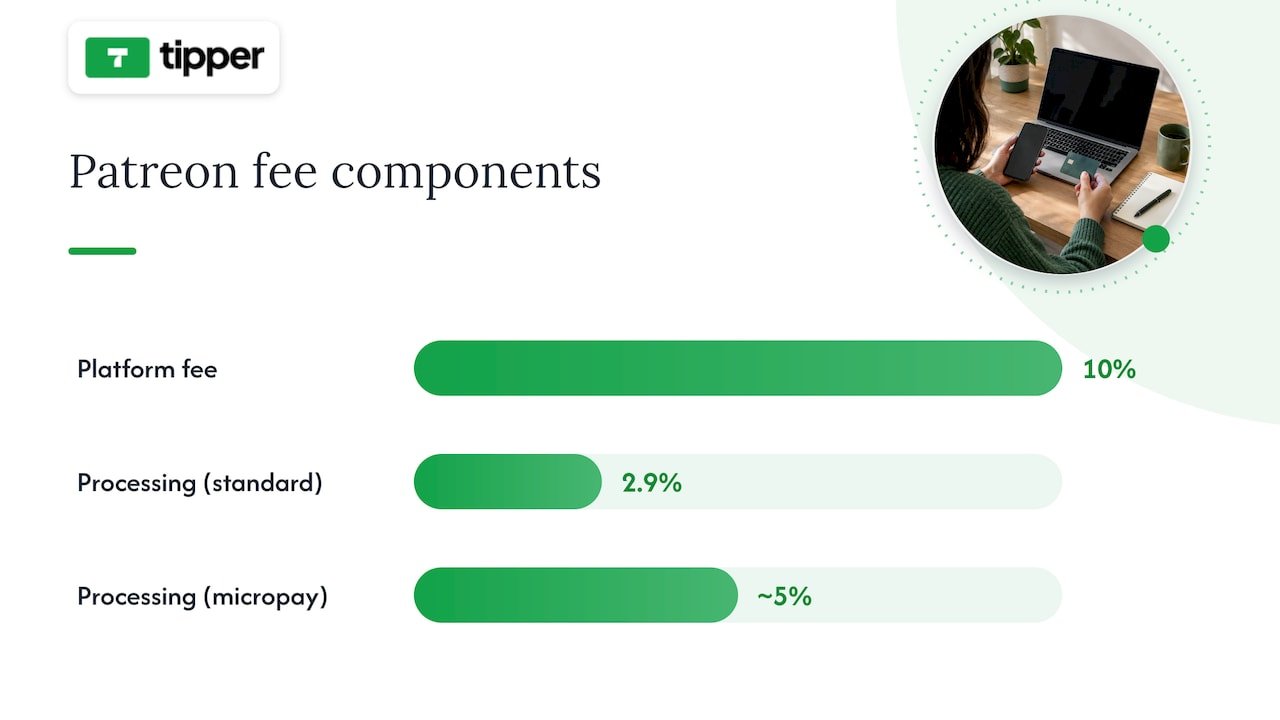
How to Choose a Platform Without Wasting a Weekend
Before committing to any platform, run through a short checklist: How big is your audience right now? How fast do you need to launch? Is your revenue model tips, subscriptions, or product sales? How sensitive are you to fees? Do you need community features, and do you want to own your audience data outside the platform?
When you demo a platform, ask these questions directly:
- How fast can I actually get paid after a supporter sends money?
- What are the total fees on a $5 tip or a $5 monthly tier, platform fee plus processing combined?
- Can I embed this on my own website instead of only linking out?
- What integrations exist for email marketing and analytics?
Pro Tip: Run a tiny live test before committing: create a tip link or a $5 tier, share it with your 50 most engaged fans, then track conversion rate and the time it takes to receive your first payout.
Fixed per-transaction fees hit small tiers hardest, which is why annual billing or $5-plus minimum tiers tend to preserve more of your revenue than monthly micro-pledges.
Examples of Top Creators Using Each Platform
Different creator types gravitate toward different platforms based on their content format and audience relationship. Course creators teaching structured skills, cooking, business strategy, software tutorials, tend to land on Zenler, Teachable, or Thinkific because those platforms are built around modules and completion tracking. Creators with a loyal fan base who want ongoing support, writers, podcasters, illustrators, often build recurring income through Patreon’s tier system.
Creators focused on community and live interaction, gaming commentators, niche hobbyists, educators running cohorts, frequently rely on Discord or Circle to host discussions between content drops. Creators selling digital products, templates, presets, guides, gravitate toward Whop or fr3n because those platforms combine a storefront with audience tools in one place. Creators who want tight control over who sees their content and when often choose Behind The Scenes for that gating flexibility.
For creators who simply want fast appreciation payments without building any of the above, infrequent supporters sending a one-time thank-you, live-stream viewers tipping mid-broadcast, newsletter readers showing gratitude, a tipping link fits because it skips the setup entirely and lets a supporter pay in seconds using Apple Pay or Google Pay.
Where Each Platform Draws the Line
Every platform has boundaries worth knowing before you build around it. Course platforms like Kajabi, Teachable, and Thinkific are built for structured lessons, so they’re a poor fit if your content is mostly short-form or spontaneous. Marketing-heavy tools like Kartra assume you want funnels and email sequences, which adds complexity you may not need if you only sell one product.
Community platforms carry their own trade-offs. Discord servers can get difficult to monetize directly without a separate payment layer, and Circle communities work best when paired with an existing website or audience rather than as a standalone discovery channel. Behind The Scenes and Whop both focus on gated access, which suits paid communities but offers less for creators who want open, discoverable content.
Membership platforms like Patreon work best for ongoing content relationships and struggle with one-off purchases or impulse support. Geography and payment method support also vary: some platforms limit payout options or currencies by region, so it’s worth confirming your country and preferred payment method are supported before building your monetization plan around any single tool. Tipping tools built for instant payments, by contrast, tend to have fewer content-format restrictions since they’re not tied to delivering structured lessons or gated feeds, but they’re not built to replace a full course or membership system either.
How These Platforms Handle Security and Privacy
Payment security is table stakes across legitimate creator platforms: card data and payment credentials are processed through established payment networks rather than stored directly by most platforms, and reputable tools rely on encryption standards used across the payments industry. Where platforms differ is in what additional data they collect and how transparent they are about it.
Membership and course platforms often collect more personal data by necessity: billing addresses, course progress, email engagement, and sometimes identity verification for payouts. Community platforms like Discord and Circle store message history and member profiles, which raises its own questions about moderation and data retention.
Tipping-first tools built around one-time payments, like Tipper, tend to minimize data collection by design since supporters don’t need to create an account to send a tip. That no-account flow means less personal information passes through the platform in the first place, a structural privacy advantage rather than a policy promise. Whatever platform you choose, it’s worth checking whether payouts run through a recognized processor and whether the platform publishes a clear privacy policy before you connect your bank details.
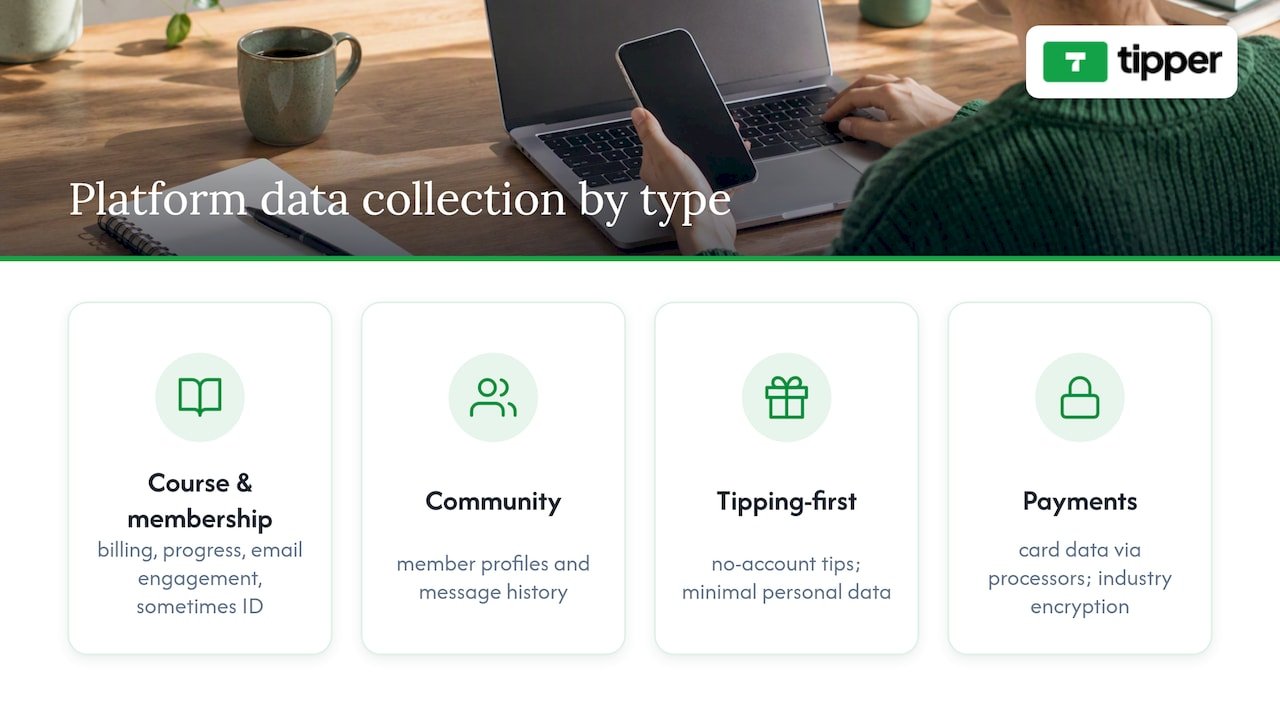
Who Owns Your Content on Each Platform
Content ownership terms vary more than most creators realize until they try to leave a platform. Course platforms like Teachable, Thinkific, and Zenler generally let you export your course materials, but your audience data, email lists, student records, often stays harder to move if you decide to switch providers. Reading the export and data-portability sections of a platform’s terms before you upload months of content is worth the ten minutes it takes.
Membership platforms like Patreon give you ownership of the content you post, but your patron relationships live inside their ecosystem, meaning you depend on the platform for continued access to those supporters. Community platforms like Discord and Circle generally leave content ownership with the creator but differ in how easily you can export conversation history or member lists.
Tipping tools sidestep much of this because there’s no content library to own in the first place: the transaction is the product. For creators, the practical takeaway is to check two things before committing to any platform, whether you can export your core assets (course files, email lists, community posts) and whether the platform claims any rights to monetize your content independently of your account.
When Tipping-First Beats Launching a Membership or Course
The instinct for a new creator is often to build a membership tier or a course before anyone has sent a single dollar. We think that’s backward. A tip link lets a supporter pay through Apple Pay or Google Pay in seconds, with no account to create, and creators keep their earnings rather than splitting them across platform cuts. That speed matters most in the first weeks, when you’re still proving anyone will pay you at all.
We built this type of tipping platform around that moment: the instant between someone enjoying your work and wanting to say thanks with money, not a recurring commitment. A thank-you note or short video closes the loop and turns a one-time tip into a relationship worth nurturing toward a membership later.
For readers who want a deeper walkthrough, our guide on why creators need tipping links covers the conversion logic in more detail, and our digital tipping platforms comparison breaks down how tipping fits alongside memberships and courses.
— Tipper
Get Started With Tipper in Three Steps
If you want supporters to pay you today rather than after weeks of setup, an instant tipping link is the fastest route: create one, share it, and accept a payment within minutes, no account needed on the sender’s side and no cut taken beyond payment processing.
Getting started takes three steps. First, create your personalized tipping link or QR code. Second, share it in your bio, stream overlay, or newsletter wherever supporters already are. Third, accept your first tip through Apple Pay, Google Pay, or card, and send a thank-you note or video back.
If you’re also exploring a dedicated website to anchor your tip link alongside your content, our partner resource on websites that sell while you sleep covers the setup side. When you’re ready, start with Tipper and get your link live today.
FAQ
What are the best platforms for creators?
The best choice depends on your goal: Tipper works well for instant tips and appreciation payments, Patreon suits recurring memberships, and platforms like Zenler, Kajabi, or Teachable fit creators selling structured courses. Most solo creators start with the lowest-friction option that matches their current content format, then add others as their audience grows.
Which platform pays the most for 1,000 views?
View-based payouts depend on the specific platform’s ad-revenue or payout program, and figures vary widely by niche, audience location, and content type, so there’s no single reliable figure to cite. Tipping and membership platforms don’t pay per view at all; they pay based on direct supporter contributions, which is a different revenue model entirely.
What platform pays the most for content?
There’s no universal answer, because payout depends on your monetization type: tipping tools let you keep your full earnings minus payment processing, while subscription platforms like Patreon take a platform fee on top of processing, typically a flat 10% plus standard or micropayment processing rates. The better question is which fee structure fits your typical transaction size.
What is the best video platform for creators?
This depends on whether you want to host course videos, run a membership, or build community around live content. Course-focused platforms like Zenler, Thinkific, or LearnWorlds handle structured video lessons, while community tools like Discord and Circle suit live or ongoing video interaction rather than packaged courses.
Sources
- Podia reviews | G2
- Patreon fee calculator (creator payout) – TransferFees
- Zenler features — online course platform
Recommended

Cash plus One Digital Option: Tipping for Musicians That Works
The most practical approach is to accept cash plus at least one cashless method, clearly signposted, and to keep a simple daily record for taxes. A visible sign with one working QR code or link does more for your tip income than a complicated setup with five options nobody understands. All tips, cash or digital, count as taxable income.
TL;DR:
- Accept both cash and at least one digital tipping method, with a visible QR code or link, to maximize tip income and ensure easy access.
- Place signage with suggested tip amounts and clear instructions, especially near the stage or merch table, to encourage spontaneous tipping without pressure.
- Test digital tip links or QR codes before each show, ensuring they scan easily under stage lighting and have backups in case of failure.
- Keep a daily record of all tip income, whether cash or digital, and save receipts or screenshots to simplify tax reporting and comply with IRS requirements.
- Focus on one digital method, like a well-placed QR code or tip link, layered with cash acceptance, to streamline tipping and reduce confusion for supporters.
Table of Contents
- Customary tip amounts and simple rules of thumb for different gig types
- Methods to accept tips: cash, jars, card readers, and QR codes
- Setting up a tip link or QR code before your first show
- Taxes and recordkeeping for tip income
- How to ask for tips without sounding pushy
- Pre-show checklist for smooth tip collection
- Why the cash-plus-one-digital-option approach actually works
- How Tipper fits into your tipping setup
- FAQ
- Sources
Customary tip amounts and simple rules of thumb for different gig types
There is no fixed rate for tipping a musician, but a few heuristics hold up across most gigs. For solo acts and small bands, think in terms of per-set or per-show amounts rather than per-song, since most audiences do not tip between every number.
A few starting points by venue type:
- Coffeehouse or open mic: a few dollars per set is typical, often placed in a jar near the stage or merch table.
- Bar or restaurant gigs: audiences tend to tip more generously when drinks are flowing, especially late in the set.
- Seated dinner shows: tips skew lower per person since the audience is paying for a meal, but larger one-time tips are common from someone celebrating an occasion.
- Private events (weddings, parties): tips are often pooled by the host or client rather than collected from guests directly.
- Busking or street performance: passersby tip in small, frequent amounts, so visibility and an easy drop-in method matter more than suggested figures.
A useful scaling rule: if there’s already a cover charge or ticket price, audiences tend to tip less per person since they feel they’ve already paid for the show. If there’s no cover, tipping becomes the main way the room supports the performer, and signage matters even more. Larger crowds also mean more small tips rather than fewer large ones, so a jar or QR code that’s easy to find will usually outperform one polished ask shouted from the stage.
Methods to accept tips: cash, jars, card readers, and QR codes
Every method has tradeoffs. Choosing the right mix depends on your venue, your audience’s age and payment habits, and how much setup time you want before a show.
- Cash: immediate and universally accepted, but it requires a float, physical security, and someone to count it at the end of the night.
- Tip jars and signage: a jar placed at eye level near the stage or merch table, with a short sign, consistently gets more attention than one tucked behind equipment.
- Portable card readers: useful for venues with steady foot traffic or longer sets, though they add setup cost and usually require a merchant account.
- QR codes and short links: work well for ad-hoc tipping since a phone camera and a few taps complete the transaction, which matters for small, spontaneous tips.
- Peer-to-peer apps vs. creator tip links: peer-to-peer apps often require the sender to have an account and sometimes to friend or search for the recipient, while a dedicated tip link lets a supporter pay in a few taps with no account needed.
Most musicians do best with cash as the baseline and one cashless option layered on top, rather than juggling several payment paths at once. A single well-placed link or QR code, consistently advertised, tends to get more use than three options competing for attention on the same sign. The Digital Tipping Platforms Comparison 2026 breaks down these tradeoffs in more depth if you’re still deciding what fits your act.
Setting up a tip link or QR code before your first show
Getting a digital tipping option running takes less time than tuning a guitar. Here’s a simple path from nothing to ready:
- Create your tip link or QR code through a platform built for this, entering your name or stage name and a short thank-you message.
- Set suggested amounts rather than leaving only an open field. A few preset buttons speed up the decision for a tipper who just wants to tap and go.
- Print or display your QR code somewhere visible: a tent card on the merch table, a laminated sign near the stage, or a slide on a small screen if you use one.
- Test the flow yourself before the show, scanning the code with your own phone to confirm it loads fast and the payment screen looks right.
- Have a backup ready, whether that’s a second printed QR card in your gig bag or the link saved as a text message you can send directly if scanning fails.
Suggested-amount buttons tend to nudge small tips higher than an open amount field alone, though it’s worth leaving one open option for supporters who want to give more. Placement matters almost as much as the method itself: a QR card on the merch table gets seen by people already reaching for their wallets, while a stage overlay or setlist card catches attention during natural pauses between songs. Examples of these placements, including screen overlays and table cards, are collected in this guide to contactless tip collection.
Pro Tip: Test your QR code under the same lighting you’ll have on stage. A code that scans fine in daylight can wash out under colored stage lights.

Before you rely on any digital method at a real show, run through a short checklist: does the code scan on the first try, does the payment screen complete without errors, and do you have a second device or printed backup if your phone’s battery dies.
Taxes and recordkeeping for tip income
All tips are taxable, whether they land in a jar as cash or show up as a notification on your phone. The IRS requires employees and self-employed individuals to keep a daily tip record, report tips to an employer when applicable, and include all tip income in gross income on a federal return.
IRS Publication 531 walks through the details: tipped employees should log tips daily, report them to an employer by the 10th of the following month when required, and understand how noncash tips and allocated tips are treated separately from straight cash. Digital tips function the same way as cash for reporting purposes: the method of payment doesn’t change whether the income is taxable, only how you document it.
A workable recordkeeping routine doesn’t take long:
- Keep a daily log of tips received, whether cash, card, or app-based, right after each show while the numbers are fresh.
- Save digital receipts or screenshots from any tipping app or platform so you have a paper trail that matches your log.
- Record tip splits immediately if you perform with a band, noting who received what share.
- Talk to a tax professional for anything unusual, like large one-time tips at a private event or tips received through multiple platforms.
Cash use for in-person payments has declined in recent years, though Federal Reserve data show it remains common for small-value transactions. That’s part of why accepting both cash and a cashless option still makes sense: some audience members will always reach for a few bills, while others will only have a phone on them.
How to ask for tips without sounding pushy
A short, natural line between songs works better than a long pitch. Something like “If you’re enjoying the set, there’s a jar by the stage and a QR code on the table, no pressure” covers both options without turning into a sales moment.
Signage should do most of the talking so you don’t have to repeat yourself all night:
- “Tips appreciated” with a visible QR code works as a simple, low-pressure default.
- A suggested amount (like a short “$5 keeps the music going” line) can help undecided tippers, though an open amount should always be available too.
- One clear sign beats three competing ones, especially in a dim room where people are scanning for information quickly.
Pro Tip: Mention the tip jar once near the start of your set and once near the end. Repeating it every few songs starts to feel like a sales pitch rather than a passing thank-you.
Avoid pressuring the room, skip guilt-based language, and never ask the same way twice in a row. The goal is to make tipping easy to notice and easy to act on, not to make the audience feel obligated.
Pre-show checklist for smooth tip collection
Run through this short list in the hour before you go on:
- Count your cash float so you can make change if someone hands over a large bill.
- Print or restock QR cards for the merch table and stage area.
- Place the tip jar somewhere visible, ideally at eye level near where people will be standing or seated.
- Open and test your tip link on your phone to confirm it loads and the payment screen works.
- Charge your phone or bring a backup battery since your tip link depends on it staying on.
- Create a folder for receipts and screenshots so digital tips are easy to log later.
At soundcheck, scan your own QR code once more and confirm the jar is in its spot before doors open. If a code won’t scan, switch to sending the link directly by text. If a card reader goes offline, fall back to cash and your QR code until it reconnects.
Why the cash-plus-one-digital-option approach actually works
Audiences tip more when the path from “I want to tip” to “I just did” has the fewest possible steps. Every extra tap, every account signup, every moment of confusion is a chance for someone to put their phone away and forget about it.
The musicians who do best with tips usually aren’t running five different payment methods. They’ve picked one cashless option, tested it at a real show, and stuck with it long enough to see what works, adjusting signage or placement rather than adding more choices. Start simple: a jar, one link, and a sign that says what to do.
— Tipper
How Tipper fits into your tipping setup
Tipper is built for exactly this: a personalized tip link or QR page that a supporter can pay through in a few taps, with no account required on their end. It supports Apple Pay and Google Pay, so most phones work without extra typing, and creators keep 100% of what they earn.
For the setup described above, Tipper maps directly onto the checklist: create your link, set suggested amounts, print your QR code, and test it before doors open.
- Personalized link or QR page that’s easy to print or display on a stage overlay.
- Customizable suggested amounts alongside an open field for bigger tips.
- Thank-you messages, including text, photo, or video, so a supporter gets real-time acknowledgment.
Set up a free tip page at Tipper before your next show.
This article is general information, not a substitute for advice from a qualified financial advisor. Consult a qualified financial professional about your own circumstances before acting on anything here.
FAQ
How much should I tip a musician?
There’s no fixed rule, but a few dollars per set at a casual venue like a coffeehouse or open mic is typical, scaling up for bar gigs, private events, or especially enjoyable sets. The amount usually depends on venue type, whether a cover charge already applies, and how generous the room feels that night.
Is a 10% tip disrespectful?
A flat per-set or per-show amount, scaled to the venue and the audience, is the more common approach.
Who is the richest one-hit wonder?
This question isn’t something the tax and tipping guidance in this article can answer, since it depends on individual earnings and royalty data outside the scope of tip income.
Is 20 dollars a good tip for $100?
A tip of that size would be generous by most live music standards, since musician tipping tends to run in small per-set amounts rather than a percentage of a cover charge or ticket price. Context matters: a tip that large at a small coffeehouse show reads very differently than the same at a large ticketed event.
Sources
For the tax side of tip income, the IRS publishes clear guidance on recordkeeping and reporting. For payment behavior trends, the Federal Reserve’s annual diary tracks how often people use cash versus cards and digital methods. For practical setup examples, Tipper’s own how-to pages cover digital tip jars and contactless collection in more detail.
- Tip recordkeeping and reporting | Internal Revenue Service
- 2024 Findings from the Diary of Consumer Payment Choice
Recommended

Gumroad Alternatives for U.S. Creators: Tipper Instant Links and Taxes
If you only need one-off tips or appreciation payments without forcing supporters to sign up, use an instant tipping link. Create a tipping link now and send yourself a test tip to see it work.
TL;DR:
- Most tipping tools support Apple Pay and Google Pay, enabling supporters to pay quickly without entering card details, which reduces friction.
- Payout delays exceeding a few business days or undisclosed fees can undermine reliability and should be verified before relying on a platform for live events.
- Tipping income is taxable in the US regardless of whether a platform issues a form, and creators should keep detailed records to stay compliant.
- Setting up a tip link requires only basic steps like connecting a bank account and enabling mobile wallets, taking less than 15 minutes to deploy.
- Cross-border tips involve currency conversion fees and local tax rules, so creators should consult a local accountant when receiving international support regularly.
Table of Contents
- Which types of tools replace Gumroad for simple tipping?
- What features actually matter when comparing tipping tools?
- How do you handle taxes on tips as a creator?
- How do you set up a tipping link in under 15 minutes?
- How reliable are tipping platforms, and what support can you expect?
- What legal considerations apply to receiving tips across different places?
- Publisher perspective: why Tipper focuses on instant, no-account tipping
- Try Tipper for instant, no-signup tips
- Sources
- FAQ
Which types of tools replace Gumroad for simple tipping?
Four kinds of tools cover almost every tipping situation, and picking the right one depends on where your audience actually finds you.
Instant tipping links work best for social media bios, newsletters, and livestreams because a supporter taps once, pays with a mobile wallet, and never creates a password. QR-first tip cards suit in-person events: a printed code on a table tent or a merch table lets someone scan, pay, and move on in seconds. Payment link builders combine invoicing with optional tipping, which fits creators who sometimes bill clients but also want a way to accept spontaneous appreciation. In-stream buttons and embeds reduce friction during live content, letting viewers tip without leaving the stream.
Whatever category you choose, the same features separate a smooth experience from a clunky one:
- Apple Pay and Google Pay support so supporters skip typing card numbers
- Custom tip amounts alongside quick preset buttons
- A thank-you note, photo, or video option to close the loop
- A shareable QR code that works as well printed as it does on screen
The deciding factor is usually friction. A tool that asks a one-time supporter to register an account loses a meaningful share of that goodwill before the payment even completes.
What features actually matter when comparing tipping tools?
Strip away the marketing language and a short checklist decides whether a tipping tool works for your situation.
- No-account tipping. Confirm the sender can complete a payment without registering, verifying an email, or downloading an app.
- Payment methods. Test Apple Pay, Google Pay, and a standard card entry yourself before you ever share the link publicly.
- Fees. Find out who absorbs processing costs and whether the platform takes a cut beyond that, since “keep 100% of tips” means something different across providers.
- Payout frequency. Check how often funds move to your bank account and whether there is a minimum balance before a payout triggers.
- Customization. Look for branded tip pages, custom thank-you messages, and support for photo or video replies.
- Recordkeeping and exports. Make sure you can pull a transaction history or CSV export for tax season without contacting support.
Pro Tip: Send yourself a small test tip from a second device before sharing any link publicly. It is the fastest way to catch a broken payout setting or a missing wallet option.
Watch for red flags too: payouts that take more than a few business days by default, any requirement that senders register, or fee structures that are not disclosed until checkout. A platform that buries fees usually buries other things as well.
How do you handle taxes on tips as a creator?
The IRS treats gig-economy and tip income as taxable regardless of whether a platform sends you a form. That rule surprises a lot of creators who assume that no paperwork means no tax obligation.
A Form 1099-K is only issued when a platform processes more than $20,000 and more than 200 transactions in a calendar year. Staying under that threshold does not exempt the income itself, it only means you will not receive a form documenting it, so you still have to report it yourself.
The IRS Gig Economy Tax Center lays out the recordkeeping duties that come with digital-platform income, and the logic is straightforward: platform reporting is a convenience for the IRS, not a substitute for your own records. The Form 1099 instructions also cover new reporting fields for cash tips, which reinforces how closely tip income is being tracked across payment types.
Build a simple ledger and update it on a schedule rather than scrambling in April:
- Log gross tips received, separate from any processing fees deducted
- Note refunds or reversed payments as they happen
- Record payout dates so you can match deposits to your bank statement
- Export your platform’s transaction history monthly, not just once a year
If your tipping volume grows, you take payments in unusual currency mixes, or you start receiving tips from supporters outside your home country, a CPA familiar with gig income is worth the consultation fee. A tax-ready expense tracking system built for freelancers can also keep tip income organized alongside other self-employment earnings. For a deeper walkthrough of what U.S. creators owe, see this guide to creator tips and taxes.
How do you set up a tipping link in under 15 minutes?
Getting a working tip link live does not require a developer or a long onboarding process.
- Set up payout and verification first. Connect a bank account, confirm your payout schedule, and enter any requested tax information so funds have somewhere to land.
- Build your tipping page. Add preset amounts, allow custom amounts for generous supporters, and record a short thank-you note or video that plays after someone tips.
- Enable mobile wallets and run a test. Turn on Apple Pay and Google Pay, then send yourself a small tip to confirm the whole flow works end to end.
- Publish your link and QR code everywhere relevant. Add it to your social bios, livestream overlays, email signature, receipts, or printed materials at in-person events.
Once the link is live, treat the back office like a weekly chore, not an annual scramble: export your transactions, reconcile them against bank deposits, and flag anything that does not match. A detailed payment processing setup guide walks through the verification and wallet steps in more depth if you want screenshots alongside the checklist.
How reliable are tipping platforms, and what support can you expect?
Reliability for a tipping tool comes down to two things: whether payments actually process when a supporter taps “pay,” and whether payouts land in your bank account on the schedule the platform promises.
Outages or delays matter more here than on a typical e-commerce site, because a tip is an impulse action. If a supporter hits a loading error or an unexpected account prompt, that moment of goodwill often does not come back. Before relying on any platform for live events or high-traffic moments, test the link under load if possible, and check whether the provider publishes a status page or support contact you can reach quickly if something breaks mid-stream.

Customer support quality varies widely across tipping tools. Some offer live chat, others route everything through a ticket queue with multi-day response times. For a creator running a time-sensitive event, like a charity livestream or a pop-up market, slow support can turn a minor glitch into a missed revenue window. It is worth checking a provider’s support channels and response expectations before the day you actually need them, not after.
Payout consistency is the other half of reliability. A platform that advertises fast payouts but defaults new accounts to a longer holding period is a common source of frustration, so confirm your specific payout timeline rather than assuming the marketing page applies to your account from day one.
What legal considerations apply to receiving tips across different places?
Tip income is taxable income in the eyes of most tax authorities, but the specific reporting thresholds, forms, and rates differ by country and sometimes by state or province within a country. A creator based in one place and receiving tips from supporters in another does not change where that creator owes tax. It is their own tax residency and local rules that matter, not the sender’s location.
Cross-border tipping also raises currency and processing questions. A payment processor may convert currency automatically, and the exchange rate or conversion fee applied can affect how much actually reaches your account compared to the sticker amount a supporter sent. Reviewing a platform’s currency handling before you rely on it for international audiences avoids surprises at payout time.
Businesses operating as a side hustle alongside a day job should also check whether local rules require a business license or sales tax registration once income crosses a certain volume, since tipping income does not automatically fall outside those requirements just because it feels informal. When the rules are unclear for your situation, a local accountant or the relevant tax authority’s own guidance is a more reliable source than a general blog post, including this one.
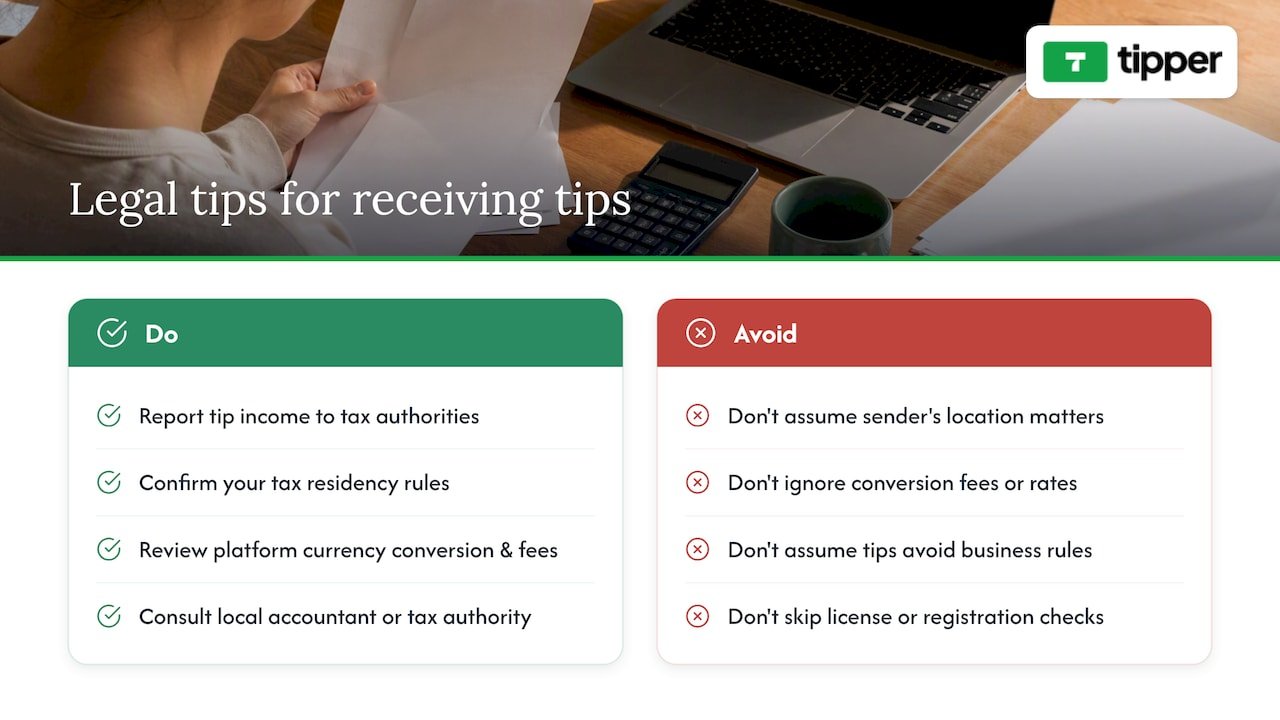
Publisher perspective: why Tipper focuses on instant, no-account tipping
Most tipping friction comes from asking the wrong party to do extra work. A supporter sending $5 is not going to create a password for the privilege, so the design goal behind Tipper’s personalized links is to remove that step entirely: Apple Pay or Google Pay, one tap, done.
The second design choice is economic. The third is personal: allowing a text, photo, or video thank-you turns a one-way payment into a small exchange, which is often what keeps a supporter coming back the next time.
— Tipper
Try Tipper for instant, no-signup tips
Some tipping platforms are built to allow supporters to pay through a personalized link with no account required, enable Apple Pay and Google Pay, and let creators keep 100% of every tip.
- Create your tipping link or QR code on the Tipper landing page
- Add a thank-you note, photo, or video to close the loop with supporters
- Send yourself a small test tip first to confirm wallets and payouts are working
Once the test tip clears, publish the link to your bio or printed materials and start collecting support in real time.
FAQ
Do I need a business account to receive tips online?
No, most instant tipping tools let you receive payments without a traditional merchant account, though you still need a bank account connected for payouts. Some instant tipping tools let senders tip without creating an account at all, while the creator receiving tips sets up payout details separately.
Do I have to report tips if I never get a 1099-K?
Yes, the IRS requires gig and tip income to be reported even without a Form 1099-K, since the form is only issued once a platform processes more than $20,000 and over 200 transactions in a year. Falling under that threshold affects paperwork, not your underlying tax obligation.
What is the easiest way to let supporters tip without signing up?
A personalized tipping link paired with Apple Pay or Google Pay removes the account-creation step entirely, letting a supporter pay in one tap from a phone. Some platforms are built around this flow, with no sender account required at any point.
How much does Tipper cost to use?
Tipper is free to create and maintain as a creator account, with a payment processing fee applied to each tip at checkout. Exact processing details are available on the Tipper site.
Can I accept tips from supporters in other countries?
Yes, but tax and currency handling depend on your own tax residency, not the supporter’s location, so check how your platform handles currency conversion and confirm your own reporting obligations. A local accountant can clarify rules specific to your situation when cross-border tipping becomes a regular part of your income.
Recommended

Tipper First: 12 Ko-fi Alternatives for Creators, No Account Tips
The strongest Ko-fi alternatives for creators split into three lanes: Tipper for account-free, instant tips that let supporters pay with Apple Pay or Google Pay without signing up, Patreon or Memberful for recurring memberships, and Fourthwall, Gumroad, Payhip, or Sellfy for creators who want to sell digital products or merch. The right pick depends on whether you need one-off support, ongoing subscriptions, or a storefront.
TL;DR:
- Tip platforms like Tipper enable instant, account-free payments via Apple Pay or Google Pay, ideal for casual, high-volume audiences or in-person tipping.
- Recurring memberships are best supported by platforms like Patreon or Memberful, which provide patron management and content gating but require supporters to create accounts.
- For selling digital or physical products, Fourthwall, Gumroad, Payhip, or Sellfy offer storefronts with fulfillment or payment options tailored to digital downloads or merchandise.
- Testing and comparing platforms through quick, mobile-based transactions helps creators identify the lowest friction options aligned with their income streams.
- Combining tools, such as Tipper for tips and Patreon for memberships, allows creators to diversify income sources without forcing supporters into platforms that don’t suit specific engagement types.
Table of Contents
- How do the top Ko-fi alternatives compare at a glance?
- What sets each Ko-fi alternative apart for creators?
- How should you test and choose a Ko-fi alternative?
- What does Tipper actually offer creators?
- What does 2026 tell us about how creators get paid?
- Ready to add a frictionless tip link to your page?
- Where this comparison comes from
- Sources
- FAQ
How do the top Ko-fi alternatives compare at a glance?
Before testing anything, it helps to see how these platforms differ on the things that actually affect a creator’s income: fee structure, payout speed, and whether the tool is built for one-off tips or ongoing memberships. The table below lines up all twelve options against the criteria creators ask about most.
The passage contains no spelling or grammatical errors that require correction.
Read this table by starting with your primary goal, not the platform’s popularity. If you want a supporter to tip you in the next thirty seconds without creating an account, look at the tipping-first rows. If you’re trying to build predictable monthly income, the membership rows matter more than fees. A quick way to test any of these: set up a link, send it to five supporters, and see how many complete a payment without asking you a question first. That single test tends to reveal more about friction than any pricing page.
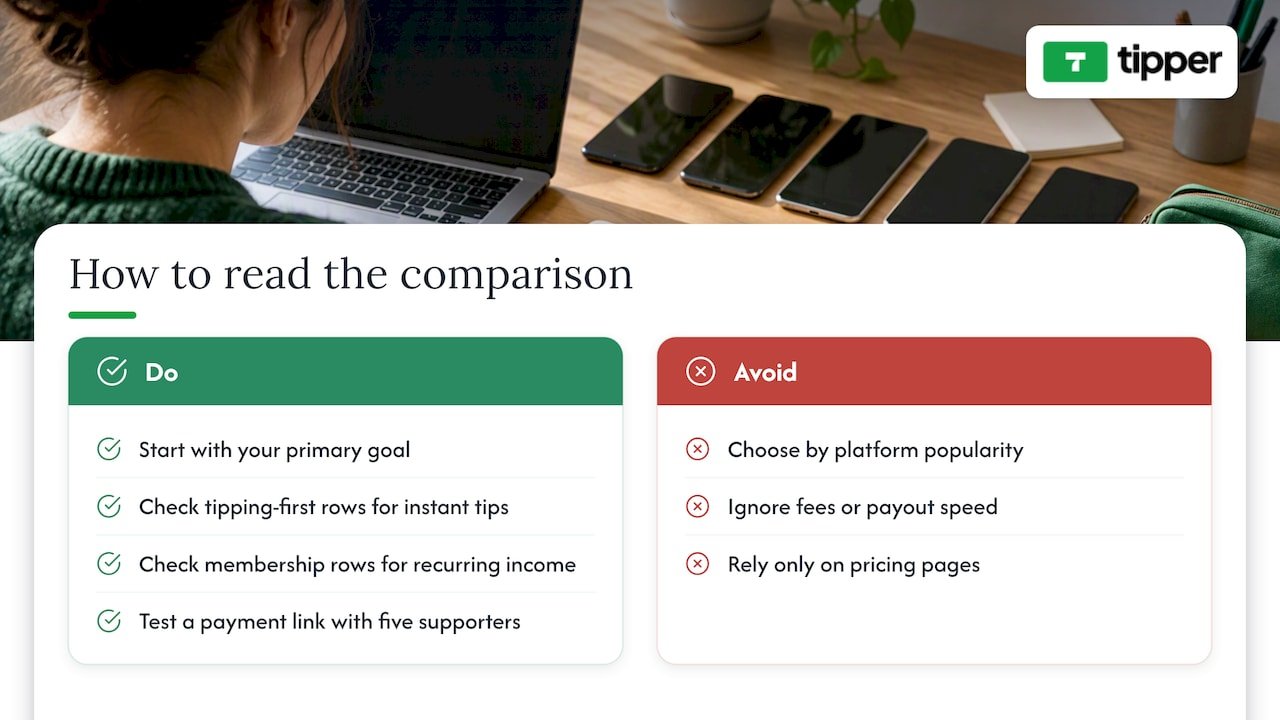
What sets each Ko-fi alternative apart for creators?
Tipper is built around a simple idea: supporters shouldn’t need an account to tip you. A creator shares a personalized link or QR code, and the person tipping pays instantly with Apple Pay, Google Pay, or a card, no login, no app download required on their end. Creators keep their earnings, with a payment processing fee applied at checkout, and there is no subscription cost to maintain a tipping page. The platform also supports thank-you messages back to supporters, in text, photo, or video form, which matters for creators who want tipping to feel personal rather than transactional. It’s a strong fit for in-person tipping (a QR code on a tip jar or business card), short-form video creators who need a link they can drop in a bio, and anyone tired of asking supporters to sign up just to send five dollars. To test it, generate a link and send yourself a small tip first to see the checkout flow from the supporter’s side.
Buy Me a Coffee built its reputation as a tipping-first alternative that later added membership tiers and a basic shop. Onboarding is mobile-friendly, and the one-tap support flow makes it easy for a first-time supporter to convert. Buy Me a Coffee is available as a mobile app, which matters for creators who manage their page from a phone between filming sessions. It charges a platform fee on top of payment processing, so creators give up a slightly larger share than with a pure tipping tool, but in exchange they get memberships and a shop without switching platforms.
Fourthwall is the strongest pick on this list for creators whose income already leans on merchandise. It bundles storefront tools with fulfillment, meaning a creator doesn’t need to separately manage printing, shipping, or inventory. A 2026 roundup of Ko-fi alternatives places Fourthwall specifically in the merch category, distinct from tipping or membership tools. The tradeoff is that Fourthwall isn’t designed for quick, no-friction tips: it’s a store, and it behaves like one.
Gumroad remains popular for creators selling digital downloads such as templates, presets, or ebooks, with pay-what-you-want pricing as a notable option for creators who want flexibility on price points. It charges a per-transaction fee rather than a monthly subscription, which keeps the barrier to entry low for creators testing a new product.
Patreon is the default answer for creators building a membership business. It offers patron management, tiered content gating, and tools built specifically for recurring relationships rather than one-time gestures. G2’s comparison of Patreon against Stripe Billing shows that many creators pair a membership platform like Patreon with separate billing infrastructure, which reflects a broader pattern: creators rarely rely on a single tool for their entire income. Patreon charges a tiered platform fee based on the plan, and payouts run on a monthly cycle tied to billing dates rather than on demand.
Payhip targets creators selling structured digital goods like PDFs and course materials, with built-in affiliate tools that let other people promote a creator’s products for a cut of sales. It’s a lighter-weight alternative to a full course platform for creators who just need a clean checkout page.
Substack solves a different problem: monetizing writing through paid subscriptions distributed by email. Its combination of a built-in audience feed and subscription billing makes it the practical choice for a newsletter writer, though it isn’t built for merch, tipping, or one-off digital sales.
Memberful is aimed at creators who already have a website and want membership tools embedded into it rather than sending supporters to a separate platform. Its white-label approach means a membership page can carry a creator’s own branding instead of Memberful’s, which matters for creators protective of their site’s look and feel.
Podia bundles courses, digital downloads, and memberships into one storefront, which suits creators selling a mix of products rather than a single income stream. It behaves more like a small business platform than a tipping tool.
Liberapay takes the opposite approach from most entrants on this list: an open, nonprofit-style donation model focused purely on recurring support, with no commercial storefront layered on top. It fits creators who want ongoing donations without the marketing tools or upsells that come with commercial platforms.
Sellfy offers a simple shop for both digital and physical products, with marketing tools built in. It’s a reasonable middle ground between Gumroad’s simplicity and Fourthwall’s merch focus, though it doesn’t specialize as deeply in either.
Kickstarter doesn’t compete directly with ongoing tipping tools. It’s built for project-based funding, a single campaign with reward tiers and a funding deadline, rather than continuous support. Creators raising money for a specific product run or one-time project still consider it, but it’s a poor substitute for a tip jar.
Across aggregator lists of Ko-fi competitors, the same core set of names keeps appearing, which suggests creators are converging on a fairly stable shortlist rather than constantly discovering new tools.
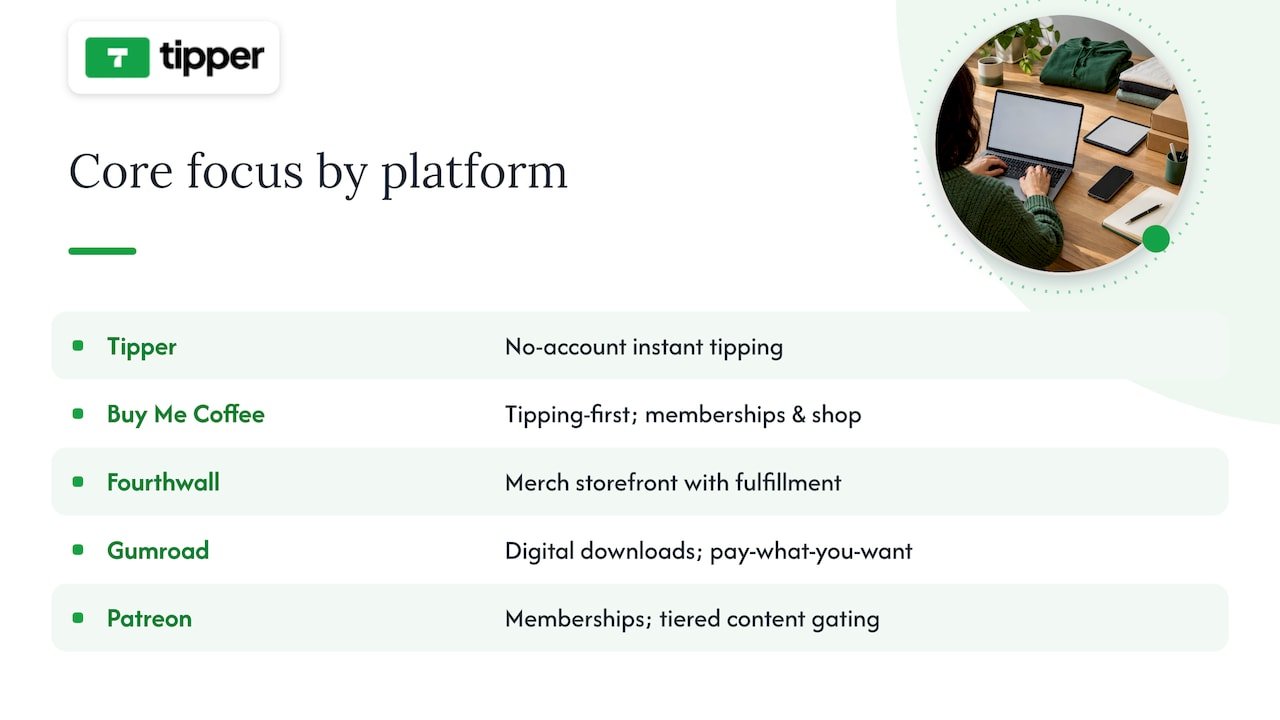
How should you test and choose a Ko-fi alternative?
Picking a platform on paper is easy. Confirming it actually works for your audience takes a short, deliberate test before you commit your bio link to it.
Start with a checklist of what matters most for your specific income mix:
- Fees: know the platform fee and the separate payment processing fee, since vendors often list them apart from each other.
- Payout speed: some platforms pay out on a fixed monthly cycle, others release funds faster.
- Payment methods: confirm Apple Pay, Google Pay, card, and bank transfer support match what your audience actually uses.
- Membership tools: check whether gated content, tiers, and patron communication are built in or require a third-party add-on.
- Digital or merch support: verify the platform handles delivery and fulfillment if you plan to sell products, not just accept tips.
- Customization: look at whether your page can carry your own branding or if it’s locked to a template.
Before switching, ask platform support directly (or search their pricing page) for three things: the exact percentage taken per transaction, whether there’s a minimum payout threshold, and whether supporter email addresses can be exported if you ever leave.
Then run three quick tests: set up a tip link and send yourself a small payment to feel the checkout flow, list a $1 digital file to see how delivery works, and check whether you can export your supporter list to email later.
Pro Tip: Test the checkout flow from a phone, not a desktop. Most tips and small purchases happen on mobile, and a clunky mobile checkout is the fastest way to lose a supporter mid-payment.
Watch for red flags: hidden fees not listed on the main pricing page, features that require a paid subscription tier just to unlock basic functionality like payouts, and platforms with restrictive minimum payout amounts that delay access to your own money. A tips versus subscriptions comparison breaks down how these tradeoffs play out over several months, which is worth a look before locking in a single model.
What does Tipper actually offer creators?
Tipper’s core feature is a personalized tip link or QR code that lets anyone send a payment through Apple Pay, Google Pay, or a card, with no account required on the supporter’s side. Creators keep their earnings, with only a payment processing fee applied, and can send thank-you messages back through text, photo, or video. It fits in-person tipping (a QR code at a table or event), short-form video creators who need a frictionless bio link, and anyone who wants supporters to tip in seconds rather than after creating a profile. A creator’s guide to instant tips walks through setup in more detail.
What does 2026 tell us about how creators get paid?
Payment friction is the quiet tax on every creator’s income. The platforms winning attention in 2026 are the ones that shrink the number of steps between a supporter’s intent and a completed payment, not the ones with the most features bolted onto a dashboard. At the same time, subscription fatigue is real: audiences that already pay for five newsletters and three memberships hesitate before adding a sixth.
That split suggests a practical rule. Creators with high-volume, casual audiences (short-form video, in-person events) do better with tipping-first tools. Creators with a smaller, deeply engaged audience do better with memberships. Creators selling a physical or digital product need a storefront, full stop. Test one link from each category before deciding where to put your energy.
— Tipper
Ready to add a frictionless tip link to your page?
If you’ve read this far, you already know the tradeoff: membership platforms ask for commitment, storefronts ask for inventory, and both ask supporters to slow down before they can pay you. Tipper skips that step. A supporter taps your link, pays with Apple Pay or Google Pay, and you keep your earnings, with no account required on their end and no subscription fee on yours.
Setup takes a few minutes: claim your link, personalize your page, and start sharing it anywhere your audience already is. Visit Tipper to create your tip link, or read our frictionless tipping best practices for tips on getting your first supporters to convert.
Where this comparison comes from
This comparison draws on Ecommerce-Platforms’ 2026 roundup of Ko-fi alternatives for platform groupings and pricing structure, Product Hunt’s aggregated list of Ko-fi competitors for the consensus entrant list, and G2’s comparison of Patreon and Stripe Billing for how creators combine platforms and billing tools. For podcasters weighing a monetization toolchain, this roundup of podcast hosting platforms is a useful companion read.
Sources
- Ecommerce-platforms
- Ko-fi.com Competitors & Alternatives (2026)
- Compare Patreon and Stripe Billing on G2
FAQ
Is Ko-fi or VGen better for creators?
The two serve different needs: Ko-fi is built around tipping, memberships, and a simple shop, while VGen focuses on connecting creators with brand commissions and sponsorships. Neither is universally better, since the choice depends on whether you want direct supporter tips or brand-matched work.
What is better, Ko-fi or Patreon, for ongoing income?
Patreon is built specifically for recurring memberships with patron management and content gating, while Ko-fi supports both one-off tips and lighter membership tiers. Creators focused purely on predictable monthly income from a dedicated fanbase tend to lean toward Patreon, while those who want flexible one-off support often prefer a tipping-first tool.
Which is better, Gumroad or Ko-fi, for selling digital products?
Gumroad is built specifically for selling digital downloads, with pay-what-you-want pricing and per-transaction fees, while Ko-fi combines a simple shop with tipping and membership features. Creators focused entirely on digital product sales often prefer Gumroad’s dedicated storefront tools.
Is Ko-fi similar to OnlyFans?
No, they serve different purposes: Ko-fi is a general tipping and membership platform open to any creator category, while OnlyFans is a subscription platform primarily associated with adult content creators. The two aren’t interchangeable, since their audiences, content policies, and payment structures differ significantly.
Can I use Tipper alongside a membership platform like Patreon?
Yes, many creators combine a tipping tool with a membership platform to cover both one-off support and recurring income. Using Tipper for instant, account-free tips alongside a subscription tool for ongoing memberships lets you capture both types of supporter without forcing either into the wrong format.
Recommended

When Tipping Beats Subscriptions: 10 Patreon Alternatives for Creators
For creators who need instant, low-friction tips, Tipper is the fastest way to get paid; for community and course-first businesses, an all-in-one SaaS like Circle or Podia usually makes more sense. The trade-off is consistent across the category: platforms that hand you more ownership and lower fees typically ask for more setup work in return. What follows breaks down the practical differences by goal, fee model, and migration effort.
TL;DR:
- Moving from Patreon is advisable if your monthly income exceeds the point where percentage-based fees outweigh flat subscription costs, typically around a few hundred dollars.
- Choose a platform supporting your preferred payment methods and content types, and verify if it allows data export and content migration before switching.
- Tipping platforms like Tipper are ideal for spontaneous support, but creators should combine them with membership tools for recurring revenue and diversified income streams.
- Migration requires careful planning, including audience notification, supporter data export, and manual reupload of media-heavy content, especially for larger libraries.
- For creators seeking immediate, low-effort micro-support, Tipper offers a seamless, account-free way to receive tips with direct payouts and personalized support, complementing existing subscription platforms.
Table of Contents
- Why creators are rethinking Patreon
- Quick shortlist: the top Patreon alternatives at a glance
- Comparing the platforms creators actually switch to
- How the platforms stack up side by side
- How to pick the right platform for your revenue stage
- What migrating off Patreon actually involves
- Where tipping fits in a real monetization stack
- Get paid in seconds with Tipper
- Sources
- FAQ
Why creators are rethinking Patreon
Patreon moved new creators onto a flat platform fee structure in 2025, and when that stacks on top of standard payment processing costs, the math starts looking different for anyone earning steady monthly income. Fee pressure is only part of the story. Policy risk, particularly around Apple’s in-app purchase rules and content restrictions, has pushed some creators to look for platforms where they control the relationship with their audience directly.
Industry analysis has flagged this pattern for years: creators who scale past a hobby income tend to migrate toward self-hosted or white-label solutions specifically to protect subscriber data and reduce dependency on a single platform’s rules. The underlying concern is straightforward. If your entire income routes through one company’s payment system and content policy, you’re exposed to fee changes, account suspensions, and platform pivots you can’t control. That risk is why “ownership” keeps showing up as a decision factor alongside price.
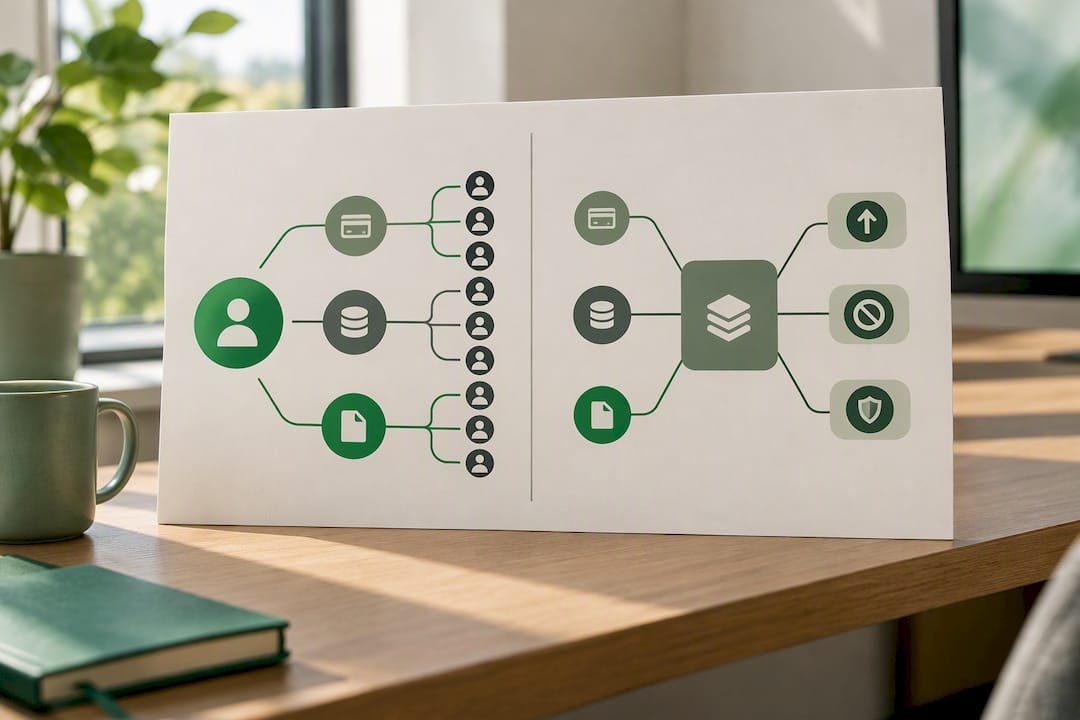
Quick shortlist: the top Patreon alternatives at a glance
Before getting into detail, here’s a fast reference for matching a platform to your immediate goal.
- Tipper: best for instant tips and low-friction micro-support, no subscription fee, small processing fee per tip, no sender account required.
- Circle: best for creators building paid communities, flat monthly subscription pricing.
- Ko-fi: best for low-volume creators wanting free or near-free tipping, optional paid Gold tier to remove platform fees.
- Buy Me a Coffee: best for simple tips with optional memberships, percentage-based fee on transactions.
- Memberful: best for a branded, self-hosted-feeling membership site, flat subscription plus Stripe processing.
- Gumroad: best for selling digital products alongside membership perks, percentage-based fee per sale.
- Podia: best for bundling courses, memberships, and downloads in one storefront, flat monthly subscription.
- Substack: best for writers and podcasters running paid newsletters, percentage cut of subscription revenue.
- Beehiiv: best for newsletter-first businesses focused on audience growth, flat subscription tiers.
- Kajabi: best for course creators who want an all-in-one platform, flat monthly subscription.
Each of these solves a different job. A newsletter writer and a fitness coach running live cohorts have almost nothing in common in terms of platform needs, even though both might have started on Patreon. The pricing shapes vary just as much: some charge a cut of every transaction, others charge a flat fee no matter how much you earn, and a few, like Tipper, keep the cost tied only to the payment itself rather than a recurring subscription.
Comparing the platforms creators actually switch to
-
Tipper. This platform is built around instant tips sent through a personalized link or QR code, with no account required on the sender’s side and payment through Apple Pay, Google Pay, or card. It is best for creators, freelancers, and small businesses who want spontaneous, one-off support without building a membership program, with the platform’s standout feature that supporters can pay in seconds without signing up for anything. Because there is no subscription cost to maintain an account, it fits creators who want to test monetization before committing to a membership structure. The caveat: it’s built for tipping, not for gated content or course delivery, so creators who need tiered access will pair it with another tool.
-
Circle. Circle combines community spaces, memberships, and course hosting in one subscription-based SaaS product, aimed at creators who want a hub for paid discussion, not just content delivery — for practical guidance on community growth strategies, see How To Build Online Community: A Practical Guide To Growth. Its standout is depth of community tooling, including discussion spaces, events, and member directories. The trade-off is a flat monthly cost regardless of how much revenue you bring in, which only pays off once you have a consistent base of paying members.
-
Ko-fi. Ko-fi keeps things simple: tipping is free to accept, and an optional paid Gold membership removes the platform’s cut on shop and membership sales. It suits creators just starting out who want to test whether people will pay them at all before investing in a bigger platform. The catch is that its community and content tools are lighter than dedicated membership platforms, so it tends to work best as a starting point rather than a long-term home for a mature membership business.
-
Buy Me a Coffee. Buy Me a Coffee blends one-time tips with optional recurring memberships in an interface built for speed, both for the creator setting it up and the supporter checking out. It charges a percentage on transactions rather than a flat subscription, which keeps costs low for creators with irregular income. It’s a good fit for creators who want a simple page and don’t need deep community or course features.
-
Memberful. Memberful integrates directly with your own website and Stripe account, so payouts and subscriber data stay in your hands rather than living inside a third-party app. That makes it a strong choice for creators who already have a site and want membership gating without rebuilding their whole web presence. The setup requires more technical comfort than a plug-and-play platform, since you’re connecting it to existing infrastructure rather than adopting an all-in-one product.
-
Gumroad. Gumroad is primarily a storefront for digital products, with membership and pay-what-you-want options layered on top. It fits creators who sell templates, ebooks, presets, or courses as one-time purchases and want recurring support as a secondary feature rather than the main event. Its fee is percentage-based per sale, so there’s no cost when you’re not selling.
-
Podia. Podia bundles courses, memberships, and digital downloads into a single subscription-based product, aimed at creators who want to sell more than one type of offer without stitching together separate tools. The standout is how much it consolidates into one dashboard: email marketing, storefront, and membership gating together. The flat monthly fee means it makes the most sense once you have enough sales volume to justify the recurring cost.
-
Substack. Substack is built for paid newsletters and podcasts, with a simple subscription model and a built-in audience discovery network that can send new readers your way. It takes a percentage of subscription revenue rather than charging a flat fee, so there’s no upfront cost to start. Its scope is narrow by design: it’s not meant for courses, storefronts, or community spaces, just writing and audio.
-
Beehiiv. Beehiiv targets newsletter creators who want to scale toward ad-supported and paid-subscription hybrids, with growth and analytics tools built specifically for that path. Pricing runs on flat subscription tiers rather than a revenue cut, which rewards creators once their list gets large. It’s a strong fit for writers thinking about a newsletter as a long-term media business rather than a side project.
-
Kajabi. Kajabi is an all-in-one platform for course creators, combining course hosting, membership gating, email marketing, and a storefront under one flat subscription. It suits creators running structured educational products rather than casual content drops. The monthly cost is higher than most tools on this list, which makes it a better fit once course sales are consistent rather than sporadic.
Beyond this group, platforms like Sellfy, BuddyBoss, Mighty Networks, Thinkific, Uscreen, Shopify with a paid membership app, FanCircles, Buzzsprout, and Passes (formerly Fanhouse) round out the category, each leaning into a specific niche: Sellfy for direct product sales, BuddyBoss and Mighty Networks for deep community features on WordPress or standalone apps, Thinkific and Uscreen for course and video-on-demand delivery, Shopify for creators who already run an ecommerce store, FanCircles for fan-club style access, Buzzsprout for podcast hosting with monetization add-ons, and Passes for creators building a subscription-based fan app.
How the platforms stack up side by side
| Platform | Pricing model | Payment/payout | Best for | Standout feature | Ownership & exportability |
|---|---|---|---|---|---|
| Tipper | Per-tip processing fee, no subscription | Apple Pay, Google Pay, card | Instant tips, micro-support | No sender account required | Direct payouts, personalized link |
| Circle | Flat subscription | Stripe | Paid communities | Deep community and course tools | Custom domain available |
| Ko-fi | Free tier, optional paid Gold | PayPal, Stripe | Low-volume tipping | Free-to-start tipping | CSV export of supporters |
| Buy Me a Coffee | Percentage per transaction | Stripe, PayPal | Simple tips with memberships | Fast, donor-friendly checkout | Basic supporter export |
| Memberful | Flat subscription | Stripe | Branded, self-hosted membership | Integrates with your own site | Full subscriber data ownership |
| Gumroad | Percentage per sale | Stripe, PayPal | Digital product sales | Flexible product and membership mix | Product and customer export |
| Podia | Flat subscription | Stripe, PayPal | Courses and memberships bundled | All-in-one storefront and gating | Customer and content export |
| Substack | Percentage of subscriptions | Stripe | Paid newsletters | Built-in discovery network | Full subscriber CSV export |
| Beehiiv | Flat subscription tiers | Stripe | Newsletter growth and monetization | Growth and referral tools | Subscriber export supported |
| Kajabi | Flat subscription | Stripe | All-in-one course business | Courses, marketing, and gating combined | Data export tied to plan tier |
A few notes on reading this table. “Typical effective fee range” isn’t listed as a single column because it depends entirely on your transaction volume and processor: a percentage-based platform can cost more or less than a flat subscription depending on how much revenue you’re processing each month. Ease of setup and mobile app availability also vary by plan tier on several of these platforms, so check the current plan details before assuming a feature is included. Ownership generally means you can export subscriber emails at minimum, though full content and media exports are rarely guaranteed across the category.
How to pick the right platform for your revenue stage
The clearest signal for when to move off a revenue-share model and onto a flat-fee SaaS platform is your monthly income. Industry guidance points to a modest monthly revenue threshold as the point where fixed subscription costs typically start beating a percentage cut. Below that threshold, tipping and revenue-share tools tend to be more efficient since you’re not paying a flat fee against inconsistent income.
Before signing up for anything, run through a short checklist:
- Ownership: can you export your subscriber list and content if you leave?
- Payment options: does it support the payout method your audience actually uses, whether that’s Stripe, PayPal, Apple Pay, or Google Pay?
- Community tools: do you need discussion spaces and events, or just content delivery?
- Content formats: does the platform handle video, audio, and long-form text the way your work requires?
- Pricing transparency: is the fee structure published clearly, or does it require a sales call to find out?
Pro Tip: Ask any platform’s support team directly what happens to your subscriber list and content if you cancel. A vague answer is the clearest red flag you’ll get during a demo.
During a trial period, test the parts of the platform you’ll rely on daily rather than the flashy features in the onboarding tour. In the first week, publish a real piece of gated content, process a test payment, and try exporting your data, even if you have nothing to export yet, just to see how the flow works. In the second week, invite a friend or a small group of actual supporters to go through the signup and payment process so you can see where they get stuck. If a demo call dodges questions about fees or data export, or if the sales team can’t tell you what happens during a payment processor outage, treat that as a reason to keep looking.
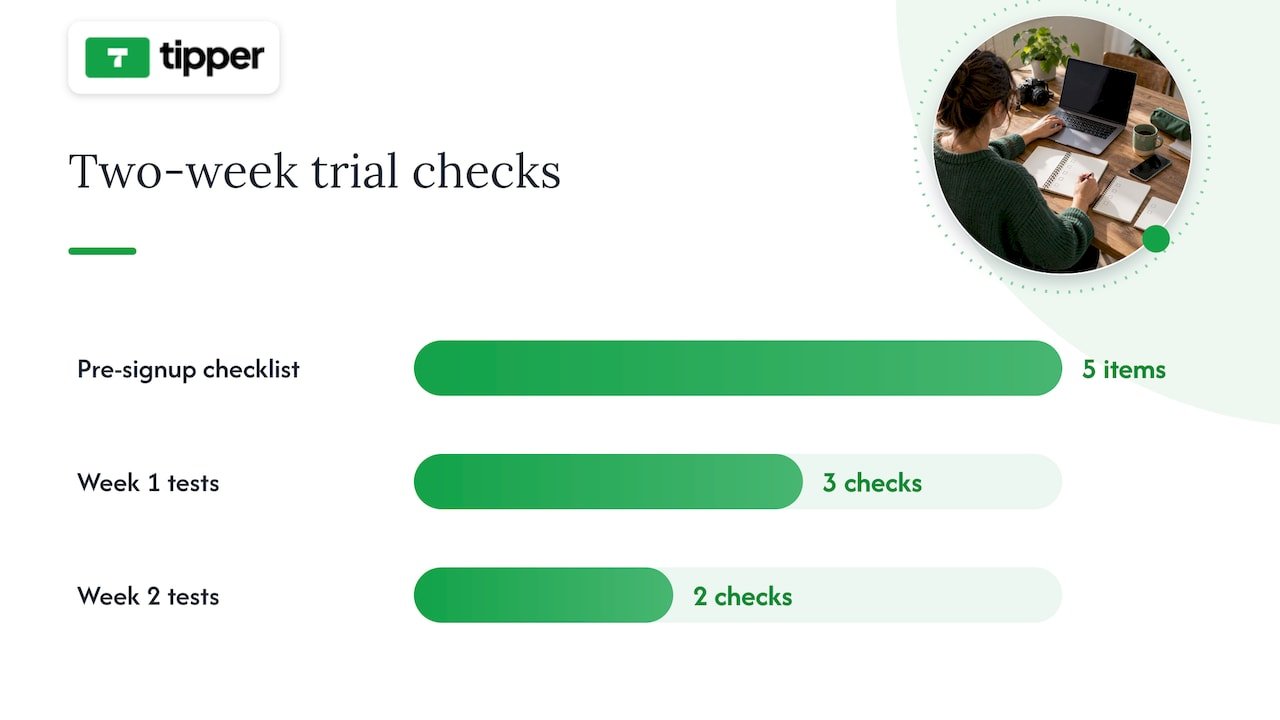
What migrating off Patreon actually involves
Moving your audience takes real planning, not a single afternoon. Subscriber email lists are usually exportable as a CSV, but full content history, meaning your posts, videos, and files, is often limited or blocked entirely, so confirm what you can actually take with you before announcing anything to your audience.
- Audit and export. Pull your subscriber CSV and inventory what content you can and can’t move.
- Announce early. Tell your supporters where you’re headed and why, at least a few weeks before cutover.
- Set up payouts. Connect Stripe, PayPal, or your chosen processor on the new platform before migrating anyone.
- Migrate in waves. Move your most engaged supporters first, then follow with a general announcement.
- Re-create gated content. Manually download and reupload media-heavy posts, since automated content transfer is rarely available.
- Follow up. Check that payments are processing correctly and confirm with early movers that access works as expected.
For creators with large media libraries, a contractor or migration service can save real time; for a small subscriber base, doing it manually over a weekend is usually enough.
Where tipping fits in a real monetization stack
Tipping and subscriptions solve different problems. A subscription buys recurring access to something specific, like a private community or early episodes. A tip is spontaneous: a thank-you after a livestream, a one-time show of support after a viral post, or a way for someone who isn’t ready to commit to a membership to still show appreciation.
The two work well together rather than as competitors. Use tipping for the unpredictable moments, a great show, a big launch, a live event, and memberships for the recurring value you can promise consistently. Being transparent about where the money goes and how supporter data is used matters more as you diversify income streams, since your audience is trusting you across more than one payment relationship at once.
— Tipper
Get paid in seconds with Tipper
If tipping is the piece missing from your monetization stack, Tipper removes the friction that keeps casual supporters from ever hitting send. There’s no account for them to create, no app to download, just a personalized link or QR code and a payment through Apple Pay, Google Pay, or card. Creators keep their earnings, and every tip can come with a thank-you note, photo, or video, which turns a transaction into an actual moment of connection.
Tipper works well alongside a membership or course platform rather than replacing one: keep your recurring revenue on whichever SaaS fits your content, and add a Tipper link for the spontaneous support that a subscription model can’t capture. If you’re weighing tips against a full subscription setup, our breakdown of tips versus subscriptions walks through the timeline for each. Set up your page at Tipper and start collecting tips today.
Sources
This article drew on TechCrunch’s analysis of Patreon’s competitive landscape for context on platform dependency and ownership trends, and on Foundry’s breakdown of serious creator alternatives for the revenue break-even guidance used in the buying guide section. For a deeper look at tipping-specific tools, see our comparison of digital tipping platforms.
- Patreon’s competitors
FAQ
Is there a better platform than Patreon?
No single platform beats Patreon for every creator, since the right choice depends on whether you need tipping, courses, community, or storefront features. For instant, low-friction support, Tipper removes the friction of account creation; for community-first businesses, Circle or Podia tend to fit better.
Why are creators leaving Patreon?
Many creators cite Patreon’s fee structure and policy risk, particularly around Apple’s in-app purchase rules and content restrictions, as reasons to look elsewhere. Others want more ownership over subscriber data and less dependency on a single platform’s decisions.
Does Patreon allow NSFW content?
Patreon’s content policies restrict certain types of adult content and change periodically, so creators should check Patreon’s current guidelines directly rather than relying on past policy. This uncertainty is one reason some creators diversify onto platforms with clearer, more stable content rules.
Is Substack or Patreon better?
Substack is built specifically for paid newsletters and podcasts with a built-in discovery network, while Patreon supports a broader range of content types including video, community posts, and tiered memberships. Writers focused purely on newsletters often prefer Substack’s simplicity, while creators mixing formats may find Patreon’s or a similar all-in-one platform’s flexibility more useful.
How long does switching platforms usually take?
A straightforward move with a small subscriber base can take a few weeks, covering export, setup, and a staged announcement to your audience. Larger, media-heavy memberships take longer since content often has to be manually downloaded and reuploaded rather than transferred automatically.
Recommended

Keep 100%: U.S. Creators’ Instant No Account Share Tip Link
A share tip link is a personalized payment link or QR code that lets supporters send instant fiat tips through Apple Pay, Google Pay, or a card without creating an account. It works as a direct route between a supporter’s wallet and a creator’s bank account, skipping the sign-up forms that slow down casual generosity. Creators control the page, the payout, and how they say thanks.
TL;DR:
- Supporters can tip instantly using Apple Pay, Google Pay, or a card without creating an account, increasing the likelihood of spontaneous generosity.
- Setting up a share tip link requires verifying payout details, customizing the page, enabling payment methods, and testing across devices before sharing.
- Apple Pay and Google Pay require merchant IDs, certificates, domain verification, and platform onboarding, with most creators relying on established platforms to handle technical setup.
- Platform and payment processing fees reduce the tip amount received, and creators must report all income to the IRS regardless of platform-issued forms, maintaining careful records.
- The most effective placement for tip links is highly visible, such as bios or live streams, paired with a clear, low-pressure ask to maximize conversion rates.
Table of Contents
- How share tip links move money from supporter to creator
- Setting up your share tip link and QR code
- What Apple Pay and Google Pay require behind the scenes
- Fees, payout timing, and tax reporting basics
- Sharing your link in ways that actually convert
- The real tradeoff behind instant, no-account tipping
- Getting started with Tipper
- Sources
- FAQ
How share tip links move money from supporter to creator
A supporter’s experience is simple by design. They click a link in a bio or scan a QR code on a flyer, pick a tip amount, and pay with Apple Pay, Google Pay, or a card, all without registering for anything. That last part matters: every extra field or login screen is a chance for someone to abandon the tip before it happens.
Behind the scenes, the platform acts as the intermediary. It processes the payment, then routes the funds toward the creator’s connected bank account as a payout, handling the technical handshake between the supporter’s payment method and the receiving account.
Many tipping pages also let creators add a personal layer on top of the transaction:
- A short thank-you note, photo, or video that plays after the tip lands
- Custom preset amounts that match the creator’s typical audience
- A page design that matches the creator’s brand or content style
That personalization is not just decoration. It is often what turns a one-time tipper into someone who comes back.
Setting up your share tip link and QR code
Getting a working tip link live usually takes less time than editing a single post. Here is the order that avoids the most common headaches.
- Gather your payout details first. Have your bank account information and any identity verification documents ready, since most platforms confirm identity before releasing funds.
- Build your tipping page. Add preset tip amounts, write a short bio or description, and decide whether you want to offer thank-you messages as text, photo, or video replies.
- Turn on your payment methods. Enable Apple Pay, Google Pay, and card payments through the platform’s settings, and expect a brief verification step for each method before it goes live.
- Generate your link and QR code. Most platforms create both automatically once your page is published.
- Test on multiple devices. Send yourself a small test tip from an iPhone, an Android phone, and a desktop browser to confirm each payment method actually completes.
- Watch for setup snags. Domain verification delays and payment provider onboarding are the two most common holdups, and both typically resolve within a short review window.
Pro Tip: Test your link the same week you plan to share it publicly, since payment method verification can take a day or two and you do not want a broken button during a livestream.
Once the link is live, treat it the way you would any other piece of content: check it periodically, especially after any platform update, to confirm Apple Pay and Google Pay buttons still display correctly on mobile.
What Apple Pay and Google Pay require behind the scenes
Accepting Apple Pay and Google Pay on a tipping page is not a single toggle. Apple’s own developer documentation requires a merchant identifier, a payment processing certificate, and domain verification before Apple Pay can appear as an option on a web page. Google Pay works differently but adds its own layer: production access typically requires onboarding through the Google Pay & Wallet Console, often alongside an approved payment service provider.
- A creator building a DIY payment page has to manage merchant IDs, certificates, and console approvals directly.
- A creator using an established tipping platform typically has these steps handled as part of account setup.
- Apple’s acceptable use guidelines also require that Apple Pay be presented on equal footing with other payment options, not buried behind extra clicks.
- Tokenization keeps raw card numbers out of the transaction, with the payment processor and platform sharing responsibility for encryption and compliance.
For most creators, the practical choice is whether to build this infrastructure themselves or use a platform where it already exists. Our guide to Apple Pay setup for creators walks through the difference in more detail.
Fees, payout timing, and tax reporting basics
Two separate costs show up on most tips: a platform fee for running the service, and a payment processing fee charged by the card network or wallet provider. What lands in a creator’s account is the tip amount minus both. Payout timing varies by platform, but delays usually trace back to unverified bank details or a pending identity check rather than the payment itself.
Tax reporting is where creators most often get caught off guard. The IRS has been clear that gig workers must report all tip income, regardless of whether they receive a 1099 for it, and recent changes to Form 1099-K add a specific box, 1c, for cash tips. The IRS guidance on managing gig work taxes also lists 1099-K and 1099-NEC as common forms creators may receive and recommends keeping copies of any forms sent by the businesses or platforms they work with.
A creator’s tip income is taxable whether or not a platform issues a 1099-K for it, according to IRS reporting guidance: the reporting threshold affects paperwork, not the underlying obligation.
Practical recordkeeping steps worth building into a routine:
- Export tip reports from your platform on a monthly or quarterly basis.
- Keep an independent log of date, amount, and payer name when available.
- Save copies of every 1099 you receive alongside your own records.
Sharing your link in ways that actually convert
Placement decides most of the outcome before the ask even happens. A link buried on page three of a website will not perform the way one pinned to the top of a profile does.
- Put your link or QR code somewhere visible by default: bio, pinned post, livestream overlay, printed receipts, or event signage.
- Keep the ask short and specific, something like “Enjoyed this? Tips welcome” reads better than a paragraph explaining why you need support.
- Time the ask to a moment of value, right after a free resource, at the end of a set, or following a helpful reply, rather than during something sensitive or unrelated.
- Reassure supporters that a tip does not require handing over an account or personal details, since that reassurance itself removes hesitation.
Pro Tip: Offer an anonymous tip option alongside your thank-you workflow. Some supporters want to give without being named, and forcing identification costs you the tip entirely.
The real tradeoff behind instant, no-account tipping
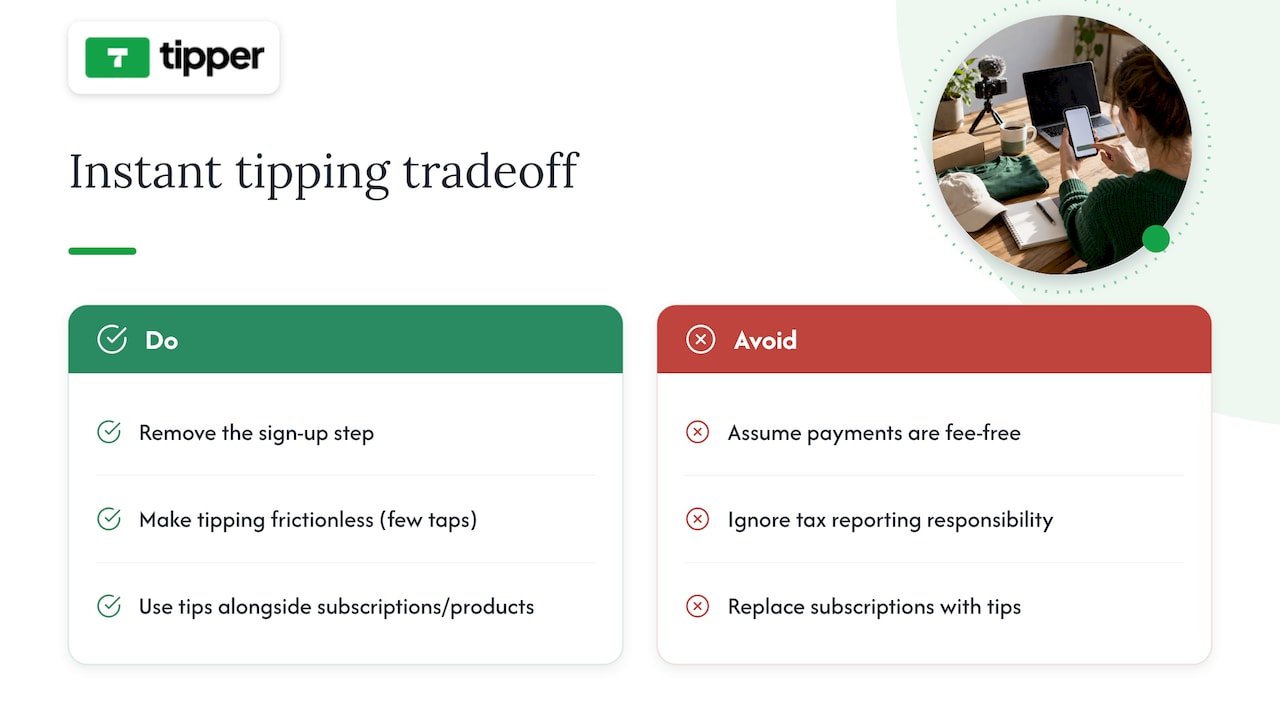
Removing the sign-up step does something subtle: it turns vague goodwill into an actual transaction, because the gap between “I should tip this person” and “I did” shrinks to a few taps. That is the whole case for frictionless tipping, and it is a real one.
It is not free of tradeoffs. Processing fees still apply, and the tax responsibility does not disappear just because the payment felt casual. Tips work best as a complement to subscriptions or product sales, not a replacement for them.
— Tipper
Getting started with Tipper
Tipper builds a share tip link around the exact model this article describes: supporters pay instantly through Apple Pay, Google Pay, or card, with no account required on their end, and creators keep 100% of what they earn. The page is customizable, allowing preset amounts and thank-you messages as text, photo, or video.
What that looks like in practice:
- No sign-up required for anyone sending a tip
- Apple Pay and Google Pay support alongside card payments
- Customizable tip pages with preset amounts and thank-you options
- Direct payouts to a connected bank account
Getting set up starts on the Tipper landing page, where you create your page and generate your link and QR code in one pass. Once tips start coming in, check your dashboard for payout timing and exportable reports helpful at tax season. For a deeper walkthrough of placement and setup choices, our tip link strategy guide covers presets, testing, and payout configuration in more detail.
This article is general information, not a substitute for advice from a qualified financial advisor. Consult a qualified financial professional about your own circumstances before acting on anything here.
Sources
- Configure Apple Pay on the web – Capabilities – Account – Help – Apple Developer
- Google Pay API & Google Pay & Wallet Console – Console
- Filing tips and updates for gig economy workers | Internal Revenue Service
FAQ
Do supporters need an account to send a tip?
No. A share tip link is built specifically so supporters can pay with Apple Pay, Google Pay, or a card without registering for anything. The creator receiving the tip is the one who needs a verified account and payout details.
Do I have to report tips I receive through a link?
Yes. The IRS requires gig workers to report all tip income, whether or not you receive a 1099-K, and recent form changes add a specific box for cash tips. Keeping your own log of tips received protects you if platform reporting thresholds mean no form arrives.
What do I need to accept Apple Pay on my tip page?
Apple’s developer documentation requires a merchant ID, a payment certificate, and domain verification before Apple Pay can appear as a payment option. Platforms built for creators typically handle these steps as part of setup rather than leaving them to the individual.
How much of a tip do I actually keep?
The amount depends on the platform’s fee structure and the payment processing fee attached to each transaction, with the remainder going to the creator’s payout.
Where should I place my tip link for the best results?
Visible, low-friction spots work best: a bio link, a pinned post, a livestream overlay, or a QR code on printed materials at events. Pairing the link with a specific, low-pressure ask tends to outperform a generic mention buried in a longer post.
Recommended

6 Tip Link Placements Creators Can Set in Minutes
The single rule that matters most: put your tip link or QR code as close as possible to the moment your audience feels grateful, and make sure it’s visible without scrolling or clicking. That means the top two lines of a YouTube description, the primary button in an email, or the first thing someone sees on your profile. Tools like some tipping platforms make this fast to set up since the link works without the sender needing an account.
TL;DR:
- Placing your tip link in the top two lines of a YouTube description or email above the fold significantly increases visibility and action.
- On social bios, keep your tip link at the top of your link-in-bio page or direct it to a dedicated campaign, avoiding footer placement.
- For printed QR codes, place them near the activity they relate to, ensure they are large enough for the preferred scan distance, and test under lighting conditions.
- Tracking with UTM parameters and running small tests helps determine the most effective placement and wording for your tips across channels.
- Use consistent, benefit-focused CTA wording and visual style to improve recognition and repeated support from your audience without appearing pushy.
Table of Contents
- 1. Best online placements for websites and social bios
- 2. Video placements that make tipping frictionless
- 3. Email and newsletter placement without hurting deliverability
- 4. Physical and in-person QR code placement
- 5. CTA wording, visual hierarchy, and repetition rules
- 6. Test, measure, and iterate on your placements
- Practical notes from running a tipping platform
- Setting up your tip link and placement presets
- Sources
- FAQ
1. Best online placements for websites and social bios
Your website’s hero section is prime real estate. If someone lands on your homepage or portfolio page, the tip link or button should sit near your headline, not buried three scrolls down. This follows a basic usability idea called the proximity principle: elements placed close together are read as related. So, a tip button next to your name or your latest work signals “this is how you support what you just saw.”
Social bios are trickier because most platforms give you one link. On Instagram, X/Twitter, TikTok, and Facebook, that single slot has to work hard. If you only promote one thing, make it the tip link during a campaign or milestone, then swap it out as needed. If you regularly need to share multiple links, a link-in-bio landing page works, but keep the tip link at the top of that page, not the fourth item down.
Footers are fine for a secondary, low-pressure mention, the kind of thing someone finds if they’re already looking. They should never be the only place your tip link lives. A link nobody sees because it’s stuck in a footer is functionally the same as no link at all.
- Add a visible tip button or link near your website’s headline or main content.
- Use your single bio link for the tip page during key moments, or route to a landing page that keeps tipping first.
- Keep footer links as a backup, never your primary placement.
Pro Tip: Match your CTA wording across your site and bio so returning visitors recognize the button instantly.
2. Video placements that make tipping frictionless
Video is where a lot of tipping decisions actually happen, and where placement mistakes are easiest to make. YouTube’s own guidance recommends putting important links in the description and checking how that description displays on different devices, since mobile viewers only see the top couple of lines before hitting “more.” Treat those top two lines like above-the-fold space: if your tip link is on line five, most viewers on phones never see it.
- Place your tip link in the top two lines of the YouTube description, then verbally mention it in the video itself.
- Pin a comment with the link, since YouTube supports pinning comments for visibility, and reference it out loud so viewers know to look.
- During livestreams, keep an on-screen overlay with the link or QR code and a pinned chat message that repeats it periodically.
- In Shorts or other short-form video, use on-screen text with your bio link, and pair a short URL next to any QR code shown.
Our step-by-step guide to YouTube tip link placement walks through description formatting and pinned comment setup in more detail.
Pro Tip: Preview your description on a phone before publishing. What looks fine on desktop often gets cut off on mobile.

3. Email and newsletter placement without hurting deliverability
For short emails, put your tip button above the fold, meaning visible without scrolling. Mailchimp’s guidance on email buttons recommends this exact approach, along with repeating the CTA later in longer emails so readers who scroll past the first mention still have a chance to act.
Use action-first copy like “Tip to support this work” rather than a vague “Click here.” The destination should be obvious before anyone clicks, and the button should lead straight to your tipping checkout, not a general homepage. Test the email across Gmail, Apple Mail, and Outlook, since button rendering varies by client.
- Place one primary tip button above the fold in every email you send.
- Repeat a second, contextual button further down in long-form newsletters.
- Add UTM parameters to your tip link so you can see which email placement actually drives completed tips.
Mailchimp notes that CTA placement determines whether subscribers notice and act, which is why buried or inconsistent buttons underperform even when the offer itself is strong.
4. Physical and in-person QR code placement
Printed QR codes fail for a simple reason: they’re placed somewhere nobody’s looking. NN/g’s QR code research recommends placing codes where users will naturally look and directly next to the activity they relate to, whether that’s a merch table, a performance area, or a checkout counter, rather than off to the side on a separate sign.
Test your printed code in the actual lighting and viewing distance before an event. Glossy finishes and direct sunlight cause glare that stops phones from scanning, a problem NN/g flags specifically in its testing recommendations. Always print a short URL alongside the code and a one-line description, like “Scan to tip the band,” so people know what they’re scanning before they commit.
- Place QR codes right next to the merch table, stage, or checkout, not on a separate flyer.
- Test prints under the event’s real lighting, and avoid glossy paper that causes glare.
- Print a short URL and one-line description next to every code.
Pro Tip: Size your QR code for the farthest expected scan distance. A code that works from three feet away often fails from across a room.
5. CTA wording, visual hierarchy, and repetition rules
Across every channel, a few rules hold steady. Keep your CTA copy benefit-focused and action-first: “Tip to support this clip” outperforms a plain “Tip me” because it reminds people what they’re supporting. Apply proximity everywhere, placing the link close to whatever content triggered the goodwill, whether that’s a video, a post, or a live performance.
Use high-contrast buttons and keep the same visual style across your site, emails, and social posts so people recognize your tip button on sight. Mailchimp’s CTA research points out that misplaced or inconsistent CTAs reduce effectiveness, while repeated, consistent CTAs improve recognition over time.
- Write CTA copy that names the benefit, not just the action.
- Place the link close to the content people already value.
- Keep button color, shape, and wording consistent across channels.
- Repeat the CTA where it fits naturally, without repeating it so often it feels pushy.
6. Test, measure, and iterate on your placements
You can’t know which placement works until you track it. Add UTM tags to your tip link so each source, bio, description, email, or QR code, reports separately, then compare click-to-tip conversion across them. Run simple A/B tests: try a hero placement one week and an inline mention the next, or swap CTA wording while keeping placement fixed.
- Tag each tip link with a UTM source so you know exactly where clicks originate.
- Test one variable at a time, either placement or CTA text, not both together.
- Run a quick checklist before publishing: the link works on mobile, checkout loads, a test tip completes, and the thank-you page displays correctly.
- Review results weekly and adjust the next placement based on what the data shows.
| Placement | What to track | Action if underperforming |
|---|---|---|
| YouTube description | Clicks from top-line link | Move link higher, pin comment |
| Email button | Click-to-tip rate above vs. below fold | Move button above the fold |
| QR code at event | Scans per hour of visibility | Reposition near main activity |
Practical notes from running a tipping platform
The clearest pattern we see is that the placements creators overthink, like custom graphics or elaborate landing pages, matter far less than simple visibility. A tip link that works without the sender needing an account, and supports popular digital payment methods at checkout, removes most of the friction already. What’s left is making sure people actually see it.
We consistently point creators toward the same short list: top two lines of a YouTube description, one clear button in a newsletter, and a quick link on a Facebook profile. None of these require design skill. Our advice to anyone starting out: change one placement per week and watch what happens before changing another.
— Tipper
Setting up your tip link and placement presets
Payment goes through Apple Pay, Google Pay, or a card, and every tip can carry a thank-you note back to the sender.
Once your link exists, the placements in this guide become a short checklist rather than a redesign project. Try the YouTube top-line preset first since it costs nothing but a few seconds of editing your description, then add a newsletter button, then a quick link on your Facebook profile.
- Create a personalized tip link with no signup required for supporters.
- Apply the YouTube top-line, newsletter button, and social bio presets one at a time.
- Track which placement brings in the most support before adding new ones.
Start by creating your tip link on Tipper and placing it in the spot your audience already looks first.
Sources
For deeper detail, NN/g’s QR code usability guidelines cover print testing and placement research. YouTube’s help documentation explains how descriptions render across devices. Mailchimp’s guide to email buttons covers CTA placement and testing, and our own creator tip link strategy guide walks through setup and presets in more detail. For a payments-industry perspective on links versus invoices, Audome’s comparison is worth a look.
- 13 QR-Code Usability Guidelines – NN/g
- Tips for video descriptions – YouTube Help
- What Are Email Buttons and How to Use Them | Mailchimp
FAQ
Where should I put my tip link on YouTube?
Put it in the top two lines of your video description so it’s visible on mobile without needing to tap “more,” and pin a comment with the same link. YouTube’s own guidance confirms that description display varies by device, which is why the top lines matter most.
How many times should I repeat my tip link in an email?
For a short email, one button above the fold is enough. For longer newsletters, repeat the CTA once more further down, a pattern Mailchimp recommends to catch readers who scroll past the first mention.
Do QR codes need to be a certain size to work?
Yes, size should match the expected scan distance: a code meant to be scanned from across a room needs to be larger than one placed on a checkout counter. NN/g’s testing guidance recommends testing prints under real lighting and viewing conditions before an event.
Is it better to use a single bio link or a link-in-bio page?
A single direct link works well if tipping is your main call to action at the time. If you need to share several links regularly, a link-in-bio landing page works too, as long as the tip link stays at the top rather than getting lost among other items.
How do I know which tip link placement is actually working?
Add a UTM tag to each version of your link, one for your bio, one for your description, one for email, so you can compare clicks and completed tips by source. Review the results weekly and adjust placements based on what the numbers show rather than guessing.
Recommended

9 Tip Analytics Metrics Creators Need to Stop Revenue Spikes From Fading
Every creator running a tipping link needs nine numbers on a single screen: total tips, total tip revenue, average tip amount with its distribution, number of tip incidences, unique tippers, visitor-to-tip conversion rate, tip rate per active subscriber, repeat-tipper rate, and tip source attribution. The first move is simple: instrument tip completions and source tags before touching anything else, so every later decision rests on real data instead of guesswork.
TL;DR:
- Tracking tip incidences and unique tippers reveals whether loyalty is growing or new audiences are being reached without technical issues.
- Monitoring conversion rates and tips per visitor weekly helps identify friction points or shifts in supporter quality before revenue declines occur.
- Setting default tip amounts based on typical supporter behavior influences generosity, while private acknowledgements can increase overall tip frequency.
- Recording detailed data on tips, source attribution, and processing outcomes ensures compliance and simplifies reconciliation for tax purposes.
- Focusing on increasing repeat-tipper rates builds sustainable income, as recurring supporters provide more reliable long-term revenue than viral spikes.
Table of Contents
- What the core tip metrics actually measure
- Where to collect the data: events, attribution, and reconciliation
- Benchmarks and how to read week-to-week swings
- Optimization tactics that change tipping behavior
- Tax and recordkeeping basics creators must follow
- Building a simple weekly dashboard
- Building for supporters who stay, not just spikes that fade
- How Tipper turns these metrics into growth
- Sources
- FAQ
What the core tip metrics actually measure
Total tips and total tip revenue tell you what happened, not why. They are lagging indicators: useful for payroll and taxes, useless for spotting a broken checkout flow before it costs you a month of income.
Average tip amount is more diagnostic, but only when you look past the mean. Large individual tips can inflate averages while many small tips provide a clearer view of typical giving. Track the median alongside percentiles (the 25th, 50th and 90th) so a handful of generous tippers do not mask a drop in typical giving.
Tip incidences (the count of tipping events) and unique tippers answer different questions. Rising incidences with flat unique tippers mean your existing supporters are tipping more often, a sign of loyalty. Rising unique tippers with flat incidences mean you are reaching new people who have not yet formed a habit.
Visitor-to-tip conversion rate and tips per visitor measure your funnel:
- Conversion rate equals tip incidences divided by tip page visitors, expressed as a percentage.
- Tips per visitor equals total tip revenue divided by tip page visitors, which blends conversion and amount into one number.
Two deeper metrics separate casual supporters from real fans. Tip rate per active subscriber shows what share of your audience converts into paying supporters at all. Repeat-tipper rate, the percentage of tippers who tip more than once, is the number most worth protecting.
Where to collect the data: events, attribution, and reconciliation
Reliable metrics start with reliable logging. Set up three events at minimum:
- tip_initiated: fires when someone opens the tip flow, capturing timestamp and referrer.
- tip_completed: fires on success, capturing amount, currency, payment method, source_utm, and whether a thank-you note or video was attached.
- tip_failed: fires on drop-off, capturing the step where the visitor left.
Tag every link you share with a UTM parameter or a short-link code so you know whether a tip came from a bio link, a QR code on a physical flyer, a social post, or a live-stream overlay. This is the same attribution discipline described in how to track audience financial appreciation, and it turns “tips went up” into “tips went up because of the Tuesday livestream.”
Reconciliation closes the loop. Match your gross tip log against the payout statement from your processor each month, accounting for processing fees and any refunds, so the number you report for taxes matches the number you actually banked.
Pro Tip: Store raw event logs for at least one full tax year. You will need them if a payout number ever looks off or an experiment result needs a second look.
Benchmarks and how to read week-to-week swings
Check front-end conversion metrics weekly. Save total revenue and tax recordkeeping for a monthly pass, since revenue swings slowly and tax records only need to be right, not fast.
Research on online tipping platforms found average per-incidence tip amounts commonly falling between $1.50 and $2.50, with wide variation by content category and format, according to research on platform design in a tipping economy.
Falling conversion and falling average tip mean different problems. A conversion drop usually points to friction: a broken link, a slow mobile checkout, or a default amount that no longer fits your audience. A falling average tip with steady conversion often points to a shift in who is showing up, not a technical issue.
- Treat conversion rate and tips per visitor as leading indicators: they move first and tell you where to look.
- Treat monthly revenue as a lagging indicator: it confirms whether your fixes worked, weeks after you made them.
Average tips typically fall within a moderate range per incidence, giving creators a working baseline to compare against their own numbers, per the Anderson Review analysis.
Optimization tactics that change tipping behavior
Default amounts anchor what people give. Set two or three tiered defaults that reflect your typical tip rather than your hoped-for one, since defaults strongly influence donor choice according to the same Anderson Review research. Label them plainly instead of using vague tiers that force a visitor to guess what each amount buys them.
Visibility cuts both ways. Public tip acknowledgements can spark friendly competition among some fans, but the same research found that when community signals become invisible, tippers give more often even though individual amounts fall, and total tip revenue can rise as a result. Segment this: keep visibility for casual, low-stakes audiences and switch to private thank-yous for your heaviest supporters, since public leaderboards can push previously generous tippers to disengage, a pattern also described by Notre Dame’s coverage of livestream tipping behavior.
Reciprocity works. Field experiments on peer tipping found that receiving a tip increases the recipient’s likelihood of contributing again, and that tip size and visibility interact to shape that response, per ACM conference research on peer tipping. Send a personalized thank-you within minutes, not days: a short note or video reply for a first-time tipper, a slightly longer one for a repeat supporter.
- Test defaults: run two default sets for two weeks each and compare average tip and conversion.
- Test visibility: run public versus private acknowledgement for a segment and compare tip frequency and repeat rate.
- Test reciprocity timing: compare immediate thank-yous against next-day ones and track repeat-tipper rate over 60 days.
Pro Tip: Run one test at a time. Stacking changes makes it impossible to know which one moved the number.
Tax and recordkeeping basics creators must follow
Tips are taxable income in the United States. All tips, cash or non-cash, must be reported as gross income on Form 1040, and the IRS recommends keeping a daily record of tips received, a rule that applies whether the tip arrived through a jar, a card reader, or a digital tip link.
For each tip, record:
- The date received.
- The amount, or a description of the item if the tip was non-cash.
- The source or platform it came through, for reconciliation later.
Match your platform’s payout report against your own log every month rather than waiting until tax season by consulting SetWorks.dev — Websites that get found | Web Development & SEO Agency, which offers site optimization advice to support your tipping page performance. Thresholds for 1099 reporting and specific filing questions vary by situation, so a conversation with an accountant is worth more than guessing, especially once tip income becomes a meaningful part of your earnings. Detailed guidance for creators is available in 1099-NEC and tip tracking for U.S. creators.
Building a simple weekly dashboard
Keep the dashboard small enough to check in five minutes: visitors to your tip page, visitor-to-tip conversion rate, tips broken down by source, total tips, average tip amount, and repeat-tipper percentage.
Set alert thresholds so problems surface before they become a pattern:
- Conversion down more than 20% week over week triggers a check of link health and mobile checkout.
- Average tip down sharply with stable conversion triggers a look at default amounts and page visibility settings.
Pro Tip: Review tips by source every week, not just totals. A quiet drop on one channel is easy to miss until it has cost you a month of revenue.
Event-level logs make this dashboard trustworthy. Without them, you cannot separate a real drop from a reporting gap, and you cannot measure an A/B test with any confidence.
Building for supporters who stay, not just spikes that fade
Chase repeat-tipper rate over viral one-time spikes. A single big moment feels good, but a small group of recurring supporters, thanked quickly and never pressured by public visibility, is what actually sustains tip income. Test small, keep what scales, respect privacy.
— Tipper
How Tipper turns these metrics into growth
The platform gives creators an instant tipping link with Apple Pay and Google Pay support, no account required from the person sending the tip, customizable thank-you messages in text, photo, or video, and creators keep 100% of what they earn.
- Tip-link analytics surface conversion, average tip, and source attribution without extra setup.
- Creators using Tip Link Analytics to optimize defaults and gratitude workflows have reported tip increases of 2 to 4 times, based on internal data from a tipping platform.
- Payouts go directly to creators, keeping reconciliation simple.
Set up a tipping link at Tipper and start tracking these metrics from your first tip.
Sources
- Platform Design in a Tipping Economy: Norm development and the role of information (Anderson Review / UCLA)
- IRS Publication 531: Reporting Tip Income
- How Does Peer Tipping Affect Knowledge Contributions? (ACM conference proceedings)
FAQ
What is the most important tip analytics metric to track?
Repeat-tipper rate tends to matter more than total revenue because it shows whether one-time supporters are turning into ongoing ones. Conversion rate and tips per visitor are the fastest indicators of a broken funnel, so check those weekly alongside it.
How do I calculate visitor-to-tip conversion rate?
Divide the number of tip incidences by the number of visitors to your tip page, then express the result as a percentage. Tracking this alongside tips per visitor shows whether a dip comes from fewer conversions or smaller tip amounts.
Do I have to report tips as taxable income?
Yes. The IRS requires all tips, cash or non-cash, to be reported as gross income on Form 1040, and it recommends keeping a daily record of every tip received.
Should I show public tip acknowledgements or keep them private?
It depends on the audience segment. Research on tipping visibility found that making community signals less public can increase how often people tip, even though individual amounts sometimes fall, per the Anderson Review study, so testing both with your own audience is worth the effort.
What tools help me track tip analytics automatically?
A tipping platform with built-in analytics removes most of the manual logging work.
Recommended

Creators: Add a WordPress Tip Button With a No Signup Link
Add a Button block and link it to your personalized tip URL from a tipping platform, and you’re done. No plugin, no code. That single change gives readers a fast, obvious way to send you appreciation, and a no-signup destination behind the button removes the biggest reason people abandon a tip halfway through.
TL;DR:
- Using a native WordPress Button block to link to a personalized tip URL simplifies setup and minimizes plugin overhead.
- A fixed, always-visible tip button or pop-up can increase tips but may be overkill for short posts, so placement and timing matter.
- No-signup tip links that directly support Apple Pay, Google Pay, or cards improve conversion rates and protect supporter privacy.
- Testing on both desktop and mobile ensures your tip button works correctly, with attention to pop-up triggers and shortcode rendering.
- Adding clear, specific copy and suggested amounts enhances conversion, while transparent privacy messaging fosters trust with supporters.
Table of Contents
- Step-by-step: add a tip button using the Gutenberg Button block
- Add a persistent pop-up tips button for higher visibility
- Why a no-signup tip link improves conversion and privacy
- Advanced setups: shortcodes, embeds, and WooCommerce tip jars
- Design, copy, and placement tips that increase tip conversion
- Payment processing, privacy, and what to tell supporters
- Test and troubleshoot your tip button before you publish
- Publisher perspective: why we recommend a no-signup tip link first
- Tipper: get a personalized tip link and add it to your WordPress site
- Sources
- FAQ
Step-by-step: add a tip button using the Gutenberg Button block
The fastest route uses a block that’s already built into WordPress, which helps keep pages lightweight and reduces plugin overhead, a benefit explained in detail in SEO for WordPress Developers: A Complete Guide. There’s no plugin to install and nothing to configure beyond text and a link, according to WordPress’s own editor documentation.
- Open the post, page, or template where you want the button and click the block inserter (the plus icon).
- Search for “Buttons” and insert the block; it adds one button by default, with the option to add more.
- Click the button text and replace it with your CTA, something like “Send a Tip” or “Buy Me a Coffee.”
- Select the button, click the link icon, and paste your personalized tip URL.
- Choose whether the link opens in a new tab so readers do not lose their place on your site.
- Adjust alignment, width, and color from the block’s sidebar settings to match your theme.
- Preview on both desktop and mobile before publishing.
Placement matters as much as the link itself. The end of a post catches readers right after they’ve gotten value from your content. An author bio box works for repeat visitors. A footer or sidebar widget area, added through the block-based widget editor, keeps the button visible on every page without repeating it manually.
Check that the button text is descriptive enough for screen readers (“Send a Tip” beats “Click Here”) and that the tap target is large enough for a thumb on mobile.
Pro Tip: Keep your first tip button test simple: one button, one link, one placement. Add pop-ups or secondary placements only after you confirm the basic version works on mobile.
Add a persistent pop-up tips button for higher visibility
A single button at the end of a post only reaches readers who scroll that far. When you want your tip option visible the entire time someone’s on your site, a persistent or pop-up format does more work. WordPress’s built-in Donations block, despite the name, functions as a tips block and supports both inline and pop-up display, according to WordPress’s donations documentation.
- Insert the Donations block from the block inserter and choose whether the form displays inline or as a pop-up triggered by a button.
- Set the trigger button’s text and icon, then decide whether it stays fixed to the screen as visitors scroll.
- If you’d rather link straight to an external tip page instead of using an embedded form, swap the block’s internal payment setup for a plain link to your personalized tip URL.
- Test the pop-up trigger on mobile separately, since fixed-position elements sometimes behave differently on small screens.
A fixed, always-visible tip button works well for creators who publish long-form content or host newsletters where readers spend real time. It’s overkill for a five-paragraph blog post, where a fixed button can feel like it is competing with your content. Use pop-ups sparingly and never trigger them automatically on page load. A button a reader chooses to click converts better than one that interrupts them.
Why a no-signup tip link improves conversion and privacy
The button itself is only half the equation. Where it sends people matters just as much, and that’s where a personalized tip link changes the outcome. When a supporter has to create an account before sending a small amount, many simply give up. A link that accepts a tip directly, through Apple Pay, Google Pay, or a card, without requiring the sender to register, removes that friction entirely.
- Fewer steps between click and payment means more completed tips, especially for smaller, impulse-driven amounts.
- Apple Pay and Google Pay support lets supporters check out with a saved payment method in a couple of taps.
- A dedicated tip link separates casual appreciation from your main storefront or donation page, which keeps the ask simple and clear.
Getting your own link set up takes a few minutes: create an account on a tipping platform, personalize your tip page with a short bio and suggested amounts, then copy the URL it generates. Paste that URL into your Button block’s link field, or into the pop-up trigger from the previous section, and the connection is complete.
Add a short privacy line to your tip page so supporters know what happens with their information. Something like: “Your payment is processed securely; we don’t store your card details, and tips typically arrive in your account within a few business days” sets expectations without over-explaining.
Pro Tip: Mention when tips typically post to your account. Supporters who know what to expect are more likely to tip again.
For a longer walkthrough with copy examples, see this guide to collecting tips with no signup required.
Advanced setups: shortcodes, embeds, and WooCommerce tip jars
Some creators want more than a link out. If you run a store already or want fixed tip tiers displayed right on the page, a few setups go beyond the basic button.
- Use a shortcode or embed block from a plugin to place an inline tip form directly in a post or sidebar, rather than linking offsite.
- Create a “Tip” product inside WooCommerce with a few preset prices ($3, $5, $10) so supporters pick a tier instead of typing an amount.
- Add a “name your price” extension to that same product if you’d rather let supporters choose their own figure.
- For creators who accept cryptocurrency, a common pattern pairs WooCommerce with a crypto payment plugin like Aurpay to publish a tip product that settles on-chain, a setup that involves more configuration than a standard card processor, according to Aurpay’s setup guide.
Embedding a form keeps the entire experience on your site, which can feel more polished, but it also means you’re responsible for more of the checkout flow and its upkeep. A simple link to an external tip page hands that complexity to the platform behind it, at the cost of sending the visitor away from your site for a few seconds. For most creators starting out, the simplicity of a link outweighs the marginal polish of an embedded form.
Design, copy, and placement tips that increase tip conversion
The words on your button and the amounts you suggest shape whether someone actually clicks through. A vague label like “Support” converts worse than a specific, warm one.
- Lead with gratitude, not obligation: “Thanks for reading, tips welcome” beats “Please donate.”
- Offer two or three suggested amounts rather than a blank field; fewer choices reduce hesitation.
- Test one placement change at a time, such as moving the button from the sidebar to the end of the post, so you can tell what actually moved the needle.
- On mobile, keep the button full-width or large enough to tap without zooming.
- Add a short reassurance line near the button, like “Secure checkout, no account needed.”
Removing sign-up requirements from a payment flow is widely considered one of the more effective ways to reduce checkout friction for small, spontaneous payments, a principle that applies directly to tip buttons where the amount is often too small to justify the effort of creating an account.
Accessibility matters here too. Make sure the button has enough color contrast against its background, that its label describes the action rather than just saying “click here,” and that it’s reachable by keyboard navigation, not just a mouse.
Payment processing, privacy, and what to tell supporters
Once someone clicks your tip button, a payment processor, not your WordPress site, handles the actual transaction. Your site’s only job is to host the link. The processor collects card or wallet details, runs fraud checks, and moves the money, which is also why most “no-signup” tip flows for the sender still rely on the creator having a verified payment gateway account behind the scenes, according to TermsFeed’s guidance on WordPress privacy policies.
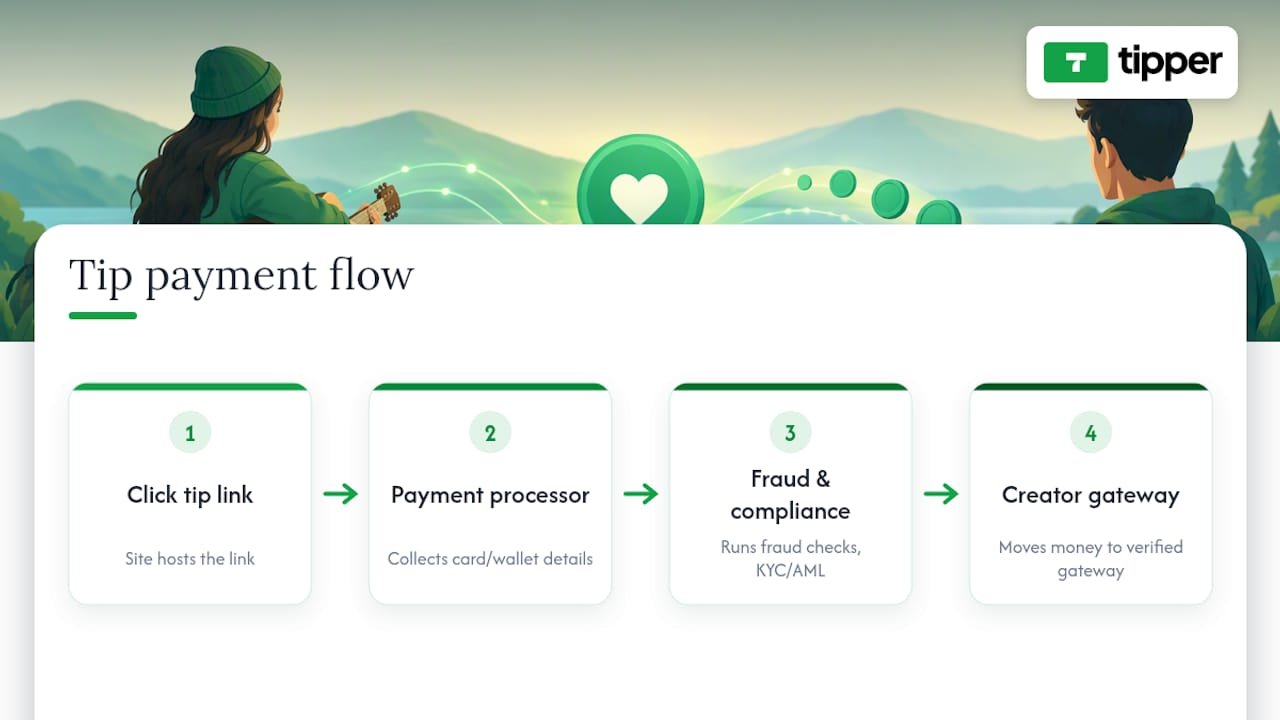
A short line on your tip page covers what supporters need to know: “Payments are processed securely by our payment partner; we never see or store your card information.” That single sentence answers the two questions most people have before tipping a stranger online.
It’s also worth noting that payment processors are required to run know-your-customer and anti-money-laundering checks on the accounts receiving funds, which is standard across the industry and not something creators need to configure themselves. Read your specific processor’s terms so you understand payout timing and any fees taken before funds reach your account. For more on structuring this kind of privacy language, see this guide to privacy-first payment collection.
Test and troubleshoot your tip button before you publish
Before calling it done, run through a short checklist.
- Click the button on desktop and confirm it lands on the correct tip page.
- Repeat the same test on a phone, since mobile browsers sometimes render fixed or pop-up elements differently.
- If you’re using a pop-up trigger, confirm it opens and closes correctly and doesn’t fire automatically on page load.
- Check that shortcodes render as a form rather than raw text, which usually means a plugin conflict or an incompatible theme.
- Set up basic click tracking, either through Google Analytics event tracking on the button link or a plugin’s built-in click reporting, so you know how often it’s used.
Common culprits when something breaks: a theme’s CSS overriding button styling, an ad blocker hiding pop-up scripts, or a shortcode pasted into a block that doesn’t render shortcodes at all.
Publisher perspective: why we recommend a no-signup tip link first
We favor no-signup tip links because every extra step between a reader’s impulse and their payment loses tips, and privacy-conscious supporters are more likely to follow through when they know an account isn’t required. For copy examples and deeper setup walkthroughs, our tutorials cover the details this guide only summarizes.
— Tipper
Tipper: get a personalized tip link and add it to your WordPress site
A tipping platform gives you a personalized tip link that supporters can pay through instantly, using Apple Pay, Google Pay, or a card, without creating an account.
Getting set up takes three steps:
- Create an account on a tipping platform and personalize your tip page with a bio and suggested amounts.
- Copy the unique tip URL Tipper generates for you.
- Paste that URL into a Button block, a pop-up trigger, or your email signature wherever you want supporters to find it.
Start at Tipper and have your link ready to paste into WordPress in a few minutes. For a quick-start walkthrough with templates, see collect tips in an hour.
Sources
- WordPress
- Privacy policy guidance for WordPress plugins — TermsFeed
- How to set up a crypto tip jar — Aurpay (2026)
FAQ
How do I add a clickable button in WordPress?
Insert a Button or Buttons block from the block inserter, type your call-to-action text, then click the link icon and paste the URL you want it to open, such as your personalized tip link. This works natively in the WordPress editor with no plugin required, as covered in WordPress’s own Buttons block documentation.
What is CF7 in WordPress?
CF7 refers to Contact Form 7, a popular plugin for building contact and inquiry forms on a WordPress site. It’s built for gathering form submissions rather than processing payments, so it isn’t the right tool for a tip button, which needs a payment link or embedded checkout instead.
Is WordPress outdated in 2026?
No. WordPress remains a widely used platform for blogs, small businesses, and creator sites, and its block editor continues to add native features like the Buttons and Donations blocks used in this guide. Whether it fits your needs depends on your goals, not on the platform being out of date.
Why are people moving away from WordPress?
Some creators move to hosted, all-in-one platforms for simplicity, while others stay with WordPress specifically for its flexibility and the control it gives over plugins, design, and monetization tools like tip buttons. Neither direction is universally better; it depends on how much customization you want versus how much setup you’re willing to do.
How do I add a pop-up tip button to my site?
Use the built-in Donations/Tips block and choose the pop-up display option, which lets you set button text, an icon, and whether it stays fixed to the screen, according to WordPress’s donations block documentation. Alternatively, link a regular button to an external tip page if you’d rather keep the checkout off your site entirely.
Recommended

Collect Tips Fast: US Yoga Teacher Tip Link, Tax & Safety
Yes, you can start collecting tips today. Create a personalized tip link and QR code that accepts Apple Pay, Google Pay, and cards, and students can send you a tip in under ten seconds without downloading an app or making an account. One option built specifically for this is available. Set it up, test it once on your own phone, then share it at your next class.
TL;DR:
- Wallet payments like Apple Pay and Google Pay significantly increase the likelihood of students completing tips by reducing payment friction.
- Setting up a personalized tip link and QR code typically takes less than ten minutes once its initial configuration is complete.
- Display the tip QR code in accessible places such as studio entrances, class slides, or post-class communications to maximize visibility at the right moment.
- Always verify QR codes visually and via URL preview to avoid scam links or tampered signs, especially in public spaces.
- Tips received through digital links are taxable income and should be tracked consistently for accurate tax reporting.
Table of Contents
- Setting Up Your Yoga Teacher Tip Link and QR Code
- Which Payment Methods and Tip Amounts Work Best?
- Where Should You Share Your Tip Link in Class?
- How Do You Spot a Fake QR Code or Tip Link?
- Do You Have to Report Tips on Your Taxes?
- What Teachers Are Actually Doing With Tip Links
- Get Your Tip Link Running With Tipper
- Sources
- FAQ
Setting Up Your Yoga Teacher Tip Link and QR Code
Getting a working tip link takes less time than rolling out your mat. Most of the setup happens once, and after that you’re just sharing the same link or code every week.
Start with the basics before you touch any payment settings:
- Prepare your profile. Choose a display name students will recognize (your teaching name, not just a username), add the payout email you check regularly, and write a short thank-you message. A line like “Thanks for practicing with me” goes a long way.
- Enable wallet payments. Turn on Apple Pay and Google Pay support alongside card payments, and add your payout details. Some platforms verify your identity at this stage. It’s routine and usually takes a few minutes.
- Build your tip presets. Set a few suggested amounts instead of leaving every tip to guesswork.
- Generate and export your QR code. Save a high-resolution version for printing and a smaller one for screens or slides.
- Test before you share. Send yourself a small test tip, like $1, from your own phone. Then try scanning the code from a second device to confirm it opens the right page.
Pro Tip: Keep the original QR image file somewhere safe, like a cloud folder you control. If a printed sign gets damaged or a scam version turns up somewhere, you’ll want to reprint from the real source instantly.
Run through this once, and every future class just means printing the same code or pasting the same link, whether you’re teaching a drop-in class or working with private clients. A primer on how digital tipping works is worth a skim if any step feels unfamiliar.
Which Payment Methods and Tip Amounts Work Best?
Wallet payments remove almost every point of friction. When a student can tap Apple Pay or Google Pay instead of typing in a card number, they’re far more likely to actually finish the payment instead of abandoning it halfway through. Cards should stay available too, since not every phone has a wallet set up.
Preset amounts matter more than most teachers assume. A reasonable spread looks like:
- $3, $5, and $10 for a typical drop-in class
- $10 to $20 for private sessions or workshops
- A visible “custom amount” option every single time
Research on tipping behavior found that preselected prompts can shift what people actually give, and self-checkout style prompts in particular tend to depress giving rather than encourage it. The fix isn’t fewer presets, it’s better ones. Anchor with a fair middle option and never bury the custom-amount field.
If a processing fee applies, say so plainly on the tip page itself, not in fine print. Students respond better to a clear “a small processing fee applies” than to a number that feels hidden until after they’ve paid. A quick read on Apple Pay and Google Pay setup covers the wallet side in more detail.
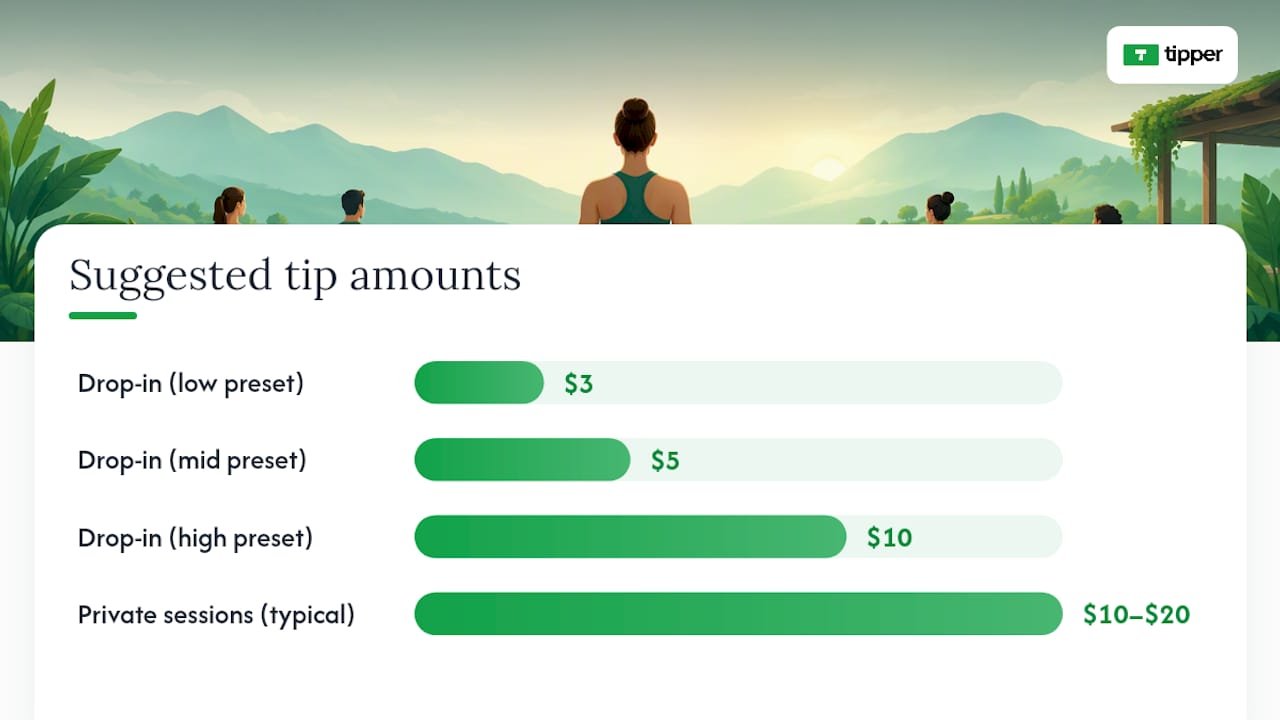
Where Should You Share Your Tip Link in Class?
The link only works if students actually see it at the right moment, not buried three scrolls deep in your bio.
- In the studio: a small printed QR sign near the door, or a slide projected before class starts and again as everyone’s rolling up mats.
- At the front desk: a laminated card with the code, especially for studios that run a lot of drop-ins.
- Post-class follow-up: drop the link into your class confirmation email or group chat, ideally once, not every message.
- Your social profiles and class listings: add it once to your bio and any class-booking page so it’s always findable without you repeating yourself.
Timing beats repetition. One instructor insight worth borrowing: mentioning the link once at the end of class, then reinforcing it in a single follow-up message, tends to get better results than asking mid-class or nagging students across multiple channels. A simple script works fine: “If today’s class was helpful and you’d like to leave a tip, my link is on the sign by the door, no pressure.” That phrasing does the work without turning tipping into an ask.
How Do You Spot a Fake QR Code or Tip Link?
QR codes are convenient, and that’s exactly why scammers like them too. The FTC has warned that criminals hide harmful links inside QR codes, and one increasingly common tactic is pasting a fake sticker directly over a legitimate code in a public space like a printed sign or a parking meter. Unsolicited codes sent by text or email carry the same risk.
Follow these steps to keep your sign safe and your students protected:
- Check your printed sign regularly. A code that’s been tampered with often looks slightly off, like a sticker layered over the original.
- Preview the URL before scanning. Most phone cameras show a link preview; check for misspellings or an unfamiliar domain before tapping through.
- Never enter a password to tip someone. A legitimate tip page never asks for banking logins or personal identification.
- Report anything suspicious. If a code or link looks wrong, stop the interaction, check your recent transactions, and report it to the FTC or the FBI’s IC3 division.
Print your own code from a source only you control, and reprint it the moment a sign looks disturbed.
Do You Have to Report Tips on Your Taxes?
Yes. Tips received through a digital link count as taxable income, and depending on volume they may show up on a Form 1099-K issued by the payment processor. The IRS gig-economy guidance makes clear that tip income needs to be tracked and reported regardless of whether a 1099-K arrives, since the threshold for issuing one doesn’t change your underlying obligation to report.
Good record-keeping doesn’t need to be complicated:
- Log totals weekly, not just at tax time, so nothing gets lost between January and April.
- Reconcile your payout reports against your own running total every month.
- Keep a simple spreadsheet or note tracking date, amount, and source (class tip, private session, workshop).
- Talk to a tax professional if you’re mixing tip income with studio pay or freelance teaching income elsewhere.
A quick look at gig economy tipping and what it means for taxes can help clarify how this fits alongside other freelance income if you teach at multiple studios.
What Teachers Are Actually Doing With Tip Links
Placement changes by context. Drop-in classes do best with a sign by the door and a mention at the very end. Private clients respond better to a link included once in a booking confirmation, since asking in person can feel awkward in a one-on-one setting. Workshops sit somewhere in between: a slide during the closing minutes works, paired with a follow-up email.
Keep tipping optional every time you mention it. The phrase “no pressure” isn’t filler, it’s what keeps a tip link from turning into an obligation. Some teachers only bring it up once a year, around the holidays or at the end of a multi-week series, when a tip equal to roughly one session’s cost is a common informal guideline for private students. Thank-you notes matter more than people expect. A short text or a quick video reply to a tip builds the kind of connection that a generic receipt never will.
— Tipper
Get Your Tip Link Running With Tipper
You can get a personalized tip link and QR code from a platform that does not require students to create an account first. They can use Apple Pay, Google Pay, or card payments, and the payment goes directly to you.
Getting started takes three steps: sign up, build your personalized link, then generate and download your QR code. Test it with a small tip on your own phone before you print anything or share it in class, just to confirm the wallet options display correctly. If you’re comparing setup workflows across tools, this rundown on frictionless tipping practices is a useful companion. When you’re ready, create your tip link on Tipper and have it live before your next class.
FAQ
Do I Need a Business Account to Receive Tips?
No. Most platforms, including Tipper, let students send a tip without creating an account themselves, and you can set up your own tip link as an individual teacher without registering a formal business.
How Much Should I Suggest as a Preset Tip Amount?
$3 to $10 works well for drop-in classes, while $10 to $20 fits private sessions better. Always include a custom-amount option, since preselected prompts alone can quietly shift what people actually give.
Are Digital Tips Taxable Income?
Yes. Tips you receive through a digital link are taxable, and they may appear on a Form 1099-K depending on how much you process through that platform in a year.
How Do I Know a QR Code Isn’t a Scam?
Preview the landing URL before you tap through, and look closely for misspellings or an unfamiliar domain. The FTC warns that fake stickers are sometimes pasted directly over legitimate printed codes in public spaces.
Does Tipper Charge a Fee?
Full pricing details are available on Tipper’s site.
Recommended

Cut Disputes Fast With a Receipt First Tip Refund Policy for Creators
A tip refund policy determines who can reverse a tip payment and how. Creators or the platform can issue a merchant refund voluntarily, but only the supporter’s card issuer can start a chargeback. If you receive either notice, your first move is the same: pull the transaction from your platform ledger, check the receipt details, and document everything before you respond.
TL;DR:
- Refund requests should be verified immediately, and genuine cases must be refunded quickly to avoid escalation and higher costs.
- Maintaining consistent billing descriptors and clear, timestamped receipts with supporter acknowledgment significantly reduces the risk of disputes.
- Chargebacks are initiated by cardholders directly with their banks and can take 30 to 120 days to resolve, requiring prompt response from merchants.
- Evidence such as matching receipts, disclosure proof, and metadata is crucial for successful representment and disputing invalid claims.
- Setting up transparent tipping flows and visible refund policies helps prevent disputes and minimizes the time and effort needed to resolve them.
Table of Contents
- How Tip Refunds Work on Digital Tipping Platforms
- Chargebacks vs. Disputes: The Timeline Creators Can’t Ignore
- The Evidence That Actually Wins a Dispute
- Your Checklist for a Refund Request or Chargeback
- How Tipper Handles Receipts and Dispute Prevention
- Balancing Goodwill With Fraud Prevention
- Fewer Disputes, Faster Payouts With Tipper
- Sources
- FAQ
How Tip Refunds Work on Digital Tipping Platforms
Three different things get called a “refund,” and mixing them up costs you money. A merchant refund is voluntary, initiated by you or the platform when a tip was sent by mistake or a supporter changes their mind quickly. A platform-initiated refund happens when the tipping service catches an error, like a duplicate charge, before you ever see it. A supporter-requested refund is just a request; you decide whether to grant it.
Timing matters more than most creators realize. A card transaction authorizes instantly, but it doesn’t fully settle for one to three business days. Payouts to creators typically follow on a set schedule after settlement. If a refund request lands before payout, the platform can usually cancel or reduce that payout automatically. If it lands after, the refund gets deducted from a future payout or billed back directly.
A few cost realities to plan around:
- Payment processing fees on the original tip are often nonrefundable, even when you return the full tip amount.
- Refunds issued after payout create a negative balance that gets recovered from your next payout cycle.
- Frequent refund requests can flag your account for manual review, slowing down future payouts.
- Platforms distinguish refunds from chargebacks specifically because refunds are merchant-controlled while chargebacks are issuer-controlled, which changes who absorbs the cost.
Chargebacks vs. Disputes: The Timeline Creators Can’t Ignore
A chargeback isn’t a refund request. It’s a forced reversal that a cardholder files directly with their bank, bypassing you entirely. Here’s how it actually moves:
- The cardholder disputes a charge with their card issuer, often because they don’t recognize the billing descriptor or forgot they sent the tip.
- The issuing bank reviews the claim and typically issues a temporary credit to the cardholder while it investigates.
- The acquirer notifies you or your platform, giving you a window to respond with evidence, a process called representment.
- The card network’s rules set the clock. Cardholders generally get 30 to 120 days (or longer, depending on the scheme) to file, while merchants often get only 14 to 40 days to respond, according to Mastercard’s chargeback guide.
- The issuer rules on the evidence, either restoring the funds to you or finalizing the reversal.
A temporary credit to the cardholder isn’t the final word. Treat every chargeback notice as provisional until the issuer closes the case. What isn’t provisional is the fee: most processors charge a per-dispute fee regardless of outcome, and a rising dispute ratio can affect your standing with your payment processor, sometimes triggering extra scrutiny or higher processing costs.
The Evidence That Actually Wins a Dispute
Representment isn’t about writing a persuasive appeal. It’s about matching the network’s checklist. Card networks and processors expect a specific packet, not a story.
Start with your billing descriptor. If your tipping platform’s name shows up differently on a bank statement than it does on your public profile, that mismatch alone drives a huge share of “I don’t recognize this charge” disputes, according to Adyen’s chargeback prevention guidance. Keep the two consistent.
Your receipt or confirmation should include:
- The date and exact tip amount
- Payment method and last four card digits
- A clear label identifying the charge as a tip, not a generic payment
- The supporter’s email and an authorization code
- Timestamp and device or IP metadata, when your platform captures it
Pro Tip: Screenshot or save your tip page’s refund disclosure on the day you publish it. If a dispute comes up months later, you want proof the policy was visible at the time of payment, not just that it exists today.
That last point matters more than most creators assume. Networks give real weight to proof that a supporter saw and acknowledged a refund policy before paying, according to Verifi’s guidance on Visa chargeback rules. A visible checkbox or a one-line disclosure near the payment button creates exactly that record.
Your Checklist for a Refund Request or Chargeback
Handle this in order, and don’t skip the verification step even when you’re in a hurry.
- Verify the transaction first. Pull the exact record from your platform ledger and confirm the supporter’s name, email, and amount match what they’re disputing.
- Reach out before escalating. A short, friendly message clears up most confusion. Many chargebacks stem from someone simply forgetting they sent a tip, not from actual fraud.
- Decide fast. If the request is legitimate, refund it immediately. Acting quickly on genuine cases usually costs less than fighting a chargeback later, since merchant-side speed tends to prevent escalation entirely. If it’s not legitimate, start building your representment packet the same day.
- Assemble your evidence. Include the receipt, disclosure proof, and any metadata your platform stored, then submit it through your processor’s dispute portal.
- Weigh the fight. For a small tip, contesting may cost more in time and fees than it recovers. For a pattern of disputes from the same supporter, or a larger amount, representment is usually worth it.
- Tighten your setup afterward. Update your billing descriptor, adjust your payout schedule if holds are causing cash flow problems, and add a visible refund policy if you haven’t already.
Card issuers must acknowledge a cardholder’s billing error notice within roughly 30 days and follow structured investigation timelines under federal consumer protection rules. That protection cuts both ways: it gives supporters real recourse, which is exactly why your documentation has to be airtight before a dispute ever reaches that stage.
How Tipper Handles Receipts and Dispute Prevention
Tipper’s tip flow generates an immediate receipt the moment a payment clears, which gives both you and the supporter a timestamped record instead of a vague bank line item weeks later. Because Tipper supports Apple Pay and Google Pay alongside card payments, and no recipient account is required for the sender, every transaction still carries a clear, labeled confirmation rather than an ambiguous charge.
A few practical setup steps make a real difference:
- Use a tip label on your page that matches what will appear on the supporter’s statement.
- Post a short, visible refund policy directly on your tip page, not buried in a separate terms link.
- Save copies of thank-you notes and receipts. They double as evidence if a dispute surfaces later.
- Review receipt content and setup periodically, since small wording changes can reduce “I don’t recognize this” disputes.
Reducing friction upfront, on the tipping flow itself, does more to prevent disputes than any amount of paperwork after the fact.
Balancing Goodwill With Fraud Prevention
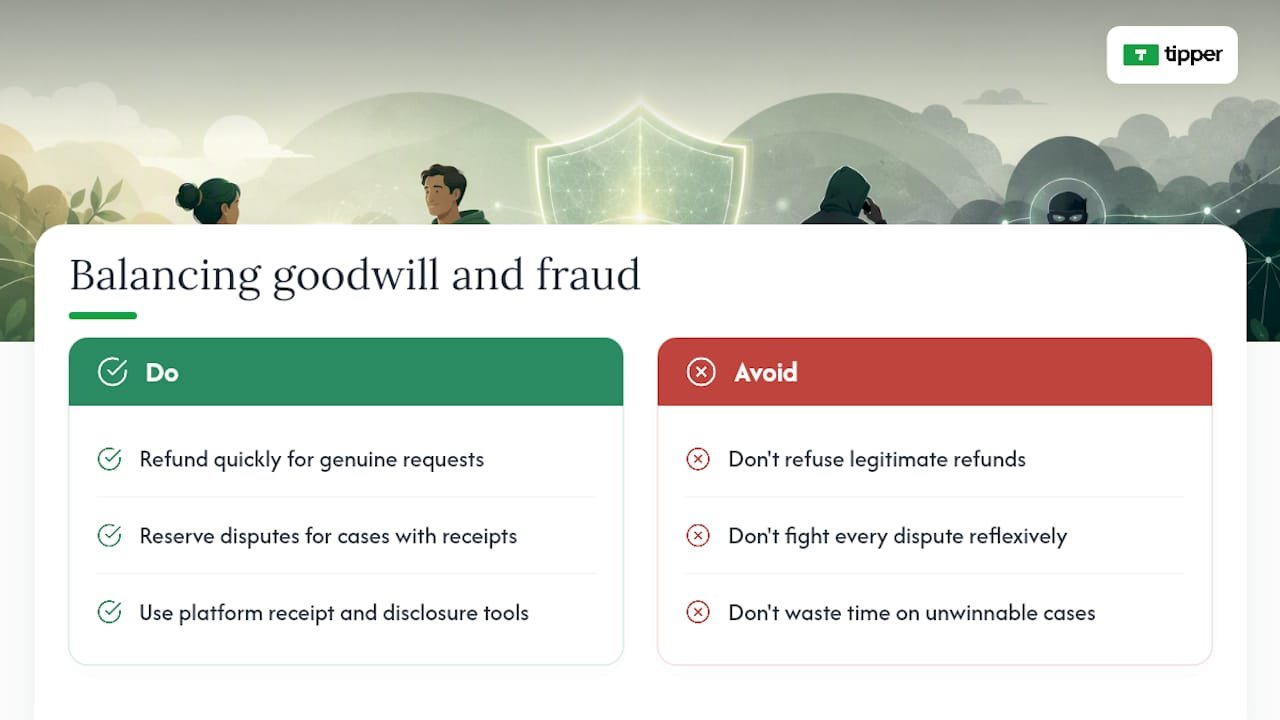
Tips carry an emotional weight that a normal transaction doesn’t. Refuse a legitimate refund and you burn trust with someone who was trying to support you. Fight every dispute reflexively and you’ll waste hours on cases you were never going to win.
The workable rule: refund fast when the request is clearly genuine, and reserve your energy for disputes where you have a real paper trail. Use whatever receipt and disclosure features your platform gives you. They’re not paperwork for its own sake. They’re the difference between a five-minute resolution and a drawn-out fight with your processor.
**
Fewer Disputes, Faster Payouts With Tipper
Most unrecognized-charge disputes come down to one thing: the supporter didn’t get a clear, immediate record of what they paid for. Tipper’s tip flow issues receipts the moment payment clears, labels every charge as a tip rather than a generic transaction, and supports Apple Pay and Google Pay so supporters never need to create an account to pay you.
That clarity at the point of payment is what keeps a friendly mistake from turning into a formal chargeback weeks later. If you’re setting up disclosures, checking your billing descriptor, or just want a tipping page built to reduce confusion rather than create it, review your Tipper settings and see what a receipt-first tip flow looks like for your page.
Sources
FAQ
What Is the Difference Between a Refund and a Chargeback?
A refund is voluntary and controlled by you or the platform. A chargeback is forced by the cardholder’s bank and bypasses the merchant entirely until the representment stage.
How Long Do I Have to Respond to a Chargeback?
Merchants typically get 14 to 40 days to submit representment evidence, though the exact window depends on the card network and reason code, per Mastercard’s chargeback guide. Missing that window usually means an automatic loss.
What Evidence Actually Helps Win a Dispute?
Receipts, transaction metadata, proof the supporter saw your refund policy, and confirmation details like timestamps and authorization codes all strengthen a representment case, according to PayPal’s evidence guidelines. A mismatched billing descriptor is one of the most common reasons disputes happen in the first place.
Should I Refund a Tip Before It Becomes a Chargeback?
Yes, when the request looks genuine. Refunding quickly is usually cheaper than fighting a chargeback later, since fast merchant-side resolution tends to prevent escalation to the card issuer altogether.
Does Tipper Charge a Fee When a Tip Gets Refunded?
Tipper’s own pricing details, including how processing fees apply to refunded transactions, are available directly on the Tipper website rather than as a flat published rate. Payment processing fees on the original transaction are commonly nonrefundable across the industry, even when the tip itself is returned in full.
Recommended
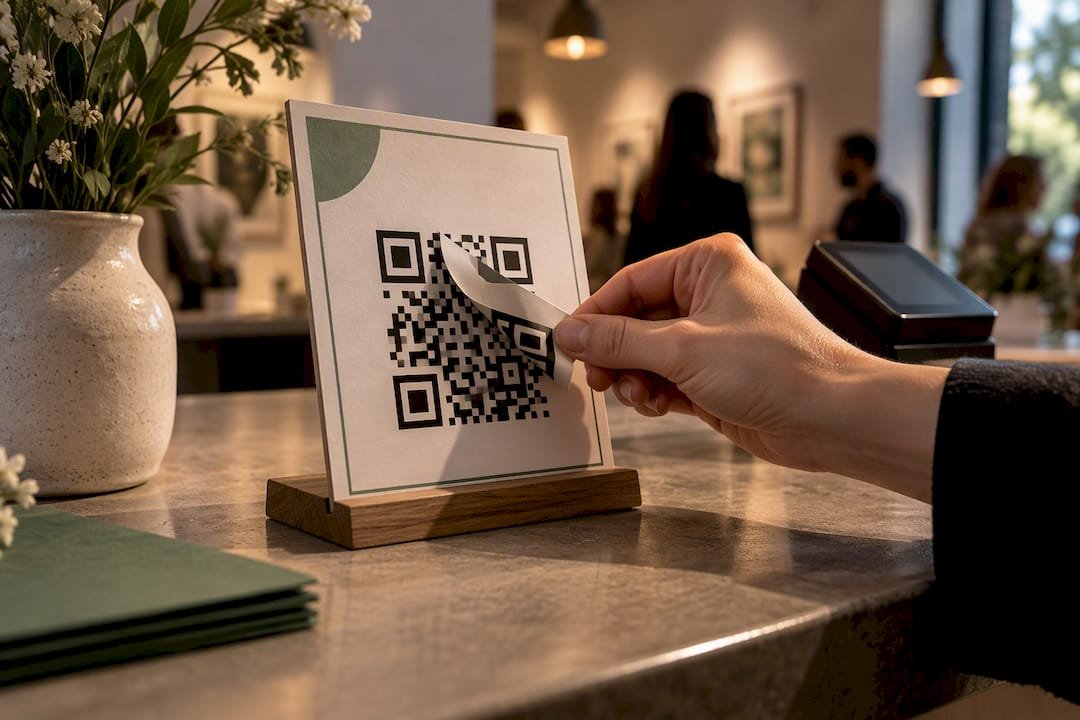
QR Code Tipping Security: Threats and How to Stop Them
A QR code is just a picture of a link. It proves nothing about who controls the page behind it, so tipping security depends entirely on verifying the destination and locking down your accounts before money moves. Do that with a URL preview, a confirmed recipient identity, and multi-factor authentication turned on, and QR tipping is one of the safer ways to collect money from a crowd. Skip the checks, and you’re trusting a sticker.
TL;DR:
- Most QR tipping scams involve physical tampering or overlay substitution rather than technological flaws, emphasizing the need for physical and operational checks.
- Verifying the URL preview, confirming the domain matches the brand, and manually entering the link are crucial habits to prevent scams during QR code use.
- Keeping accounts secure with unique passwords, multi-factor authentication, and frequent transaction monitoring reduces the risk of unauthorized access to tip funds.
- Using a controlled, changeable QR code platform enables quick redirection or deactivation if a code is compromised, preventing prolonged scams.
- Educating supporters to recognize legitimate codes and encouraging them to ask for confirmation helps create community vigilance against fake or tampered QR codes.
Table of Contents
- What Are the Main QR Tipping Threats?
- How Do You Verify a QR Code Before Paying?
- Protecting the Accounts and Devices Behind Your Tips
- Operational Habits That Keep QR Tipping Safe
- What to Do if a Tip or Tip Page Gets Compromised
- A 10-Step Checklist Before You Publish a QR Tip Code
- Teaching Your Supporters to Spot a Fake Code
- Technical Ways to Lock Down a QR Code
- What Legal Protections and Liabilities Apply to QR Tipping?
- Author Perspective: Treat QR Tipping Like Any Other Payment Channel
- How Tipper Helps Creators Cut QR Tipping Risk
- Sources
- FAQ
What Are the Main QR Tipping Threats?
The biggest risk isn’t the technology. It’s what someone can do to the physical or digital layer around it before you or your supporter ever scans.
The FTC has flagged quishing (phishing delivered through a QR code) and physical sticker-overlay substitution as the two threats that show up most often in the real world, especially anywhere a code sits unattended in public, like a tip jar on a merch table or a printed sign at a pop-up event. A scammer can print a near-identical code and paste it over yours, and nobody notices until the tips stop arriving.
Here’s what to watch for:
- Quishing links that route to a spoofed payment page built to look exactly like your real one.
- Sticker overlays placed directly on top of legitimate printed codes at events or storefronts.
- Redirected destinations, where a link that once worked gets quietly repointed after the fact.
- Smishing prompts, text messages pushing urgent action that pressure someone to scan without checking anything first.
A convincing confirmation screen after payment doesn’t prove the money reached you. It only proves the page was designed to look convincing.
How Do You Verify a QR Code Before Paying?
Verification takes fifteen seconds and it’s the single habit that kills most QR scams before they start.
- Check the printed code for tampering. Look for a raised edge, a slightly different paper stock, or a sticker sitting on top of another sticker.
- Preview the URL before opening it. Most phone cameras show the destination link before you tap through. Read the domain carefully.
- Confirm the domain matches the brand. A misspelled word, an extra character, or an unfamiliar top-level domain is a red flag.
- Look for HTTPS and a recognizable structure, not just a lock icon, which scammers can fake too.
- When in doubt, type it manually. Navigate to the known tipping page yourself instead of trusting the scan, or scan with a separate device you control.
It helps to understand why this matters technically. EMVCo’s QR-payment specifications draw a real line between merchant-presented payment QR payloads, which carry structured, cryptographically checkable transaction data, and generic URL QR codes, which just point a browser somewhere. Most creator tipping links fall into that second category. That means the security question isn’t about the QR format at all. It’s about authenticating the destination, full stop.
Pro Tip: Bookmark your own tipping page on your phone. If a QR code ever takes you somewhere that doesn’t match the bookmarked version, stop before you pay.
Protecting the Accounts and Devices Behind Your Tips
The QR code is only half the security picture. The account that actually receives the money is the other half, and it’s the part attackers go after once the code itself is locked down.
- Use a unique, strong password for your payment and platform accounts, generated and stored with a password manager instead of reused across sites.
- Turn on multi-factor authentication, and choose app-based or phishing-resistant MFA over plain SMS codes where the option exists.
- Require phone or app-based confirmation for payments, and keep your operating system and payment apps updated so known exploits get patched automatically.
- Check transactions on a regular schedule rather than only when something feels off, since frequent monitoring is what actually catches unauthorized activity early.
- Know your payment provider’s dispute and error-resolution process before you need it, not after.
Account hygiene habits like password rotation and layered authentication aren’t unique to tipping. Security practices built for high-stakes digital transactions apply just as well to a creator’s payout account as they do to a trading account. The principle carries over: whoever controls the login controls the money, regardless of how the payment got initiated.
Operational Habits That Keep QR Tipping Safe
Most of the risk in QR tipping comes down to sloppy operations, not sophisticated hacking. Tighten these five habits and you close off the paths scammers actually use.
- Use a short, branded domain or a personalized landing page instead of a generic link string. A recognizable domain is harder to convincingly fake.
- Keep a written inventory of every QR code you’ve generated, where it’s posted, and when it was last checked.
- Restrict edit permissions on your landing page to yourself or one trusted collaborator, never a shared login passed around a team.
- Test every code after printing, and run a small live transaction, a $1 test, before any event where the code will see real traffic.
- Retire old codes once a sign, table tent, or merch item is out of rotation instead of leaving them live indefinitely.
For placement, design matters as much as the code itself. Signage that sits flush against a hard surface with visible edges makes tampering obvious at a glance, while a code taped loosely over a poster invites exactly the kind of overlay substitution the FTC warns about. Some practical sign layouts already built around this idea include a short verification line that supporters can check, like the domain name printed in text next to the code itself.
Documented inventories and restricted permissions aren’t just tidiness. They’re the difference between catching a forgotten code before someone else finds it and never knowing it existed at all.
What to Do if a Tip or Tip Page Gets Compromised
Speed matters here more than anything else. The first hour after you discover a problem determines how much of it you can undo.
- Screenshot everything immediately: the QR image, the final URL it resolved to, timestamps, and any transaction IDs involved.
- Disable or redirect the compromised link the moment you confirm it’s bad, even before you’ve finished gathering evidence.
- Contact your payment provider or bank right away. Reporting quickly is what actually enables a recovery or reversal, not reporting eventually.
- Notify affected supporters through a channel you already control, like a pinned post or your own verified bio link, so they don’t keep sending money to a bad address.
- Keep a written log of every call, email, and reference number from your dispute process. You may need it more than once.
Pro Tip: Save transaction IDs the moment they arrive, not after something goes wrong. A dispute filed with proof takes days. One filed on memory alone can take weeks.
A 10-Step Checklist Before You Publish a QR Tip Code
Run through this before any QR code goes into a bio link, a merch drop, or event signage.
- Set up a branded or personalized tipping link rather than a raw generic URL.
- Run a real test payment, ideally a $1 event test, before trusting the code with a crowd.
- Confirm the money actually settled by matching the transaction ID on your end, not just the confirmation screen the payer saw.
- Enable MFA on every account tied to the payout.
- Lock your phone and laptop with biometric or PIN protection.
- Print signage on tamper-evident material where an overlay would be visible.
- Place the code somewhere overlay stickers would obviously stand out.
- Restrict who can edit your landing page.
- Recheck the code after any event where the sign was left unattended.
- Retire the code once its purpose (a specific show, drop, or pop-up) is over.
Creators running recurring events have found that borrowing sign templates built for this exact workflow saves the guesswork of designing anti-tamper signage from scratch.
Teaching Your Supporters to Spot a Fake Code
Your own security habits only cover half the risk. The other half depends on whether the person scanning your code knows what a legitimate one looks like.
Most fans have never been told what to check before scanning, so a few words on your signage or in your caption go a long way. Tell them explicitly what the correct domain should read before they tap through, and encourage them to preview the link rather than scan and pay in one motion. A short line like “our tip page always starts with [yourdomain]” gives supporters a concrete detail to check against, rather than a vague instinct to trust.
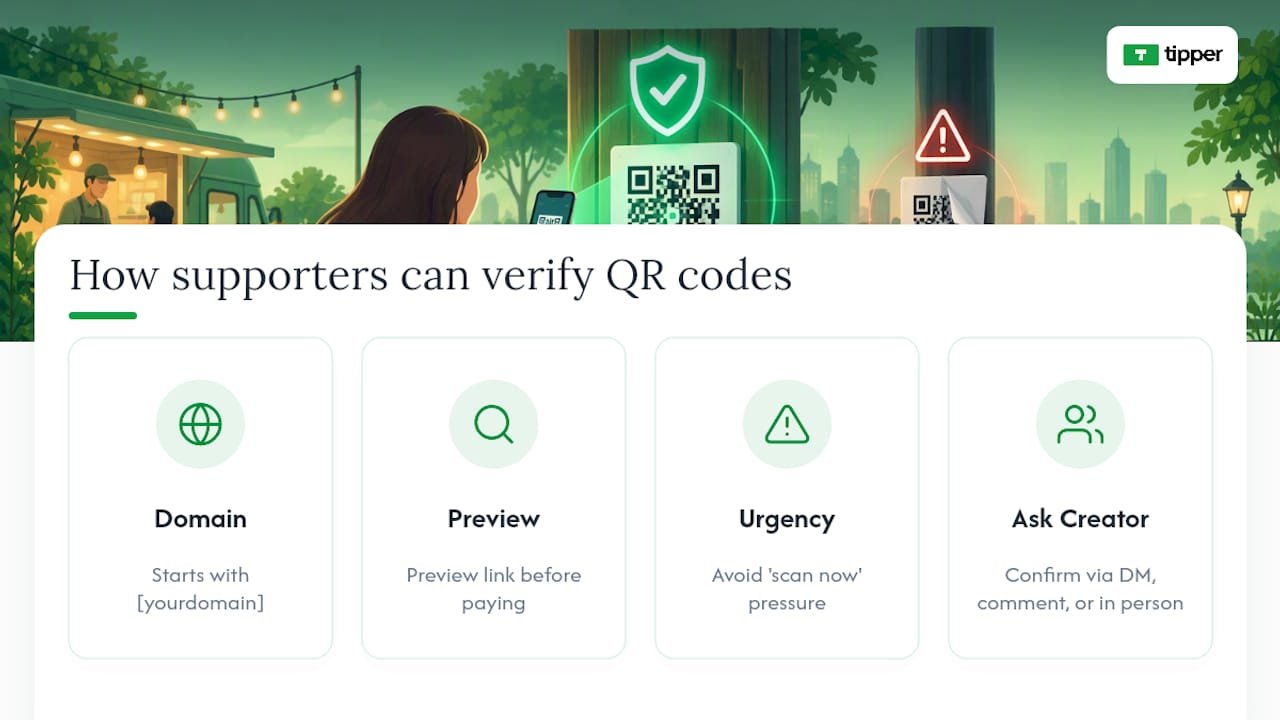
Urgency is the tell to teach people to notice. Scammers lean on pressure, a “scan now before this offer ends” line, or a QR code taped over a real one with no explanation. Legitimate requests rarely demand instant action, so any code paired with urgent language deserves a second look before anyone scans it.
It also helps to normalize asking. Tell your audience directly that they can always ask you to confirm a link is real, in a comment, a DM, or in person at an event. Creators who build this expectation into their community find supporters flag suspicious codes on their own, often before the creator even notices something’s off. That habit turns your audience into an early-warning system instead of a target list.
Technical Ways to Lock Down a QR Code
Not every QR code needs the same level of protection, but a few technical choices meaningfully lower the risk of a code being copied, redirected, or spoofed.
Dynamic QR codes let you change the destination URL after the code is printed, without reprinting anything. That sounds like a convenience feature, but it’s also a security tool: if a code is ever compromised or a landing page needs to move, you can redirect traffic instantly instead of leaving a broken or hijacked link live on a wall or table tent for weeks.
Encrypted or signed payloads, the kind EMVCo’s merchant-presented QR specification is built around, let a receiving system cryptographically confirm the payload hasn’t been altered. Most individual creator tipping links don’t use this level of encoding, since they route through a standard browser link rather than a payment-network payload. That’s exactly why destination verification matters more for creators than encryption specs do.
A few practical technical habits close most of the remaining gap:
- Generate codes through a platform that lets you audit and update the destination link at will.
- Avoid third-party “free QR generator” tools that route through their own shortened domain, since you lose visibility into whether that domain gets flagged or reused later.
- Keep one authoritative source for your current, active code and treat any other version you find in the wild as suspect until verified.
None of this requires a technical background. It requires picking tools that give you control over the link after it’s printed, not just at the moment you created it.
What Legal Protections and Liabilities Apply to QR Tipping?
Legal clarity around QR tipping is still catching up to how fast creators have adopted it, and that gap matters for anyone treating tips as real income.
Mobile-payment protections aren’t uniform. The CFPB notes that consumer protections differ significantly across payment services, meaning the dispute rights you get on one platform may not carry over to another. As a creator, that means reading your specific payment provider’s terms rather than assuming blanket protection.
Liability for a spoofed or redirected tip generally lands on whoever controlled the compromised link or code, which is one more reason to keep tight, documented control over your QR inventory rather than letting old codes drift around unmonitored. If a supporter’s payment gets misdirected through a code you posted, you may be the first point of contact for that dispute even if you weren’t the one who tampered with it.
Tip income also carries ordinary tax and reporting obligations, separate from the security question entirely. That’s worth flagging here only because creators sometimes conflate “is this safe” with “is this compliant.” They’re different questions, and a secure QR setup doesn’t substitute for treating tip income as reportable earnings under your own tax obligations.
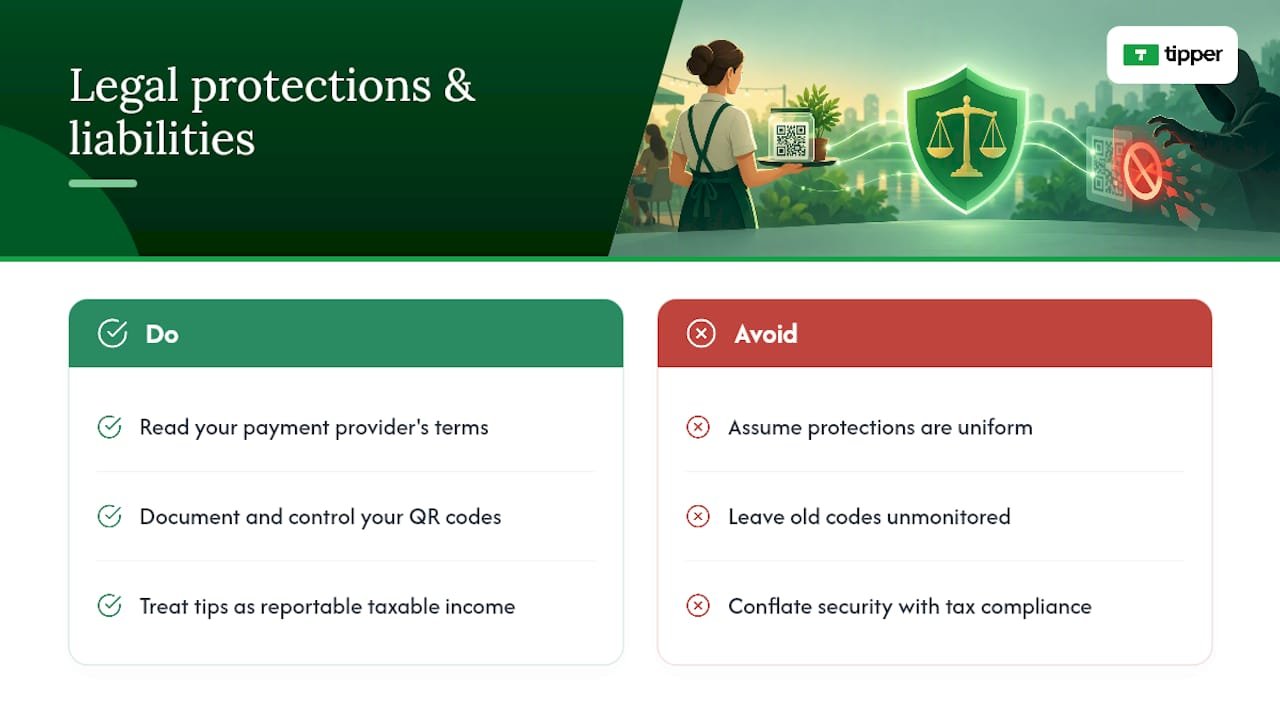
Author Perspective: Treat QR Tipping Like Any Other Payment Channel
Creators tend to treat QR tipping as a casual add-on, something closer to a tip jar than a payment system. That framing is the actual risk. The moment a QR code touches real money, it deserves the same scrutiny you’d give a checkout page, not the trust you’d give a poster on a wall.
What consistently reduces friction and confusion in the field isn’t more warnings. It’s clearer verification: a branded link supporters recognize, a visible recipient identity, and a transaction record both sides can point to if something goes wrong. Dispute resolution only works when there’s a paper trail. A screenshot and a real name beat a vague memory of scanning a code at a show three weeks ago.
— Tipper
How Tipper Helps Creators Cut QR Tipping Risk
Tipper is built around one advantage that matters most for the risks covered above: a personalized link tied to a specific creator, so supporters see exactly who they’re paying instead of a generic redirect they have to take on faith.
Some platforms do not require an account for the person sending a tip, and payments can run through Apple Pay, Google Pay, or card, which cuts down on the kind of confusing multi-step redirects that make spoofed pages easier to disguise. If you want to see how other creators have set this up in practice, the examples of contactless tip collection walk through real setups event by event. When you’re ready to put a verified, branded tipping link in your own bio or on your own signage, you can set one up on Tipper in a few minutes.
Sources
- See a QR code parked somewhere? Don’t scan it…yet! | Consumer Advice
- EMV® QR Codes | EMVCo
- Watch accounts closely when card data is hacked | Consumer Financial Protection Bureau
FAQ
Is QR Code Tipping Actually Safe?
QR tipping is safe when the destination is verified and the receiving account is protected with strong authentication. The risk lives in unverified links and weak account security, not in the QR format itself, according to FTC guidance on QR code scams.
How Can I Tell if a Tipping QR Code Has Been Tampered With?
Look for a sticker sitting on top of another sticker, a different paper texture, or a raised edge on printed signage. If the code sits somewhere unattended and easy to reach, treat it with extra suspicion before scanning.
What Should I Do if a Supporter Says They Tipped but I Never Received It?
Ask for a screenshot with the transaction ID and timestamp, then check that record against your own payment dashboard. If nothing matches, contact your payment provider immediately and follow their dispute and error-resolution process.
Does Tipper Require Supporters to Create an Account to Send a Tip?
No. Tipper lets supporters send a tip through a personalized link using Apple Pay, Google Pay, or a card, with no account required on their end. Current pricing and fee details are available directly on the Tipper site.
Are Dynamic QR Codes More Secure Than Static Ones for Tipping?
Dynamic QR codes let you update the destination link without reprinting the code, which makes it faster to shut down or redirect a compromised link. That flexibility helps operational security, though the bigger factor for creators remains verifying the destination URL every time.
Recommended

1099‑NEC $2,000 (2026): What U.S. Creators Owe and How to Track Tips
Yes, if you make money creating content in the United States, that income is taxable, and the IRS treats you as running a business the moment you accept your first paid sponsorship or tip. Set up a separate bank account, start logging every payment now, and calculate quarterly estimated taxes before you spend the cash. A new temporary “no tax on tips” provision may exempt a slice of tip income for some creators, but it comes with strict limits, so don’t count on it to erase what you owe.
TL;DR:
- Most creator income, including ad revenue, tips, sponsorships, and barter deals, must be reported and is subject to self-employment and income taxes regardless of whether a 1099 is issued.
- A temporary tax rule allows a deduction on some tips for certain occupations, but only if the creator’s work fits the IRS classification, and tips are always fully taxable for self-employment tax purposes.
- Starting in 2026, the IRS will require a 1099-NEC only if payments exceed $2,000 annually, but creators must still track and report all income below that threshold manually.
- Deductible expenses include equipment, software, travel, home office, and props used primarily for creating content, but personal or mixed-use expenses are not deductible.
- Quarterly estimated taxes are required if expecting to owe over $1,000, with payments due in April, June, September, and January, and maintaining organized records prevents costly IRS issues.
Table of Contents
- What Counts as Taxable Creator Income Under U.S. Tax Rules
- How Self-Employment Tax and Income Tax Work for Creators
- What the “No Tax on Tips” Rule Actually Means for Creators
- New 1099 Reporting Thresholds and What to Do Without a Tax Form
- Which Business Expenses Can Creators Actually Deduct?
- When Are Estimated Taxes Due, and How Much Should You Pay?
- Should Creators Form an LLC or S-Corp for Tax Purposes?
- Do Creators Owe Taxes in Multiple States?
- The Most Common Creator Tax Mistakes and a Pre-Filing Checklist
- Tipper: Practical Guidance for Tracking and Reporting Tipping Income
- Tax Implications of Using Creator Income for Investments or Purchases
- Are There Tax Credits or Incentives Available for Creators?
- What Happens if You Owe Back Taxes or Face an IRS Audit?
- What Should Creators Prioritize This Filing Season?
- Get Paid Instantly and Keep Records Ready for Tax Time
- Where to Verify These Rules Yourself
- Sources
- FAQ
What Counts as Taxable Creator Income Under U.S. Tax Rules
The IRS doesn’t care whether a payment lands in your bank account with a 1099 attached or shows up as a $5 tip through a link. If you received it because of your content, it’s income, and it’s reportable.
That list is longer than most new creators expect. Platform ad revenue, subscription income, one-time tips and donations, paid DMs or consulting calls, affiliate commissions, brand sponsorships, merch sales, licensing fees, and speaking gigs all count as ordinary business income on your tax return. So does anything you receive in exchange for promotion, even when no cash changes hand.
- Gifted products: If a brand sends you a $400 camera in exchange for a review, you owe tax on its fair market value, not just cash payments.
- Barter arrangements: Swapping a shoutout for free services (a haircut, a hotel stay, a website redesign) counts as income equal to what that service would normally cost.
- Small or irregular tips: A $3 tip through a payment link is still taxable, even if the platform never sends you a form for it.
- Foreign sponsorship payments: Income from an overseas brand deal is taxable in the U.S. regardless of where the payer is based.
Here’s the part that trips people up: a lot of this income never generates a 1099-NEC or 1099-K at all. Cash App transfers from fans, small tips, and informal barter deals rarely come with paperwork. That doesn’t make them optional to report. Keep your own running log with the date, source, amount, and what it was for. When the IRS asks questions years later, your own records are what save you.
How Self-Employment Tax and Income Tax Work for Creators
Most creators get blindsided by one number: 15.3%. That’s the self-employment tax rate you pay on top of regular income tax, covering the Social Security and Medicare contributions an employer would normally split with you. When you’re self-employed, you cover both halves yourself.
By the numbers: Self-employment tax breaks down into 12.4% for Social Security (up to the wage base) and 2.9% for Medicare on all net self-employment income. The Social Security portion only applies up to $176,100 in wage base income for 2025; earnings above that threshold still owe the 2.9% Medicare share, with no cap.
Here’s how the math actually works. You start with your net profit from Schedule C, then multiply it by 92.35% before applying the 15.3% rate. That adjustment exists because the IRS treats the employer-equivalent portion of self-employment tax as if it were never earned in the first place. On a $60,000 net profit year, that puts roughly $55,410 subject to self-employment tax, working out to around $8,478 owed just for Social Security and Medicare, before a dollar of income tax.
The good news: you get to deduct half of that self-employment tax on your Form 1040, which lowers your adjusted gross income and, in turn, your regular income tax bill. It’s not a dollar-for-dollar wash, but it softens the blow. Combine the self-employment tax with federal income tax brackets, and many full-time creators land in an effective tax rate well above what a traditional W-2 employee pays on similar earnings. That’s the tradeoff for controlling your own schedule and keeping every dollar of gross revenue instead of splitting it with an employer.
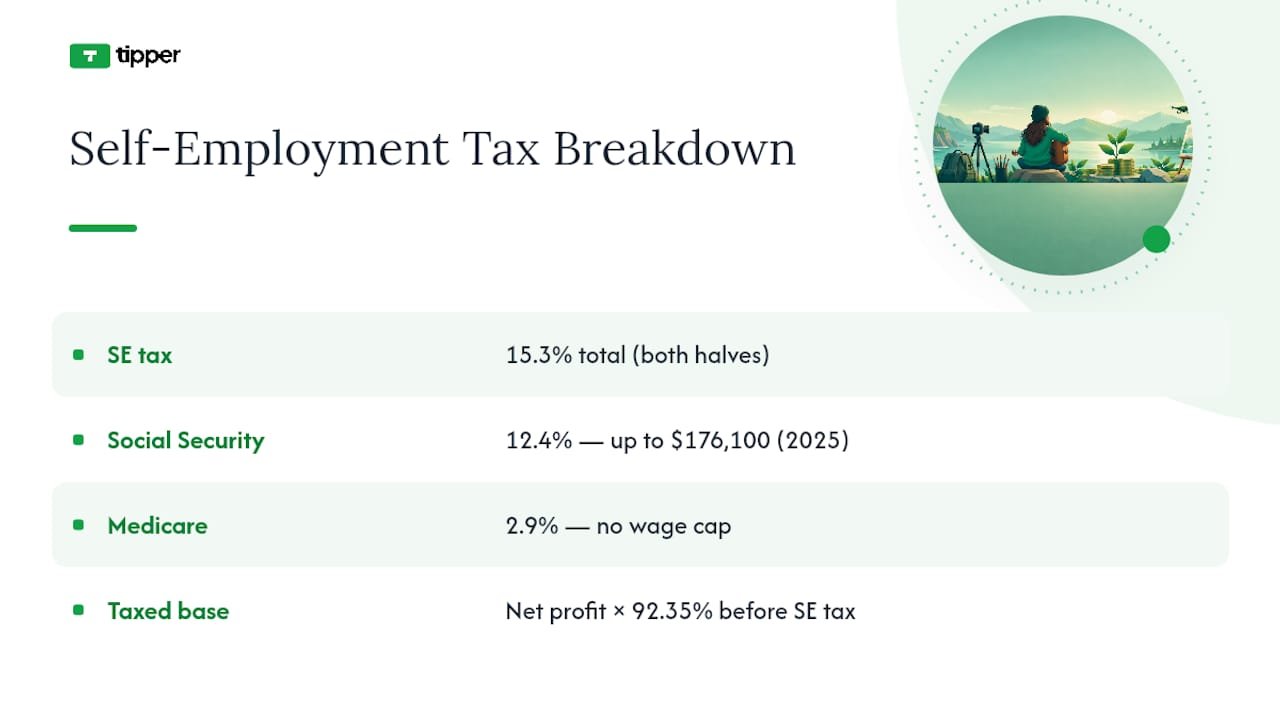
What the “No Tax on Tips” Rule Actually Means for Creators
A temporary federal provision lets certain workers deduct a portion of reported tip income from their federal taxable income. It sounds like a windfall, but the fine print matters more than the headline.
- Occupation matters. The rule applies to workers in jobs the IRS has officially classified as customarily and regularly tipped as of December 31, 2024. Not every creator who receives tips automatically qualifies.
- It’s temporary. This is a time-limited provision, not a permanent rewrite of the tax code, according to the Bipartisan Policy Center’s explainer on the change.
- Payroll taxes still apply. The deduction affects federal income tax, not Social Security or Medicare withholding, so self-employment tax still hits your tip income in full.
- Reporting still comes first. You have to report the tip income before you can claim any deduction against it, so skipping documentation to “avoid taxes” backfires entirely.
For a creator, the practical question is whether tips received through a direct link or platform fall under an occupation the IRS recognizes on that list. Many streamers and creators won’t cleanly fit the traditional service categories the rule was built around, even though the payments function the same way a restaurant tip does. Until further Treasury guidance narrows the definition, treat every tip as fully taxable and document the source, platform, and date of each one. If you later qualify for the deduction, that paper trail is what lets you claim it.
New 1099 Reporting Thresholds and What to Do Without a Tax Form
Paperwork rules for creators shifted for the 2026 tax year, and the changes cut in your favor on the reporting side, even though your filing obligation stays the same either way.
- Know the new 1099-NEC threshold. Starting with 2026 payments, businesses only have to issue a 1099-NEC once they pay you $2,000 or more in a year, up from the old $600 threshold. That means smaller brand deals and one-off gigs may never generate a form at all.
- Understand how 1099-K differs. Payment platforms issue 1099-K forms based on gross transaction volume through that specific platform, not net profit, and thresholds vary by processor. A 1099-K reflects total dollars moved, which can look inflated next to your actual taxable profit after fees and refunds.
- Track every deposit yourself. When no form arrives, pull twelve months of bank and platform statements and total every creator-related deposit by source. This becomes your backup documentation if the IRS ever asks how you arrived at your reported total.
- Convert foreign payments correctly. If a sponsor overseas pays you in another currency, convert each payment to U.S. dollars using the exchange rate on the date you received it, not the date you filed.
- Reconcile against your own log. Cross-check every 1099 you do receive against your personal income tracker before filing. Discrepancies between what a platform reports and what you recorded are one of the most common triggers for an IRS notice.
The IRS Self-Employed Individuals Tax Center is the primary source for current Schedule C instructions and estimated tax vouchers if you want to confirm any of these thresholds directly.
Which Business Expenses Can Creators Actually Deduct?
Every dollar you spend to produce content is a potential deduction, but the IRS standard is “ordinary and necessary,” not “nice to have.” A ring light for filming is ordinary; a vacation you casually filmed for three minutes probably isn’t.
Common deductible categories for creators include:
- Camera, lighting, and audio equipment used primarily for content
- Editing software, subscriptions, and cloud storage tied to production
- Advertising and promotion costs, including paid social boosts
- Travel expenses directly tied to a shoot, brand trip, or conference
- A home office, calculated by the percentage of square footage used exclusively for work
- Props, supplies, and set materials that appear in your content
Free products create a documentation obligation, not a free pass. If a company sends you a $150 skincare set for a review, you owe income tax on that $150 fair market value, and you can typically deduct it right back out if you use it up producing the content, which often nets close to zero tax impact, but only if you tracked both sides of that transaction.
For bigger purchases, like a $3,000 camera setup, you generally have two paths: deduct the full cost in the year you buy it under Section 179, or depreciate it gradually over several years. Most creators with steady income take the full deduction upfront, since it reduces the current year’s tax bill when you need it most.
Pro Tip: Photograph every receipt the day you get it and drop it into a dedicated folder by month. Waiting until March to reconstruct a year of expenses from memory is how deductions quietly disappear.
Keep receipts, bank statements, and mileage logs for at least three years from your filing date, longer if you underreported income by more than 25%. A dedicated business checking account and credit card, reconciled monthly, eliminates most of the scrambling that turns tax season into a nightmare.
When Are Estimated Taxes Due, and How Much Should You Pay?
If you expect to owe $1,000 or more for the year after withholding and credits, the IRS requires quarterly estimated payments rather than one lump sum in April. Most full-time creators fall into this bucket immediately.
- Mark the four deadlines. Estimated payments are typically due in mid-April, mid-June, mid-September, and mid-January of the following year, covering income earned in the prior quarter.
- Use the safe harbor rule. Paying at least 100% of last year’s total tax liability (110% if your prior-year income exceeded $150,000) protects you from underpayment penalties even if this year’s income spikes.
- Consider the annualized method for lumpy income. If your income swings wildly month to month, brand deal one quarter, nothing the next, Form 2210’s annualized installment method lets you match payments to when you actually earned the money, rather than paying evenly across four quarters.
Treat that transfer like a bill, not a suggestion, and you’ll never face an April surprise that forces you to dip into rent money.
Should Creators Form an LLC or S-Corp for Tax Purposes?
Most creators start as sole proprietors by default, reporting income and expenses directly on Schedule C with no extra paperwork.
An LLC on its own doesn’t change your federal tax treatment. It’s still taxed as a sole proprietorship (or partnership, if you have co-owners) unless you elect otherwise. The real tax shift comes with an S-Corp election, which lets you split your income into a “reasonable salary” (subject to payroll tax) and remaining profit distributions (not subject to self-employment tax). Creators who consistently clear somewhere in the neighborhood of $60,000 to $80,000 in net profit often find the payroll administration and extra filing (Form 1120-S) worth the savings.
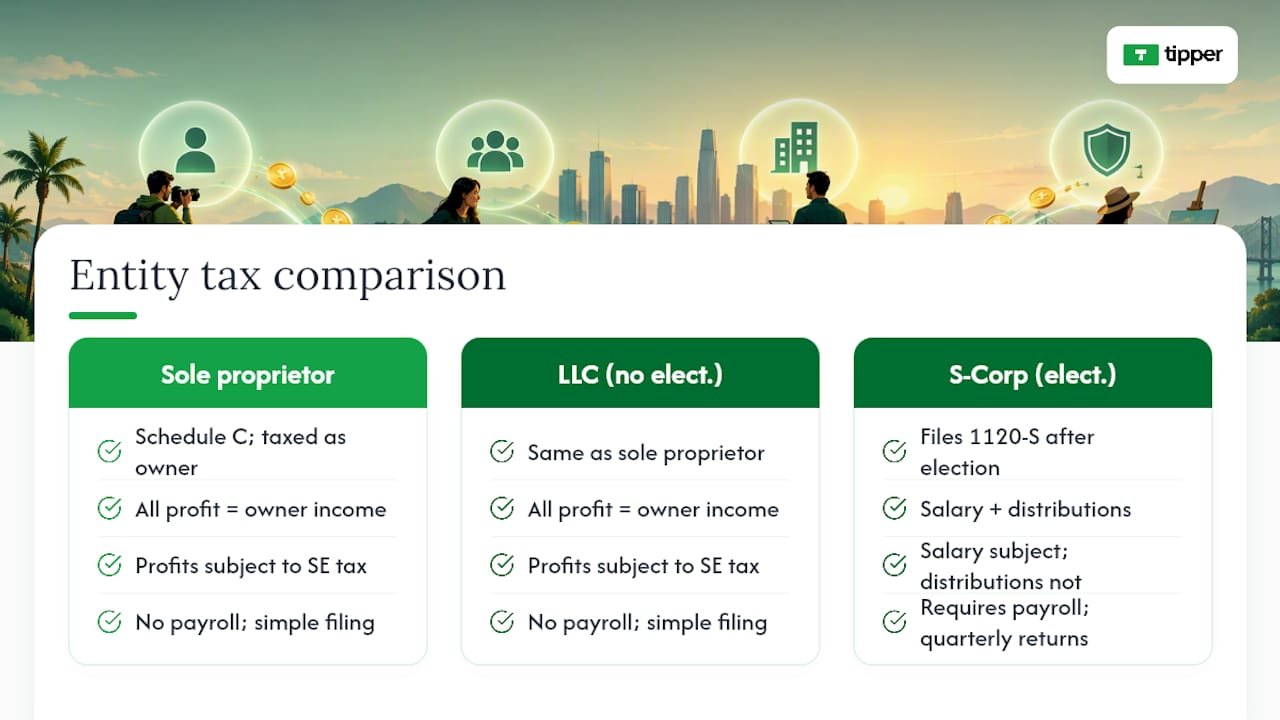
The catch: the IRS requires that salary to be genuinely reasonable for the work performed, not artificially low just to dodge payroll tax. Setting up payroll, filing quarterly payroll tax returns, and running a separate corporate return adds real complexity. This is the point where a conversation with a CPA stops being optional and starts paying for itself.
Do Creators Owe Taxes in Multiple States?
Your state of residence generally taxes all your income, no matter where a brand or fan who paid you happens to live. That part is straightforward for most creators working from a home studio.
It gets more complicated fast when you travel for content. Spend enough time filming, attending a conference, or working from another state, and you may trigger a filing obligation there too, depending on that state’s specific nexus rules, which vary widely. Selling physical merch adds another layer: shipping a hoodie to a fan in a state where you have sales tax nexus can require you to collect and remit sales tax on that transaction, and rules on digital products (courses, presets, ebooks) differ state by state.
If you split time across states or ship merch nationally, a quick multi-state review with a CPA before year-end usually costs far less than untangling a surprise notice later.
The Most Common Creator Tax Mistakes and a Pre-Filing Checklist
The same handful of errors show up year after year, and nearly all of them are preventable with better habits during the year, not smarter moves in April.
- Failing to report tips, gifts, and small platform payments because “nobody sent a form”
- Mixing personal and business spending in one account, making deductions impossible to substantiate
- Missing quarterly estimated payments entirely and getting hit with penalties on top of the tax owed
- Deducting personal expenses, like a phone plan used mostly for texting friends, as if they were 100% business
- Waiting until tax season to reconstruct a year of income and expenses from memory
Before you file, reconcile every income source against your bank statements, confirm every 1099 you received matches your own records, and set aside your estimated tax payment before spending the rest. Document the business purpose behind every trip or meal you’re deducting while it’s still fresh. If your income has grown past a hobby-level side hustle, a CPA who works with creators typically pays for themselves in deductions found and penalties avoided.
Tipper: Practical Guidance for Tracking and Reporting Tipping Income
Every tip that lands through a payment link is taxable income the moment you receive it, whether it’s $2 or $200. That means your record for each tip needs a date, an amount, and a source you can match back to a bank deposit.
If you accept tips through a platform, request or export a payout report at least quarterly rather than waiting until January. Reconcile that report against your bank statement to confirm what actually cleared versus what’s still pending. Tools that generate clear payout histories make this dramatically easier than trying to add up individual notifications by hand; see how real-time tips get processed and recorded for a sense of that timing.
- Save monthly payout summaries as PDFs, not just screenshots of a dashboard
- Label each payout by month in your bookkeeping software the day it hits your account
- Keep a simple spreadsheet noting large individual tips separately, since those are the ones most likely to draw a follow-up question later
Tax Implications of Using Creator Income for Investments or Purchases
Spending your creator income doesn’t erase the tax you owe on it. If you earned $40,000 in sponsorship and tip income this year and used it to buy a car, fund a retirement account, or invest in stocks, the income tax bill on that $40,000 exists independently of what you did with the money afterward.
That said, how you use creator income can open up legitimate tax advantages. Contributing to a Solo 401(k) or a SEP IRA, both available to self-employed creators, reduces your taxable income for the year while building retirement savings, sometimes allowing contributions well beyond what a traditional employer plan permits. Using income to buy equipment that qualifies as a business expense, a new laptop, camera gear, editing hardware, creates a deduction, while using the same income to buy a personal vehicle or vacation does not, even if you justify it as “content research.”
Investment income itself follows separate rules once it starts generating returns. Dividends, interest, and capital gains from investing your creator earnings get taxed under investment income rules, layered on top of the self-employment tax you already paid when you first earned that money. Keep the two income streams (creator earnings and investment returns) documented separately, since they show up on different parts of your tax return and get taxed differently.
Are There Tax Credits or Incentives Available for Creators?
Creators qualify for the same general tax credits available to any self-employed American, plus a few worth watching closely if your business is growing.
Retirement contributions to a SEP IRA or Solo 401(k) don’t just build savings, they directly lower your taxable income dollar for dollar in the year you contribute. If you’re paying for childcare while filming or editing, the Child and Dependent Care Credit may apply the same way it would for any working parent.
Home office deductions function more like an ongoing incentive than a one-time credit, since a legitimate home studio used exclusively for content creation lets you deduct a portion of your rent or mortgage interest, utilities, and internet every single year you qualify. Education expenses tied directly to improving your content business, a paid course on video editing or a conference registration, are typically deductible as ordinary business expenses rather than credits, but the effect on your bottom line is similar.
None of these show up automatically. You have to claim them on the right forms and keep the paperwork to back each one up if the IRS ever asks.
What Happens if You Owe Back Taxes or Face an IRS Audit?
If you realize you underreported creator income from a prior year, tips you forgot, a platform payment you never logged, the fastest way to limit damage is filing an amended return before the IRS finds the gap on its own. Interest and penalties on back taxes grow the longer they sit unaddressed, but they’re still smaller than what accumulates after an IRS notice arrives.
An audit of a creator’s return typically focuses on the same handful of areas every time: unreported income compared against 1099s and bank deposits, home office deductions that seem oversized relative to income, and travel or meal deductions without clear business purpose documentation. If you get a notice, don’t ignore it and don’t panic. Gather the specific records the letter requests, respond by the stated deadline, and consider bringing in a CPA or enrolled agent, especially once the dollar amount in question moves beyond what you’re comfortable handling directly.
The IRS also offers installment agreements for creators who owe more than they can pay immediately, letting you spread payments over time rather than facing collection action. Ignoring a balance due is far riskier than negotiating one, since penalties and interest keep compounding until the debt is resolved.
What Should Creators Prioritize This Filing Season?
If you take one thing from all of this, make it bookkeeping. A separate business account and a habit of logging income the day it arrives will save you more money than any deduction you’ll find scrambling in March.
Pay your quarterly estimates on time, even in small amounts, rather than skipping them because the math feels uncertain. DIY filing works fine for straightforward income under Schedule C; once you’re weighing an S-Corp election or juggling multiple states, bring in a CPA. And don’t dismiss small tips as pocket change. The IRS doesn’t, and neither should your books.
— Tipper
Get Paid Instantly and Keep Records Ready for Tax Time
There are platforms that offer ways to collect documented tip income similar to what this guide recommends.
Every tip generates a record you can pull later, which matters far more than it sounds like once tax season hits and you’re trying to reconstruct a year of scattered payments. It is possible to attach thank-you notes, photos, or short videos to tips, turning transactions into connections with supporters. Pair that with the payout reporting habits covered in Tipper’s creator guide and you’ve got a workflow built for accurate filing, not just fast payments. If you’re setting up your tipping page for the first time, visit Tipper to create your link and start collecting tips you can actually account for at tax time.
Where to Verify These Rules Yourself
Confirm anything here against primary sources before filing. Start with the IRS Self-Employed Individuals Tax Center for forms, check the statutory text behind the tip deduction for its exact legal limits, and review TurboTax’s creator tax guide for practical filing walkthroughs. For anything beyond a straightforward Schedule C, a CPA familiar with creator income is worth the fee.
This article is general information, not a substitute for advice from a qualified financial advisor. Consult a qualified financial professional about your own circumstances before acting on anything here.
Sources
- Self-Employment Tax (Social Security and Medicare Taxes) | Internal Revenue Service
- New IRS rules: ‘No tax on tips’ (Explainer) | Bipartisan Policy Center
- Tax Tips for Content Creators | TurboTax
- Occupations that customarily and regularly received tips on or before Dec. 31, 2024 | IRS
FAQ
Do You Have to Pay Taxes as a Content Creator?
Yes. Any income you earn from content, tips, sponsorships, ad revenue, affiliate commissions, or gifted products, is taxable and must be reported on your tax return, even without a 1099. The IRS treats consistent creator earnings as self-employment income subject to both income tax and self-employment tax.
Are Tips Taxed in the USA for Creators?
Yes, tips received through platforms or direct links count as taxable income regardless of size. A temporary federal provision allows a deduction for tips in certain IRS-recognized occupations, but most creators still owe full income and self-employment tax on tip income unless their work clearly fits that occupation list.
Do I Have to File My 1099 if I Made Less Than $10,000?
Yes. Self-employment income must be reported once your net earnings from self-employment reach $400 for the year, and that requirement applies whether or not you received a 1099 at all. The 2026 1099-NEC threshold moved to $2,000, but that only changes when a payer must send you paperwork, not whether you owe tax on the income.
Are Tips Still Taxable in 2026?
Yes, tips remain taxable income in 2026 for the vast majority of creators. The temporary “no tax on tips” provision only excludes a portion of tip income for workers in occupations the IRS has specifically classified as customarily tipped, and payroll taxes still apply even when that deduction does apply.
Recommended
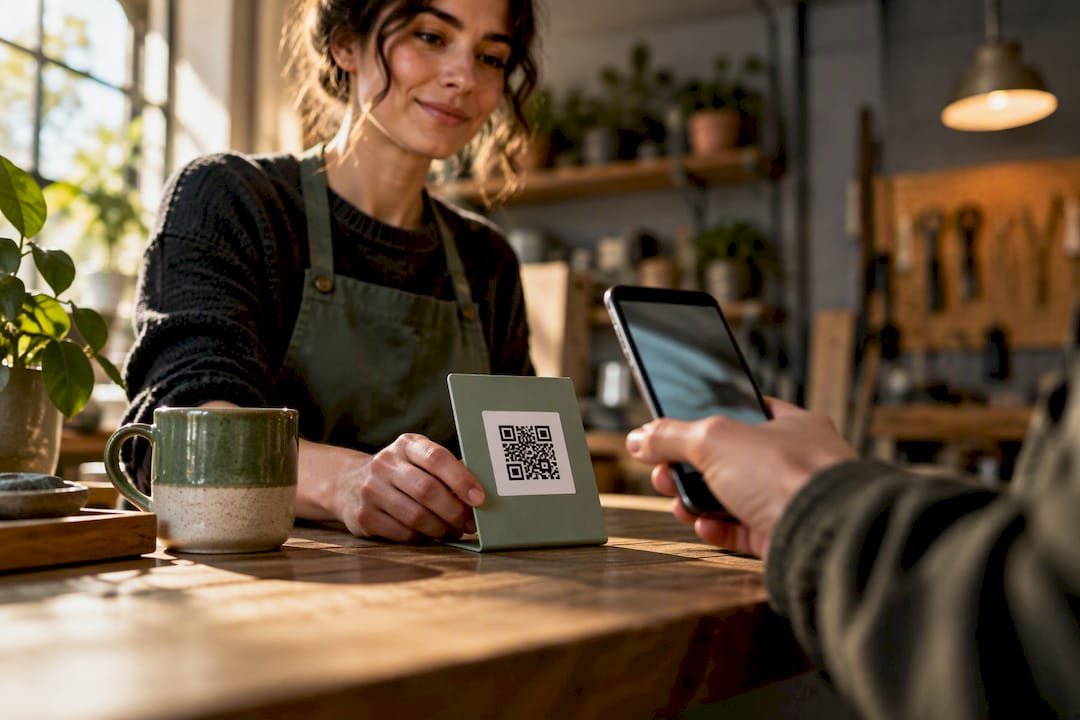
Collect Tips in 5 Minutes With Tipper: Tipping Link for Creators
The fastest way to collect an instant tip is a hosted tipping link or QR code that supports one-tap wallets like Apple Pay and Google Pay. Skip anything that forces a supporter to create an account first. Some tipping platforms work this way out of the box, so create a link and send yourself a $1 test tip right now to confirm the payout path before you share it anywhere.
TL;DR:
- Using a hosted payment link or QR code with wallet support ensures tips are collected quickly and without forcing supporters to create accounts.
- Setting up a tipping link involves verifying identity, creating the link, generating a QR code, and testing with a small payment before sharing live.
- Minimizing data collection and offering Apple Pay or Google Pay options significantly increases the likelihood of tipping.
- Tips usually update instantly in your platform balance, but bank transfer to your account can take one to three business days, with standard processing fees applying.
- One-tap, no-account tips are most effective because each additional step can reduce support, making simple, privacy-focused options the best choice for most creators.
Table of Contents
- How Instant Tipping Links Actually Work
- How Do You Set Up a Tipping Link Step by Step?
- What Increases Tips Without Asking for Too Much Data
- How Fast Do You Actually Get Paid, and What Do Fees Look Like?
- Why We Think One-Tap, No-Account Tipping Wins
- Get Your Instant Tipping Link Live With Tipper
- Sources
- FAQ
How Instant Tipping Links Actually Work
An instant tipping link is just a hosted checkout page with a single job: take a tip and get out of the way. No product catalog, no cart, no login wall. The sender taps a link or scans a QR code, picks or types an amount, pays with a card or a mobile wallet, and the transaction is done in under 30 seconds. That’s the whole model, and the fact that it works so well is exactly why it’s spreading from bartenders’ tip jars to newsletter footers.
But “tipping link” covers a few genuinely different setups, and picking the wrong one costs you either money, privacy, or speed.
Hosted payment links. Services built specifically for this, including Tipper, generate one URL that opens a checkout supporting cards plus Apple Pay and Google Pay. General-purpose tools work similarly: Stripe Payment Links let a seller accept payment without building a website at all, and the same link converts into a scannable QR code automatically. PayPal’s Payment Links do the same thing through a hosted checkout that skips coding entirely. The appeal is speed. The sender never leaves the page, and most wallet-based flows close in one tap.
- Best for: creators, freelancers, and service workers who want one link they can drop anywhere.
- Trade-off: you’re relying on the provider’s checkout design, so features like suggested amounts or thank-you notes vary by platform.
Tip pages with QR codes. This is the physical-world version, a printed or displayed code at a register, a tip jar, or a table tent. It works because it removes the last bit of friction for in-person tipping: no typing a URL, no searching an app store. A good tip page adds a photo, a short bio, suggested dollar amounts, and a thank-you message field. This format shines at events and counters where someone’s hands are full and their patience is short.
- Best for: bartenders, delivery drivers, food trucks, and small venues.
- Trade-off: print quality and placement matter more than people expect. A blurry or tiny QR code kills conversions before the payment screen ever loads.
Crypto tip jars. A small niche of tools, like Shieldz’s free tip jar generator, create a pay-what-you-want page that sends funds straight to a wallet address with no platform holding the money in between. There’s no custodial delay and no platform fee cut, but the sender needs a crypto wallet, network fees fluctuate, and volatility means the dollar value of a tip can shift before it’s even converted.
- Best for: creators with an audience that’s already comfortable with crypto.
- Trade-off: technical enough to shrink your potential tipper pool significantly.
BLE and proximity discovery. This is the newest and least proven method: Bluetooth-based discovery that lets a nearby phone detect a tipping option without scanning anything. It’s promising for venue staff who move around a room, but battery drain, inconsistent device support, and immature standards keep it more experimental than practical for 2026.
The real trade-off across all four methods comes down to four variables: friction, privacy, payout speed, and fees. Hosted links and QR pages win on friction and speed. Crypto wins on privacy and avoids platform fees but loses on accessibility. BLE promises the lowest friction of all, someday, but isn’t there yet. For most service workers and creators, a hosted link with wallet support is the practical middle ground, which is exactly why it dominates the market.
How Do You Set Up a Tipping Link Step by Step?
Getting a working tipping link live takes less time than making a pot of coffee. Here’s the real sequence, not the marketing version.
- Sign up and verify your identity. Expect to enter your name, email, and bank account details, either through an instant verification service like Plaid or a manual micro-deposit process for ACH. This step exists because payment processors are legally required to confirm who’s receiving money, not because the platform wants your data.
- Build your link. Set one or two suggested tip amounts (most creators land on something like $5 and $10 as defaults), upload a photo, and write a short line explaining what the tip supports. Choose your default currency and any branding options the platform offers.
- Generate your QR code. Many tipping platforms turn your link into a QR code automatically. Save it as an image you can print for a counter or table tent, or paste the raw link directly into a social bio, an invoice, or a text message.
- Send yourself a $1 test tip. This is the step people skip and regret. Pay your own link with a card or wallet, then check three things: did the notification arrive, does the amount match what you expected after fees, and how long did it take to hit your available balance? Event-based tipping setups benefit especially from this dry run since there’s no time to troubleshoot mid-shift.
- Set your payout cadence and confirm bank verification. Decide whether you want payouts daily, weekly, or on demand, and double check that your bank account passed verification. An unverified account is the single most common reason a payout gets held instead of delivered.
Pro Tip: Run your test tip using the same payment method your typical supporter would use, if you expect most tips through Apple Pay, test with Apple Pay, not a manually entered card number. Wallet checkouts and card checkouts sometimes route through slightly different verification paths.
Once that $1 test clears and lands in your balance on schedule, you’re not testing anymore. You’re live.
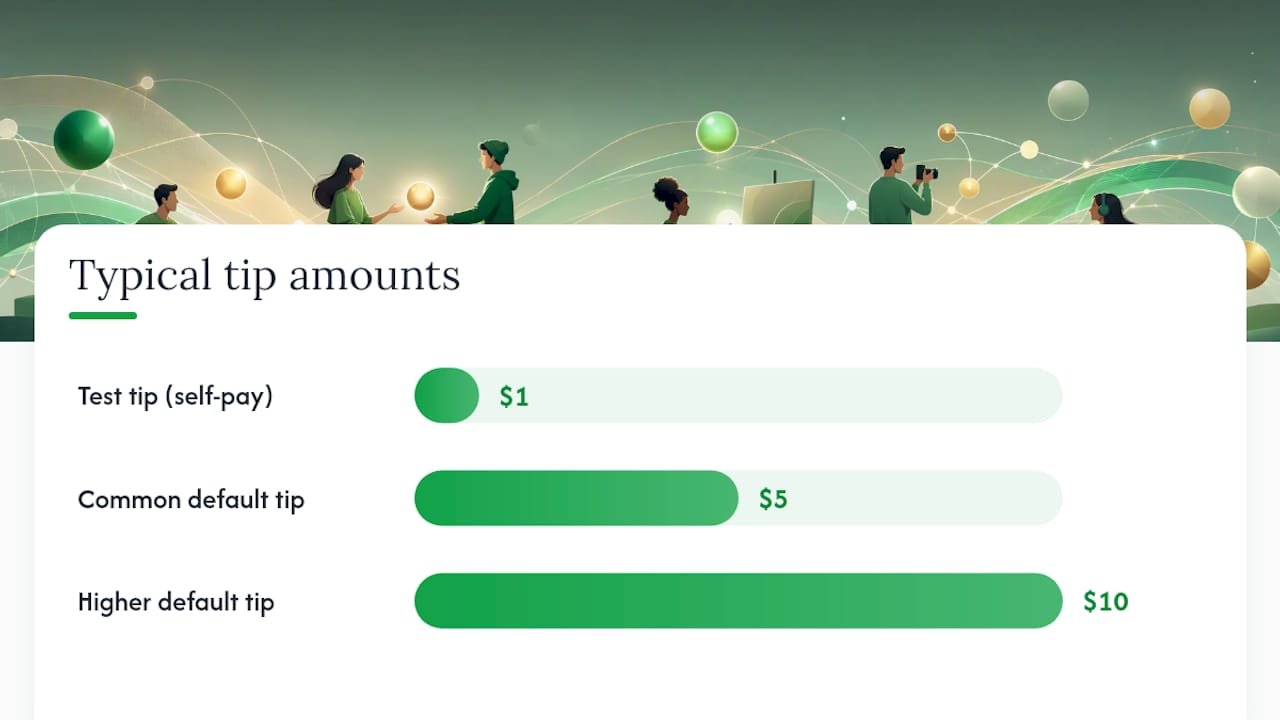
What Increases Tips Without Asking for Too Much Data
Every extra field you ask a supporter to fill out is a chance for them to close the tab instead. Research on tipping behavior backs this up directly: privacy-preserving, low-friction tipping flows increase the likelihood someone actually tips, while being observed or asked for unnecessary personal details reduces it. That’s not a marketing claim, it’s a documented behavioral pattern, and it should shape how you build your tip page.
- Put Apple Pay and Google Pay front and center, not buried under a “more options” toggle. One-tap wallet completion consistently beats manual card entry for speed.
- Offer two or three suggested amounts with one marked as the default. Too many choices slows people down; no suggestions at all leaves them guessing.
- Only collect what you need to pay out: name, email, and bank details. Skip asking supporters for their own accounts or extra personal information, that friction has nothing to do with getting your money and everything to do with losing the tip.
- Confirm every tip with a clear message, and if the platform allows it, add a short 5 to 10 second thank-you video or a personal note. That small gesture is what turns a one-time tipper into a repeat one.
- If you’re using a printed QR code, make it large, well-lit, and paired with a short URL as backup text for anyone whose camera struggles to focus.
Statistic Callout: According to the same tipping privacy research, the feeling of being watched or asked for unneeded information measurably reduces whether someone tips at all, not just how much. Privacy isn’t a nice add on feature here, it’s a direct lever on your conversion rate.
How Fast Do You Actually Get Paid, and What Do Fees Look Like?
There’s a difference between your tip balance updating and the cash actually landing in your bank account, and mixing those two up is where most new users get confused. A tip usually shows up in your platform balance within seconds or minutes. Getting that balance into your checking account is a separate step, and it typically takes anywhere from same-day to one to three business days, depending on your bank and the payout method you’ve selected. Some platforms offer instant crediting to an internal balance, similar to what services like SnapTip describe, while the transfer to your actual bank account still runs on standard settlement timing.
Fees generally stack in two layers:
- Payment processing fee — a percentage charged by the card network or wallet provider on every transaction, standard across virtually every payment link tool on the market.
- Platform fee — what the tipping service itself charges to run the link, host the page, and manage payouts. Tipper’s own processing fee structure is disclosed at checkout so senders and recipients both see it clearly.
Tips are taxable income, full stop. Keep a simple record of transaction dates and amounts as they come in, don’t wait until tax season to reconstruct it from memory. The IRS newsroom publishes updated guidance on taxable income and deductions relevant to working Americans, and if your tip income becomes a meaningful part of your earnings, a conversation with an accountant is worth the hour it takes.
Why We Think One-Tap, No-Account Tipping Wins
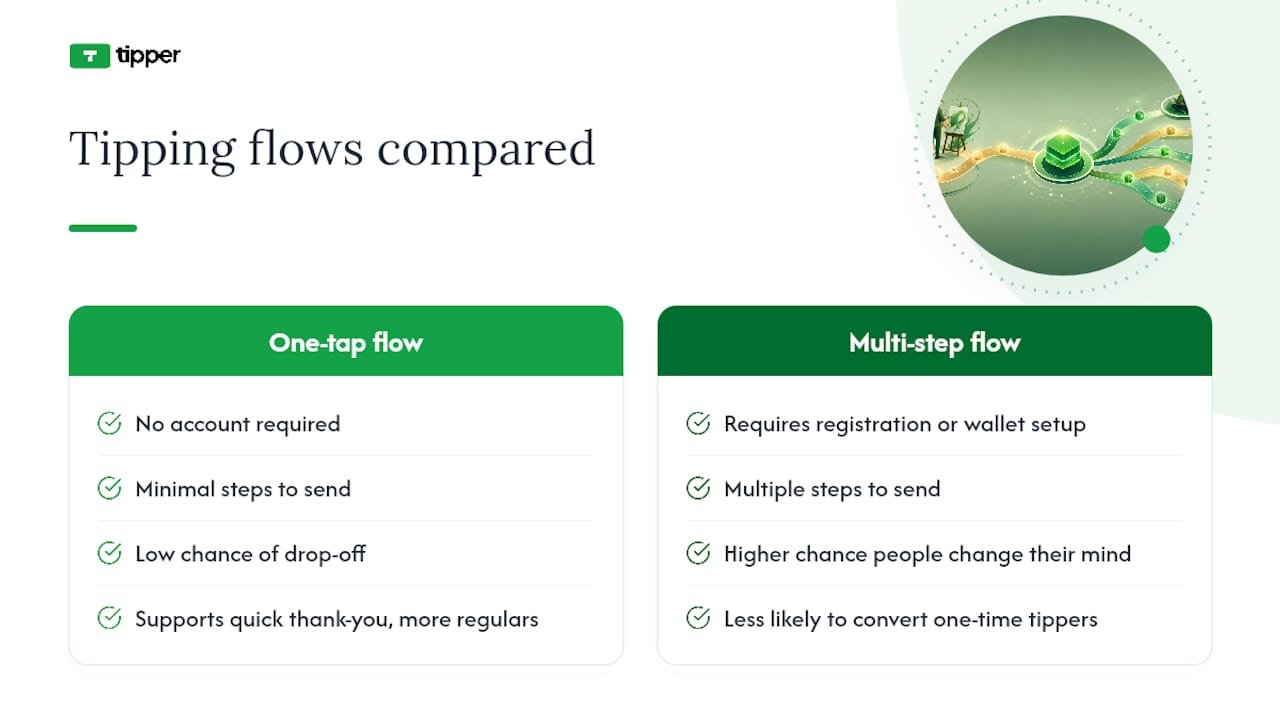
Every extra step between “someone wants to tip you” and “the tip is sent” is a step where they change their mind. That’s not a theory, it shows up in the research on tipping behavior, and it’s the entire reason Tipper builds around a no-account, wallet-first flow instead of asking senders to register anywhere.
The part people underestimate is the personal touch. A tip is rarely just a transaction, it’s a small “I see you” moment, and creators who send back a quick thank-you note or short video turn one-time tippers into regulars. Simplicity and connection aren’t opposite goals here. They reinforce each other.
— Tipper
Get Your Instant Tipping Link Live With Tipper
Some platforms provide a personalized link and QR code that lets anyone tip you instantly with Apple Pay, Google Pay, or a card, no sender account, no app download, no friction.
Getting started takes about five minutes. Sign up, build your link with a photo and a couple of suggested amounts, and run a $1 test tip to confirm your payout path works before you share it anywhere. Then drop the link in your social bio, print the QR code for your counter or invoice, or paste it straight into a text message. If you want a walkthrough of how other creators are placing these links in real setups, the contactless tip collection examples page is a good place to see it in practice. Head to Tipper to create your link and start collecting tips today.
Sources
For the technical side of hosted payment links, Stripe’s payment links documentation and PayPal’s payment links page both cover supported payment methods and checkout security in detail. For the tax side, the IRS newsroom is the authoritative source on how tip income is taxed. And for the behavioral research behind why privacy-first tipping flows convert better, the study on tipping privacy is worth reading in full.
- Tipping privacy: The detrimental impact of observation on non-tip responses
- Stripe Payment Links | Simple links to accept payments
- PayPal: Payment Links
- IRS newsroom
FAQ
What Is an Instant Tipping Link?
An instant tipping link is a hosted checkout page, usually paired with a QR code, that lets someone send you money in a few taps without creating an account. Tipper builds this specifically around one-tap wallet payments like Apple Pay and Google Pay so the sender never has to fill out a form.
How Long Does It Take to Get Paid After a Tip?
Your balance typically updates within seconds or minutes of the tip being sent. The transfer to your actual bank account depends on your payout settings and bank, generally landing same-day to within one to three business days.
Do I Need a Business Account to Accept Tips?
No. Most tipping link platforms only require you to verify your identity and bank details, not a registered business. Senders never need any account at all to send you a tip.
Are Tips Received Through a Link Taxable?
Yes. Tips are taxable income regardless of how they’re received, and the IRS treats digital tips the same as cash tips. Keep records of every transaction so reporting them at tax time is straightforward.
What Fees Should I Expect on an Instant Tipping Link?
Expect a payment processing fee charged by the card or wallet network on each transaction, which is standard across nearly every payment link service. Some platforms add a separate platform fee for hosting and managing the tip page, and Tipper discloses its fee structure directly at checkout.
Recommended

No Login: Creators, Put Your YouTube Tip Link in Top Two Lines
A YouTube tip link is a personalized tipping URL, that you drop as the primary call to action in the top two lines of your video description or a pinned comment, so viewers can send money instantly with Apple Pay, Google Pay, or a card. No sign-up required on their end. Create the link, paste the full https:// address where viewers see it before hitting “Show more,” and click-test it on desktop and mobile before you publish. YouTube’s own tipping tools exist too, but they run on separate eligibility rules.
TL;DR:
- Placing your tip link in the first two lines of the description ensures it remains visible before viewers click “Show more” on most devices.
- Testing your complete, full
https://URL on both desktop and mobile after publishing is crucial to confirm it remains clickable and functional.- Limiting your description to three to five links, with the tip link at the top, prevents triggering spam detection and maintains viewer focus on your primary call to action.
- Using UTM parameters on your tip URL helps track traffic sources and measure the effectiveness of each video or platform in driving tips.
- Running both native YouTube tipping tools and external links allows you to maximize revenue control, payout timing, and viewer options based on your channel’s eligibility.
Table of Contents
- Where Should You Put Your YouTube Tip Link?
- How Do You Build a Tip Link That Actually Works?
- Writing a Description That Doesn’t Bury Your Link
- Should You Use Native YouTube Tipping or Your Own Link?
- Fixing a Tip Link That Won’t Click
- When an External Tip Link Beats Native Tools
- Get Your Tip Link Live With Tipper
- Sources
- FAQ
Where Should You Put Your YouTube Tip Link?
Placement decides whether your tip link gets clicked or gets buried. YouTube truncates descriptions after roughly the first two lines on most devices, so anything below that point disappears behind the “Show more” button until a viewer taps it. If your tip link sits on line five, most people will never see it.
Put your tip link in the first two lines of the description, right after a short hook sentence that tells viewers why they’d want to tip. This above-the-fold placement is standard advice from creators who structure descriptions around one clear ask instead of burying it in a wall of text.
Pinned comments are your backup channel — a tactic often highlighted in Effective Blog Promotion: Strategies to Increase Your Reach for catching viewers who skip the description entirely. A pinned comment shows up immediately when someone opens the comment section, so restating your tip link there catches viewers who skip the description entirely.
A few other placement options worth knowing:
- Channel store and membership links work through
/storeor/joinURLs, but these require channel eligibility tied to monetization status. - Cards and end screens can point to a store or membership page, not typically external tip links, and only for eligible channels.
- New or under-review channels sometimes see description links render as plain, unlickable text, a known linkification limitation tied to account status or recent strikes.
How Do You Build a Tip Link That Actually Works?
A tip link that fails on half your viewers’ phones is worse than no link at all. Here’s how to build one that holds up.
- Create your tipping page. Sign up with a digital tipping platform, build your personalized page, and copy the complete URL, starting with
https://, not a shortened fragment or a bare domain. - Tag it with UTM parameters. Add source, medium, and campaign values to the URL so your analytics can tell you which video, or which platform, actually drove the tip. This is standard practice for tracing traffic sources back to specific content.
- Shorten it if it’s long. A managed slug keeps your description clean and lets you redirect the destination later without editing dozens of old videos.
- Run the test routine. Publish the video, expand the description, click the link on both desktop and mobile, and if possible, send yourself a small test tip to confirm the payment flow works end to end.
- Check your analytics after a few views. Confirm the UTM hits are showing up before you lean on that link for a big promotion push.
Pro Tip: Never paste a URL straight out of a word processor. Smart quotes and invisible formatting characters can quietly break YouTube’s link detection, even when the URL looks perfectly normal on screen.
Skip line breaks inside the URL itself, and always keep the https:// prefix. Drop it, and YouTube may not recognize the text as a clickable link at all.
Writing a Description That Doesn’t Bury Your Link
More links do not mean more tips. A description packed with ten different URLs actually works against you, both with viewers and with YouTube’s own systems.
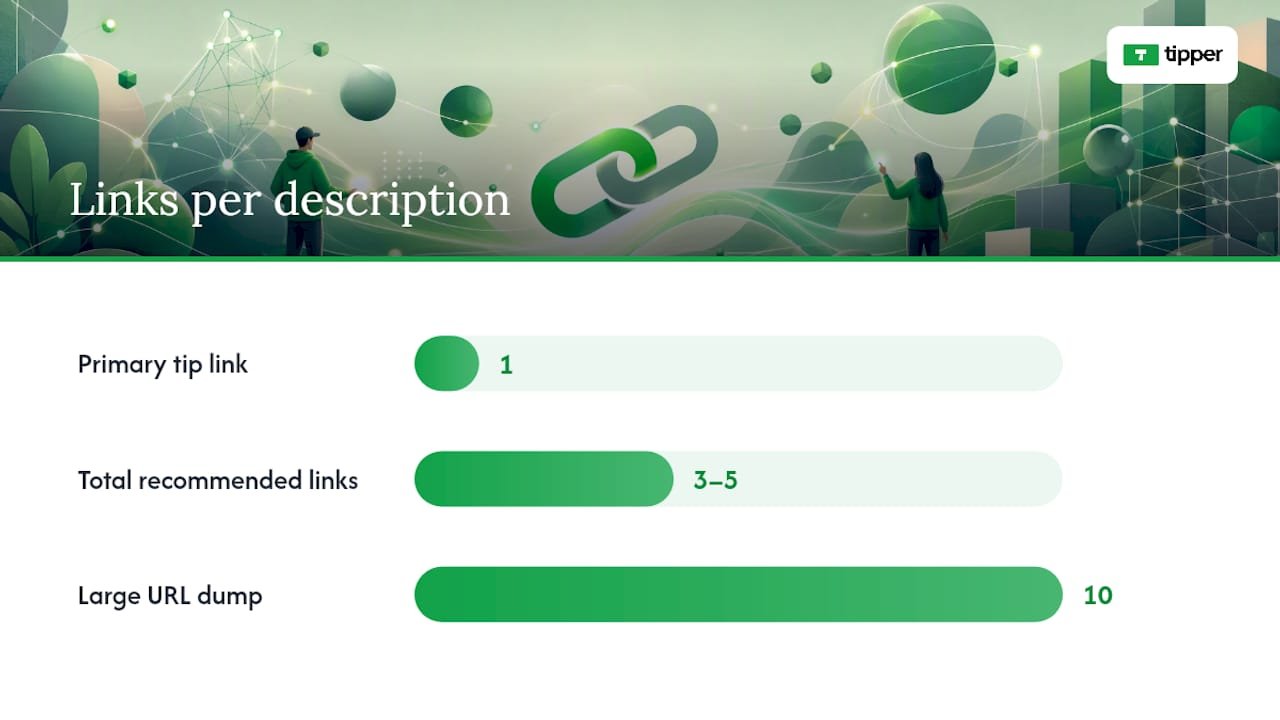
Cap your total description links at 3 to 5 and give your tip link the top spot. Research into platform spam detection has found that an opening cluster of multiple URLs can read as a low-quality signal to automated moderation systems, which sometimes suppresses reach on the video. One clean, obvious CTA outperforms a link dump every time.
A quick structural template that works:
- Line 1: A short hook. (“Enjoyed this? You can support the channel directly.”)
- Line 2: Your tip link, full
https://URL, nothing else on that line. - Blank line.
- Secondary links: social handles, merch, affiliate links, capped at 3 to 5 total.
If you run affiliate or sponsored links, place any required disclosure near those links, not buried at the bottom of the description. This matters for both platform policy and, depending on where you’re based, advertising law.
Save this structure as your default upload description. YouTube lets you set a template that autopopulates on every new video, which means you never have to remember to paste your tip link again. Consistency here compounds. A viewer who sees the same trustworthy layout on video after video is more likely to click without hesitating.
Should You Use Native YouTube Tipping or Your Own Link?
YouTube’s built-in tipping tools, Super Thanks, Super Chat, and channel memberships, sit in a different category from an external tip link. They appear directly inside the player or live chat, but they require eligibility enrollment through YouTube’s Commerce Product Module, and YouTube takes a revenue share.
An external tip link fills the gap when you don’t qualify yet, or when you want full control over payout timing and viewer privacy.
For live streams specifically:
- Pin your tip link in the live chat at the start of the stream, not just once.
- Mention it out loud every 15 to 20 minutes. Viewers scroll fast and miss pinned text constantly.
- Overlay the URL on your stream graphics so it’s visible even to viewers with chat collapsed.
- Label the link clearly. If your external tip link works differently from Super Chat, fees or payout timing, say so in one sentence, so viewers aren’t confused about what they’re using.
Fixing a Tip Link That Won’t Click
A broken link costs you tips silently. Nobody messages a creator to say “hey, your link didn’t work.” They just leave.
- Confirm the URL starts with
https://and contains no line breaks or smart quotes copied from a document. - Test the link on both a desktop browser and a mobile device, since rendering issues sometimes show up on only one.
- If the link still shows as plain text, check whether your channel has a pending strike, a recent policy review, or incomplete verification. These are common causes.
- If the description link stays broken, move your tip link to a pinned comment or your channel banner as a temporary workaround while you resolve the account issue.
Be upfront in your description or a linked FAQ about how tips are used, what fees apply, and your refund policy. Viewers tip more when they trust exactly where the money goes.
When an External Tip Link Beats Native Tools
External tip links give you something YouTube’s native tools don’t: full control over payout timing, higher retained revenue share, and ownership of your own supporter data instead of it living inside YouTube’s analytics dashboard. Native features like Super Thanks win on convenience. They appear right in the player, with zero friction for eligible viewers.
The smartest approach isn’t picking one and abandoning the other. Run both where you qualify, tag your external link with UTM parameters, and let a few weeks of data tell you which one your audience actually responds to. Keep your description hygiene consistent across every upload, because a tip link that shows up in a different spot every video trains viewers to stop looking for it.
— Tipper
Get Your Tip Link Live With Tipper
Every step in this guide, the https:// link, the clean UTM structure, the short slug, the above-the-fold placement, can be provided by digital tipping platforms without the setup headache.
Setup takes minutes. Create your account, build your personalized tip page, and copy the full link straight into the top two lines of your description or your pinned comment. You can also read Tipper’s creator tip link strategy guide for payout presets, or check how Tipper handles YouTube-specific setup if you want the platform-specific walkthrough. Supporters can also leave a thank-you note, photo, or short video with their tip, which turns a one-time payment into an actual moment between you and the person watching. Head to Tipper and get your link live before your next upload.
Sources
- Make YouTube Description Links Clickable
- Lnk
- Turn on and manage Super Thanks
- SJSU thesis on YouTube spam detection and link density
FAQ
What Is a YouTube Tip Link Exactly?
A YouTube tip link is a personalized payment URL you place in your video description or pinned comment so viewers can send you money directly, without creating an account. Some platforms generate this link and support Apple Pay, Google Pay, and card payments at checkout.
Where Do I Find My Tip Link Once I Create It?
You’ll find it on your tipping platform’s dashboard right after setup, ready to copy as a full https:// URL. Paste that exact URL into the top two lines of your description, since links placed above the fold get seen before viewers have to click “Show more.”
Why Isn’t My Tip Link Clickable on YouTube?
The most common cause is a missing https:// prefix, a smart quote or line break copied from a word processor, or a channel currently under policy review. YouTube’s linkifier fails silently on malformed URLs, so always test on both desktop and mobile after publishing.
Should I Use Super Thanks Instead of an External Tip Link?
Use both if you’re eligible. Super Thanks requires enrollment in YouTube’s Commerce Product Module and takes a revenue cut, while an external tip link like Tipper gives you direct payouts and keeps more of what viewers send.
How Many Links Should I Put in My Description?
Keep it to 3 to 5 total links, with your tip link as the single primary CTA at the top. Piling on more links dilutes clicks and can read as low-quality to YouTube’s own spam signals.
Recommended